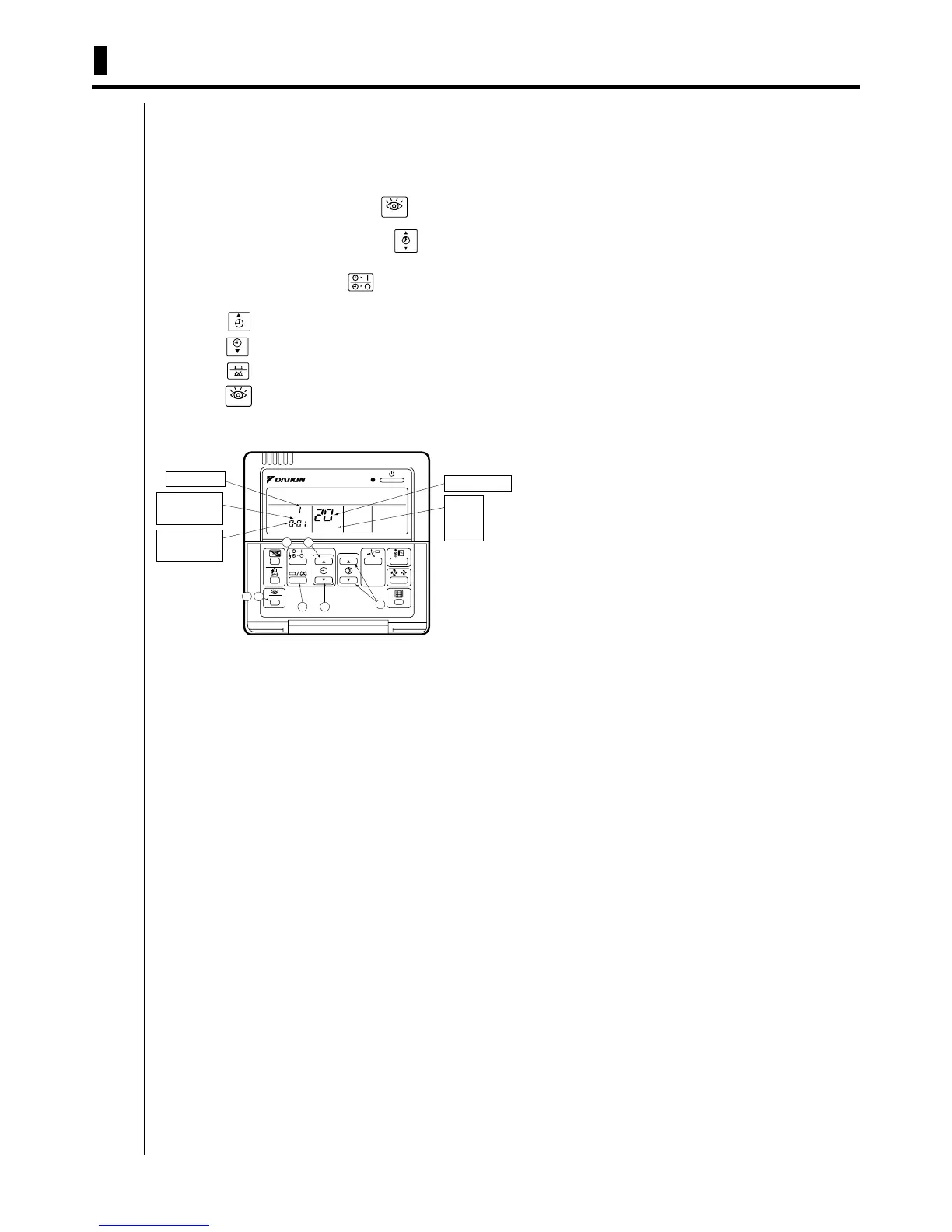
82 5.1 Wired Remote Controller <BRC1C62>
Remote Controllers
5. Field Setting by Remote Controller
If optional accessories are mounted on the indoor unit, the indoor unit setting may have to be changed. Refer to the
instruction manual for each optional accessory.
5.1 Wired Remote Controller <BRC1C62>
Procedure
c When in the normal mode, press the “ ” button for a minimum of four seconds,
and the FIELD SET MODE is entered.
TEST
TEST
d Select the desired MODE NO. with the “ ” button.
e During group control, when setting by each indoor unit (mode No. 20, 21 and 23
have been selected), push the “ ” button and select the INDOOR UNIT NO to
be set. (This operation is unnecessary when setting by group.)
f Push the “ ” upper button and select FIRST CODE NO.
g Push the “ ” lower button and select the SECOND CODE NO.
h Push the “ ” button once and the present settings are SET.
i Push the “ ” button for about one second to return to the NORMAL MODE.
(Example) If during group setting and the time to clean air filter is set to FILTER CONTAMINATION -
HEAVY, SET MODE NO. to “10,” FIRST CODE NO. to “0,” and SECOND CODE NO to “02.”
SETTING
TEST
UNIT NO.
3
4
5
6
7
1
2
FIELD
SET
MODE
UNIT NO.
.
SECOND
CODE NO.
.
MODE NO.
FIRST
CODE NO.
.



 To Next Page