1.2 Part Names on the Monitoring Screen and the Functions 93
intelligent Touch Controller
1.2 Part Names on the Monitoring Screen and the Functions
Icon
Contents of the List Currently Displayed
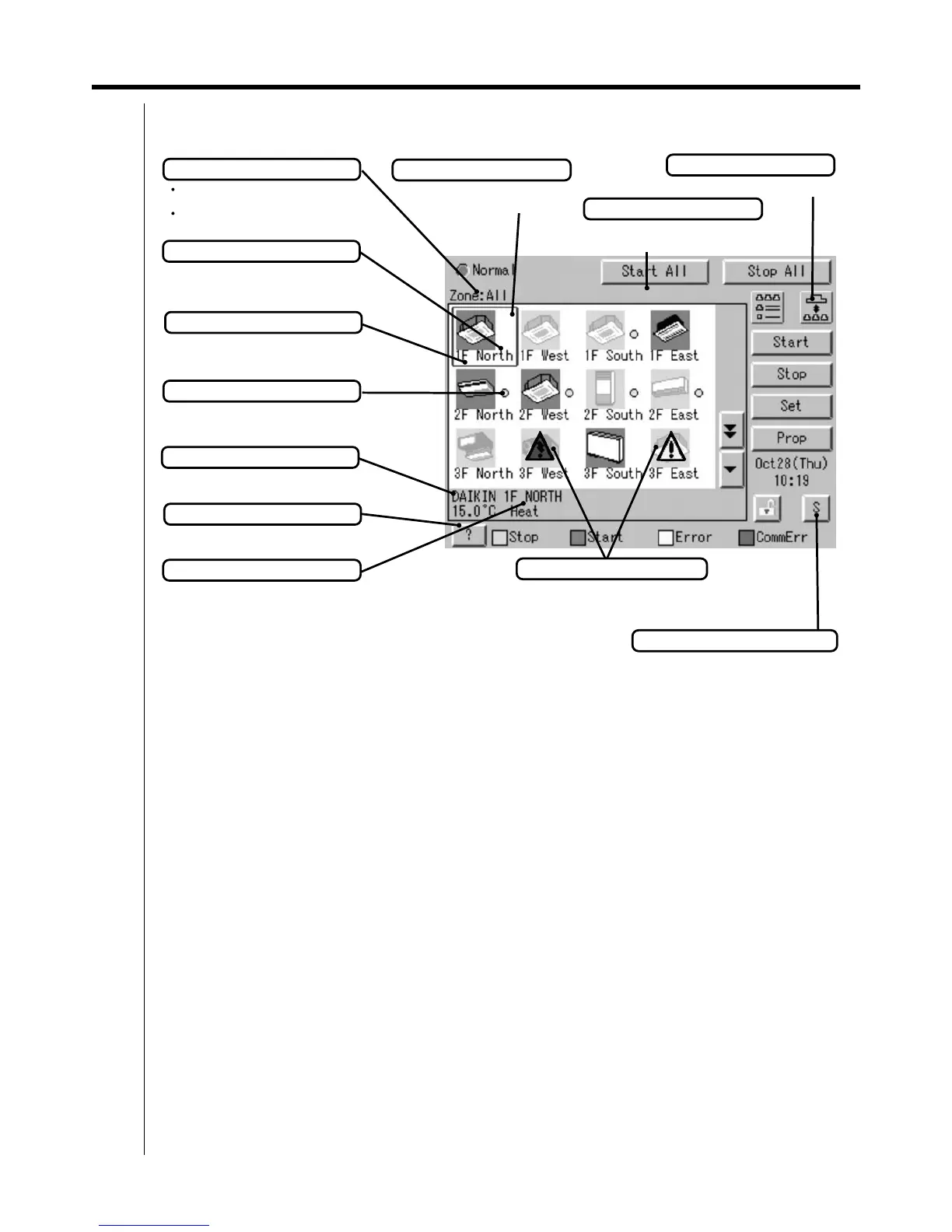
When Group List is displayed
“Zone: Zone Name”
When Zone List is displayed
“Zone List Display”
Display Mode Selection
Select between Zone and Group.
Information on Zone/Group Currently Displayed
Generally, the temperature setting and the
operation mode are displayed. If any error
occurs in the air conditioner, the error code is
displayed.
Displayed Abnormality in Air Conditioner or Communication
Blue triangular mark shows communication abnormality in
air conditioner.
Yellow triangular mark shows abnormality in air conditioner.
Zone/Group Currently Displayed
The name of the zone/group currently
selected is highlighted in blue flame.
Zone/Group Name
Set the names in the Group Registration or
Zone Registration in the System Setup
Mode.
Filter/Element Sign
Displayed when there is any air conditioner
showing a filter or element sign in the zone
or the group.
Target of Automatic Control
Displayed when there is any air conditioner
with the registration of scheduled in the zone
or in the group.
Monitoring Screen Legend
Pressing the “?” button shows more detailed
legend.
Button to Switch to the System Setup Mode
Use this button for settings including the
time, group, zone and schedule.
Description of Zone/Group
Set the names in the Group Registration or
Zone Registration in the System Setup Mode.
System Condition Displayed Domain
Domain displaying system
condition (Compulsory Stop etc.)



 To Next Page