134 1.5 Description of Functions
Control Devices
1.5.6 Registering Zone
It is possible to set multiple groups as one zone and control each zone separately.
No zones are registered when the unit is shipped from the factory.
Zone registration can be done in the individual screen, all screen, or zone screen.
Registration
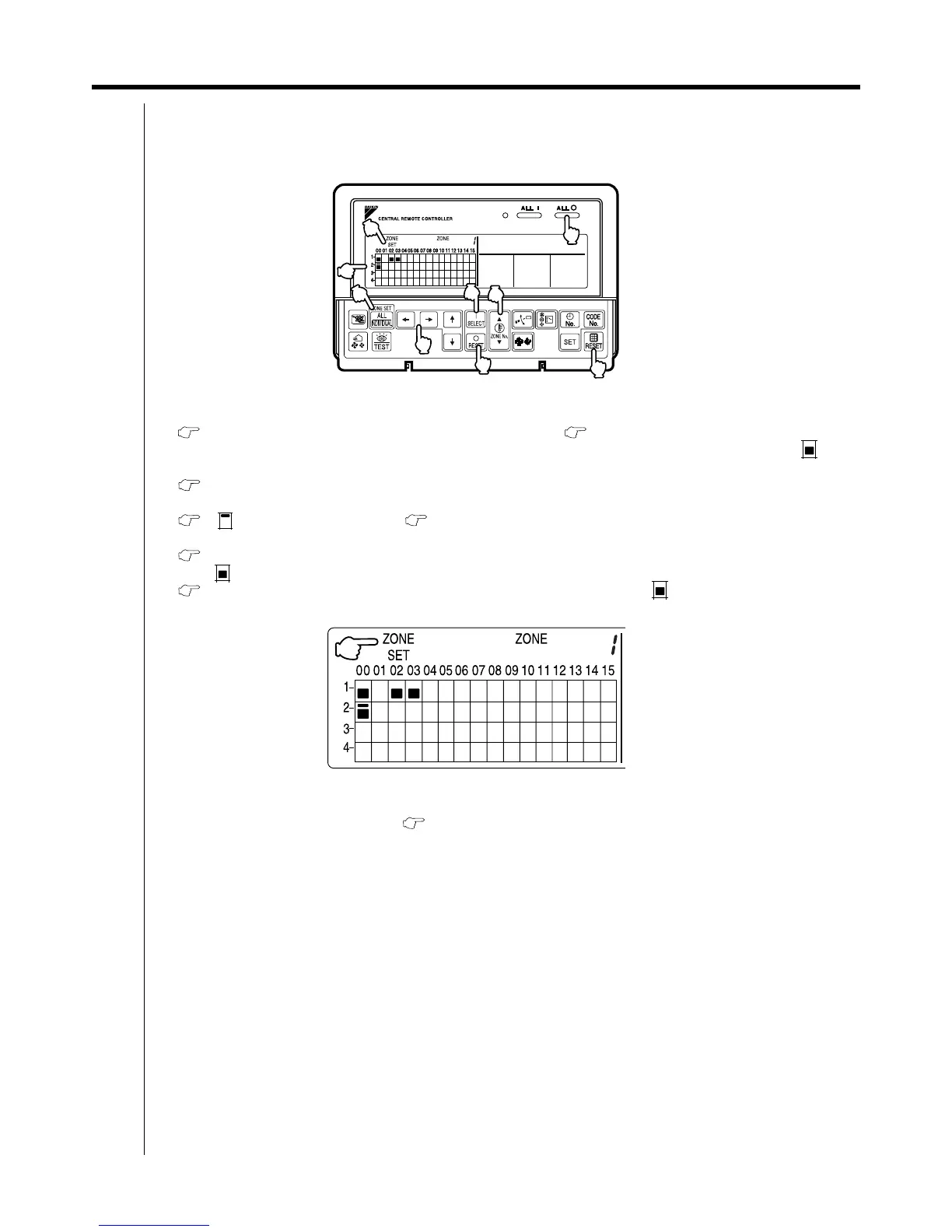
1. Pressing the "ALL/INDIVIDUAL" button for four seconds. Displays ZONE SET.
Zone Number 1 will be displayed, and if there are any groups already registered in the displayed zone, a “ ” will
light up on the operation monitor.
2. Select the Zone Number to be registered using the "ZONE NUMBER" button.
Keeping the button pressed down will move it rapidly.
3. " "to the group you wish to register using the arrow keys.
Keeping the button pressed down will move it rapidly.
4. Press the "SELECT" button to register that group to the zone.
The " " display lights up on all the selected units.
Pressing the "RESET" button removes the group from that zone, and " " goes off.
Repeat steps 3 and 4 until all the units you wish to register to the zone have been added.
In this example, a screen is shown with units 1-00, 1-02, 1-03, and 2-00 registered to Zone Number 1.
5. Repeat steps 2 to 4 to register to the next zone.
6. Once zone registration is complete, press the "ALL/INDIVIDUAL" button to turn off "ZONE SET" display
and return to the individual screen.
The display returns to the normal screen if nothing is done for one minute when in zone registration mode.
(NOTE)
It is impossible to register one group to several different zones.
If this is done, the last zone registered to will be valid.
3P124623-3A
7
8
9
4
3
6
1
5
2
1 2
3
5 4
4
7
2
1



 To Next Page