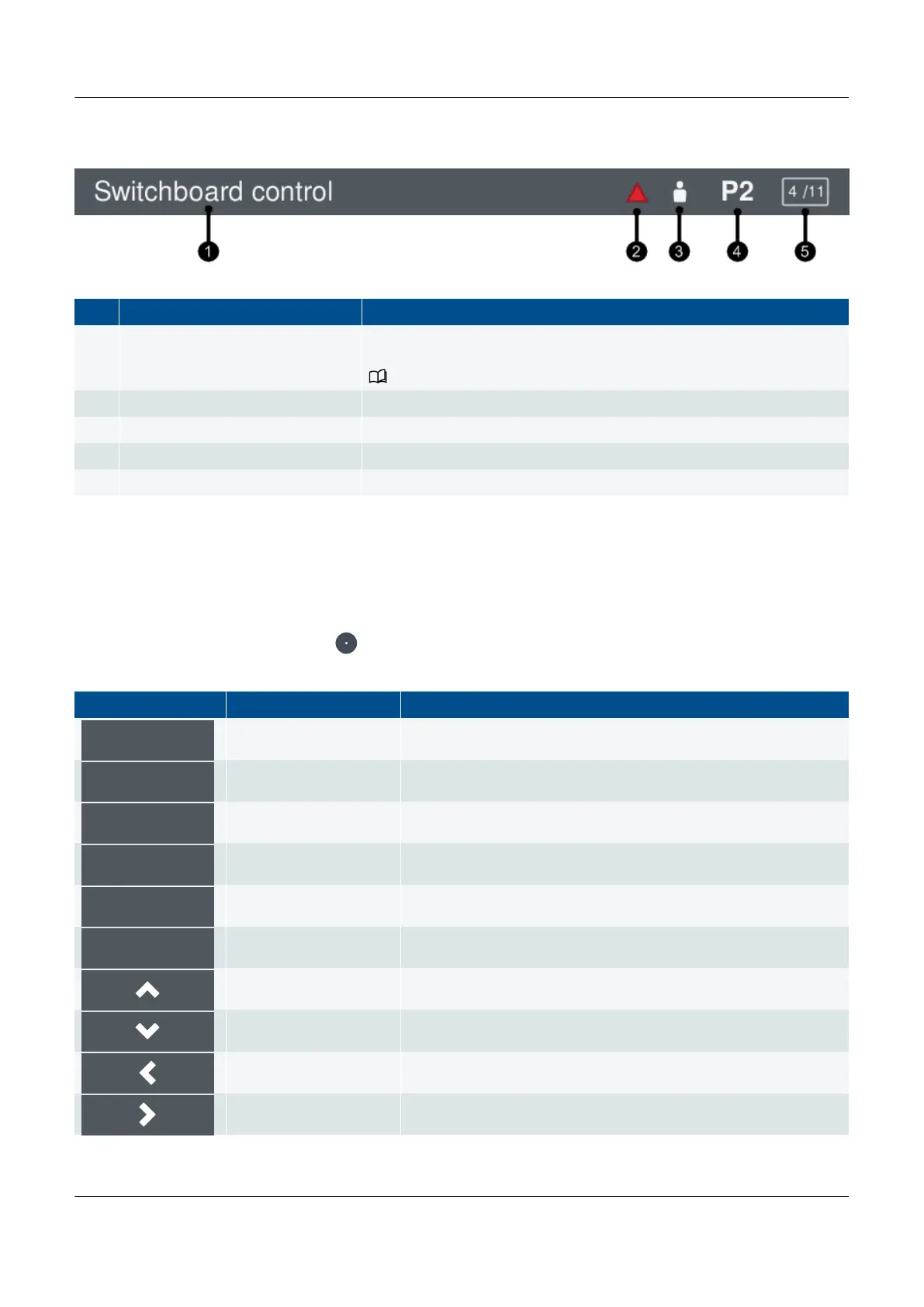
Figure 5.2 Status bar example
No. Item Notes
1. Controller status text
Displays the current controller status text. This varies depending upon the
operation of the controller.
See Operator messages, Controller status texts for more information.
2. Active alarm(s) At least one active alarm is present. This can include latched alarms.
3. User The display unit has a user logged on.
4. Priority Shows the genset priority (only for GENSET controllers).
5. Page number Shows the Live data page number (only on the Live data screen).
5.1.3 About the soft keys
The soft key buttons, which are displayed on screen, allow you to perform different features or options for the screen you are
viewing. The soft key buttons also allow you to navigate the menus on the display unit.
You select a soft key function by pressing .
Soft key Area Notes
Live data Returns to the Home menu.
Data entry Confirms the information entered.
Data entry Toggle the option ON/OFF.
Data entry Clears all selected options.
Alarms Resets all latched alarms.
Alarms Acknowledges an alarm.
All Moves the highlighted option up.
All Moves the highlighted option down.
All Moves the highlighted option left.
All Moves the highlighted option right.
PPM 300 Operator's manual 4189340910 UK



 To Next Page