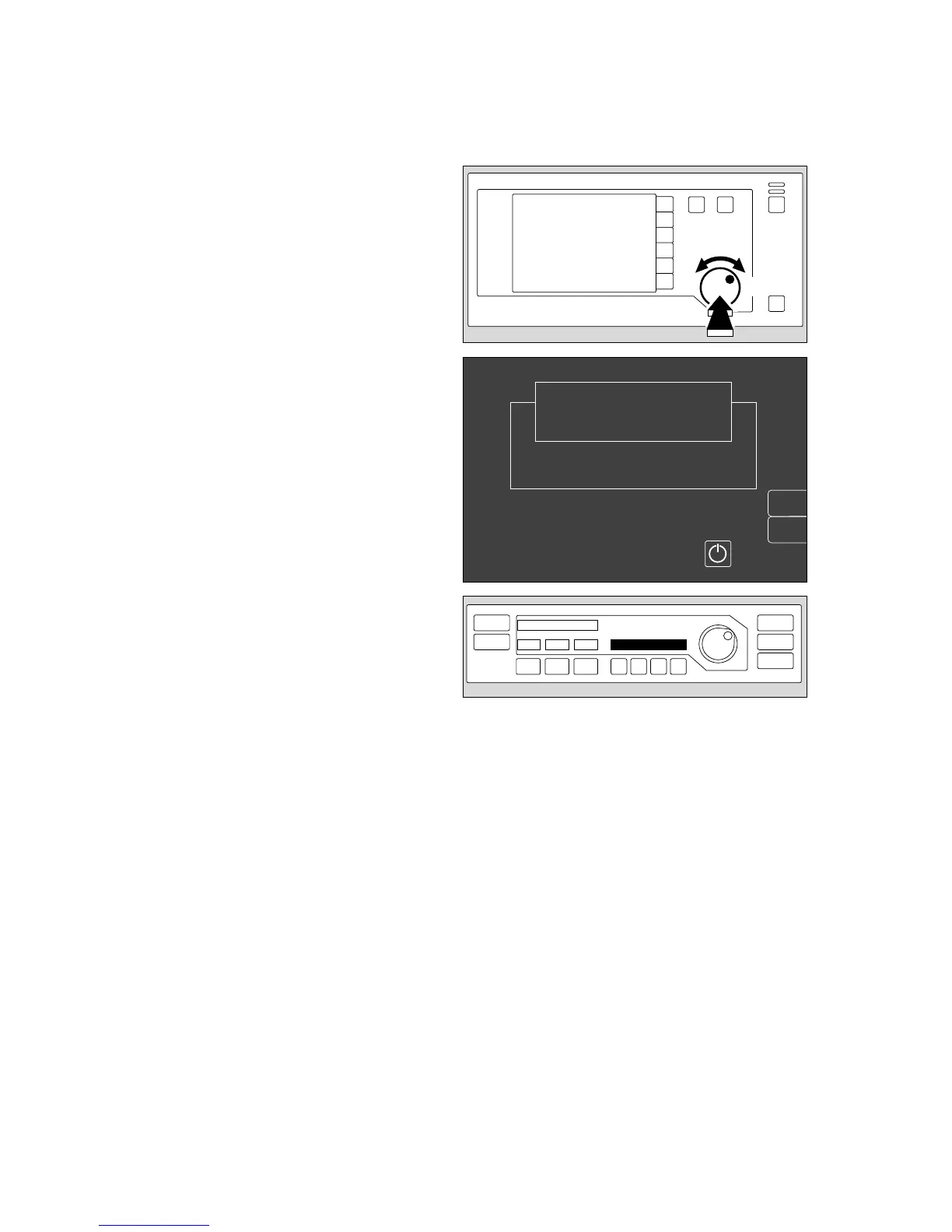
1 Press rotary control on monitor –
The machine changes to »standby« mode and the
following display appears (example):
2 On the ventilator:
Standby
»Standby« means that:
– the system can immediately be switched to any
operating mode;
– gas consumption is zero (neither drive gas nor
anaesthetic gas);
– power consumption is marginal;
– the piston cylinder unit is in withdrawal position.
Manual ventilation is not possible in standby mode!
Any attempt to undertake manual ventilation in »standby«
mode is immediately detected and causes the system to
start operation in MAN/SPONT mode. (»Auto-WakeUp«
function, see page 8).
The equipment is now ready for operation!
The monitor and ventilator self-tests have been
completed successfully.
✔ Tick off in checklist, select the settings required for
the patient and
✔ tick off in checklist.
● Remember to sign and date the checklist!
34
Preparing for use
Checking readiness for operation with checklist
Ventilator start-up test
1
erase
trend
Select ventilation mode at the ventilator
or switch on screen by pressing
Standby
Cato
SW-Version 2.05
02-05-00
config.
2
00237225 0622897006428970












 To Next Page