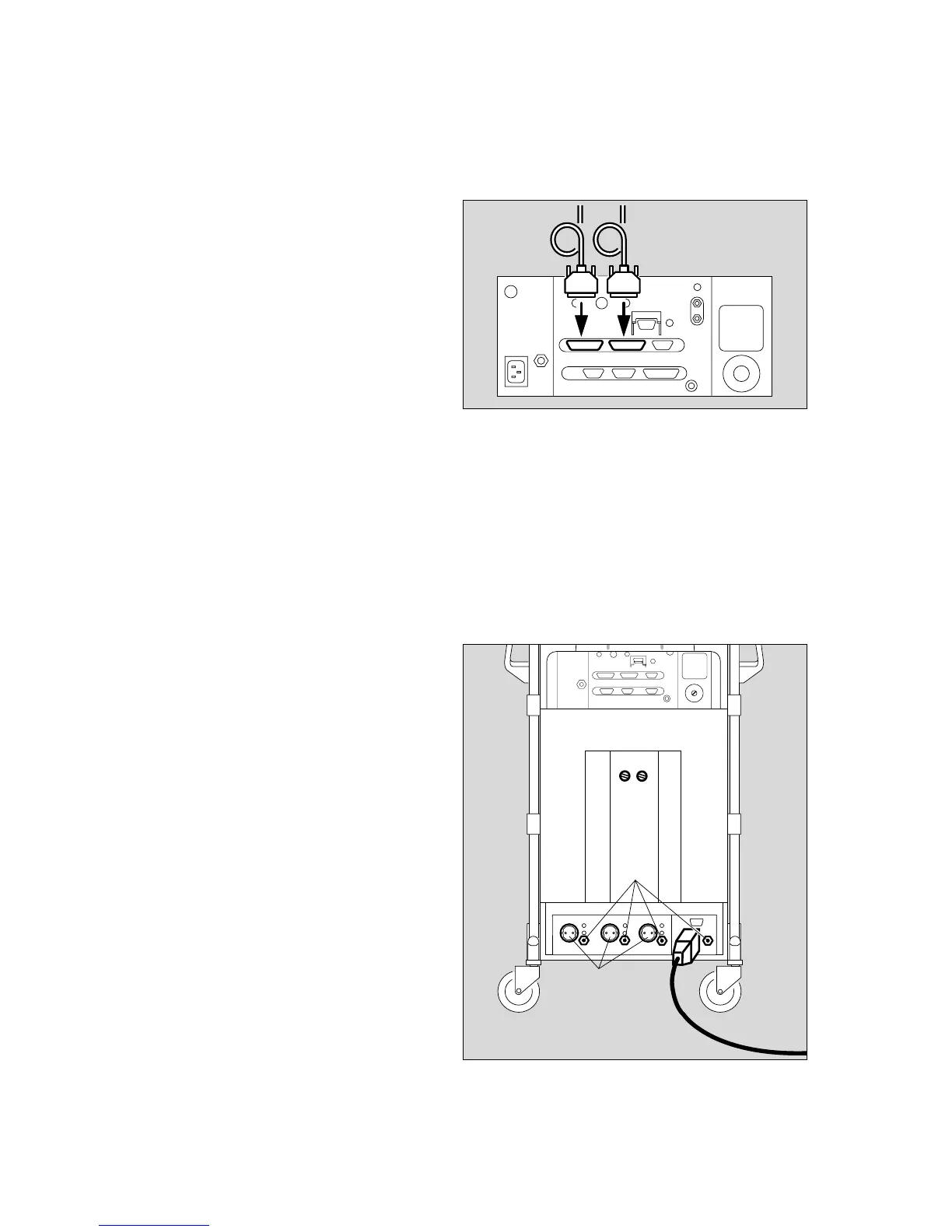
Connecting external equipment
Configuration of the interfaces is described on page 53.
Connection via the protocol interface
1 with data cable for printers with serial interface,
e.g. Desk-Jet (Hewlett-Packard)
or
for e.g. the PM 8060 Vitara Patient Monitor with the
MEDIBUS protocol.
See page 53 for configuration.
Connection via the Dräger RS 232 C MEDIBUS
interface
e.g. to connect the PM 8060 Vitara Patient Monitor.
2 Connect with data cable.
● The equipment plugs must be secured with the
screws provided.
Connecting equipotential bonding
e.g. for intracardiac or intracranial operations.
3 Connect one end of the grounding cable to the pin at
the rear.
● Connect the other end to the equipotential bonding
pin on the operating table or ceiling pendant.
Connecting to electricity supply
The mains voltage must correspond to that specified on
the rating plate on the rear of the machine.
4 Plug the mains plug into the wall socket.
5 The auxiliary power sockets are always switched on.
94
Care
Reassembling system
Connecting external equipment
Connecting equipotential bonding
Connecting to electricity supply
12
4
3P
5
1792897018028970












 To Next Page