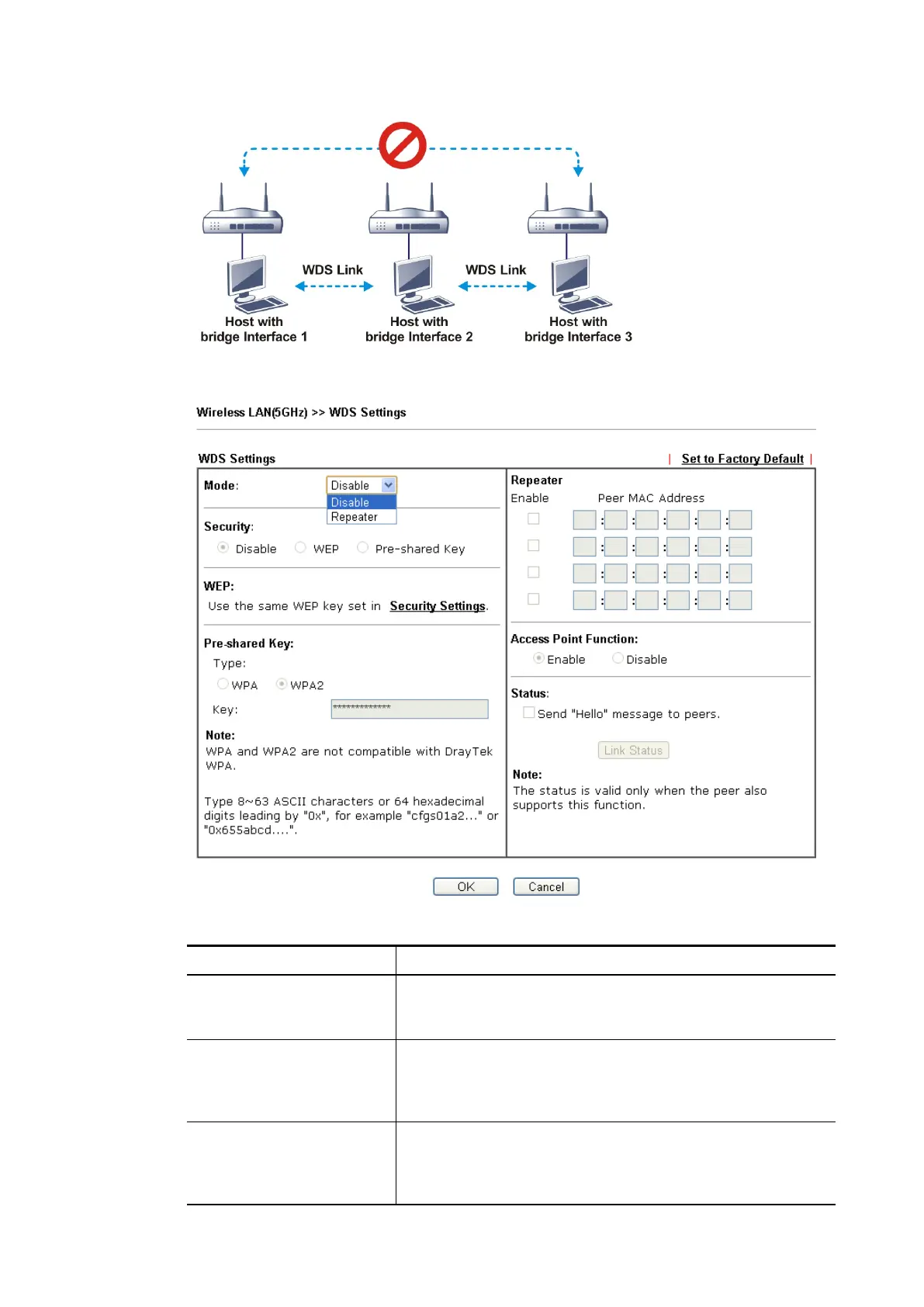
Click WDS from Wireless LAN menu. The following page will be shown.
Available settings are explained as follows:
Item Description
Mode Choose the mode for WDS setting. Disable mode will not
invoke any WDS setting. Repeater mode is for the second
one.
Security There are three types for security, Disable and Pre-shared
key. The setting you choose here will make the following
WEP or Pre-shared key field valid or not. Choose one of the
types for the router.
Pre-shared Key Type – There are some types for you to choose. WPA and
WPA2 are used for WDS devices (e.g.2920n wireless router,
you can set the encryption mode as WPA or WPA2 to
establish your WDS system between AP and the router.
Vigor2762 Series User’s Guide










 To Next Page