I
I
I
I
I
I
.
.
C
C
o
o
n
n
f
f
i
i
r
r
m
m
i
i
n
n
g
g
I
I
P
P
v
v
6
6
S
S
e
e
r
r
v
v
i
i
c
c
e
e
R
R
u
u
n
n
S
S
u
u
c
c
c
c
e
e
s
s
s
s
f
f
u
u
l
l
l
l
y
y
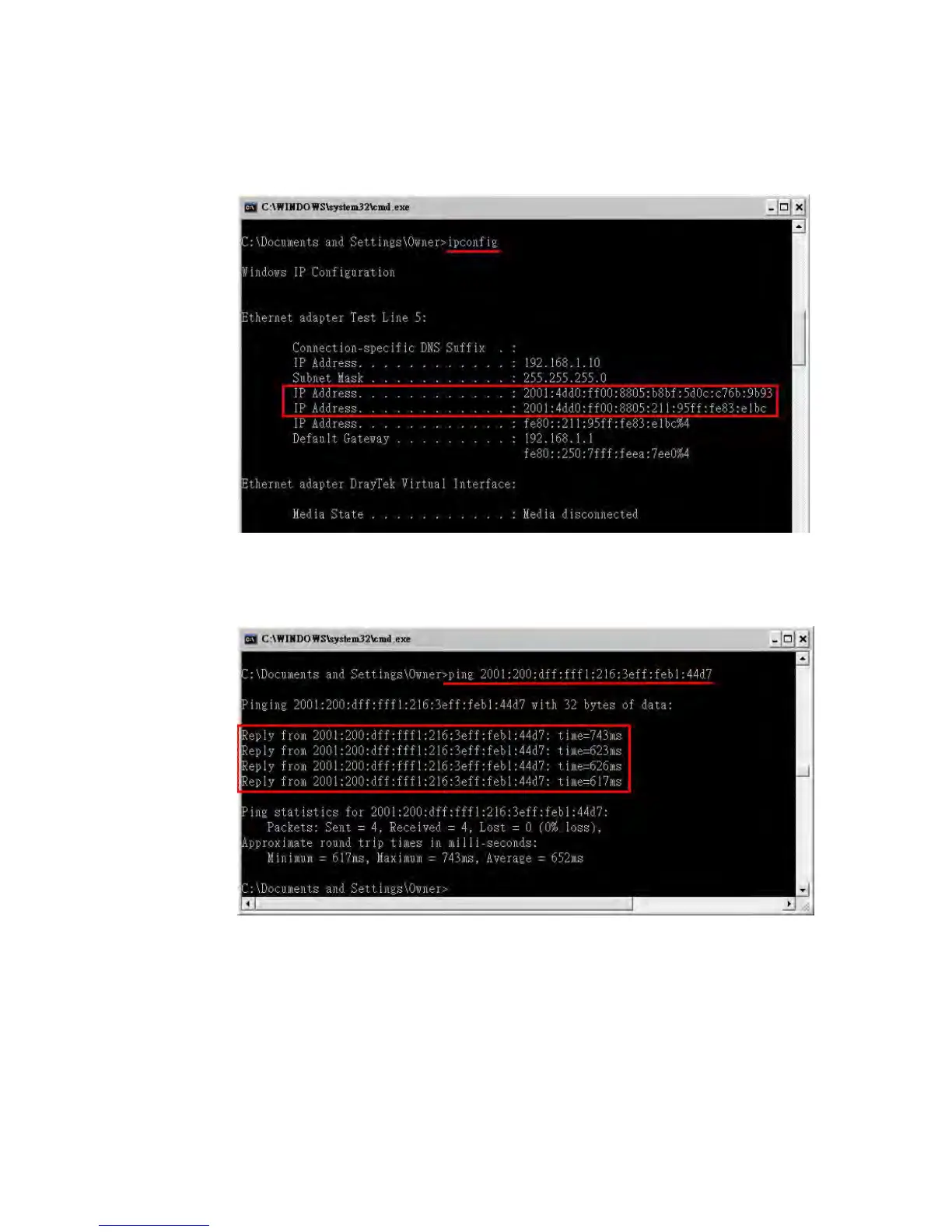
1. Make sure you have obtained the correct IPv6 IP address. Get into MS-DOS interface and
type the command of “ipconfig”. Refer to the following figure.
From the above figure we can see IPv6 IP address has been captured by the system.
2. Use the Ping command to ping any IPv6 address indicating an IPv6 website. For example,
www.kame.net is a website supporting IPv4 IP and IPv6 IP services. Its IPv6 address is
seen with a format of 2001:200:dff:fff1:216:3eff:feb1:44d7.
After getting the above message, it means the IPv6 service has been activated
successfully.














 To Next Page