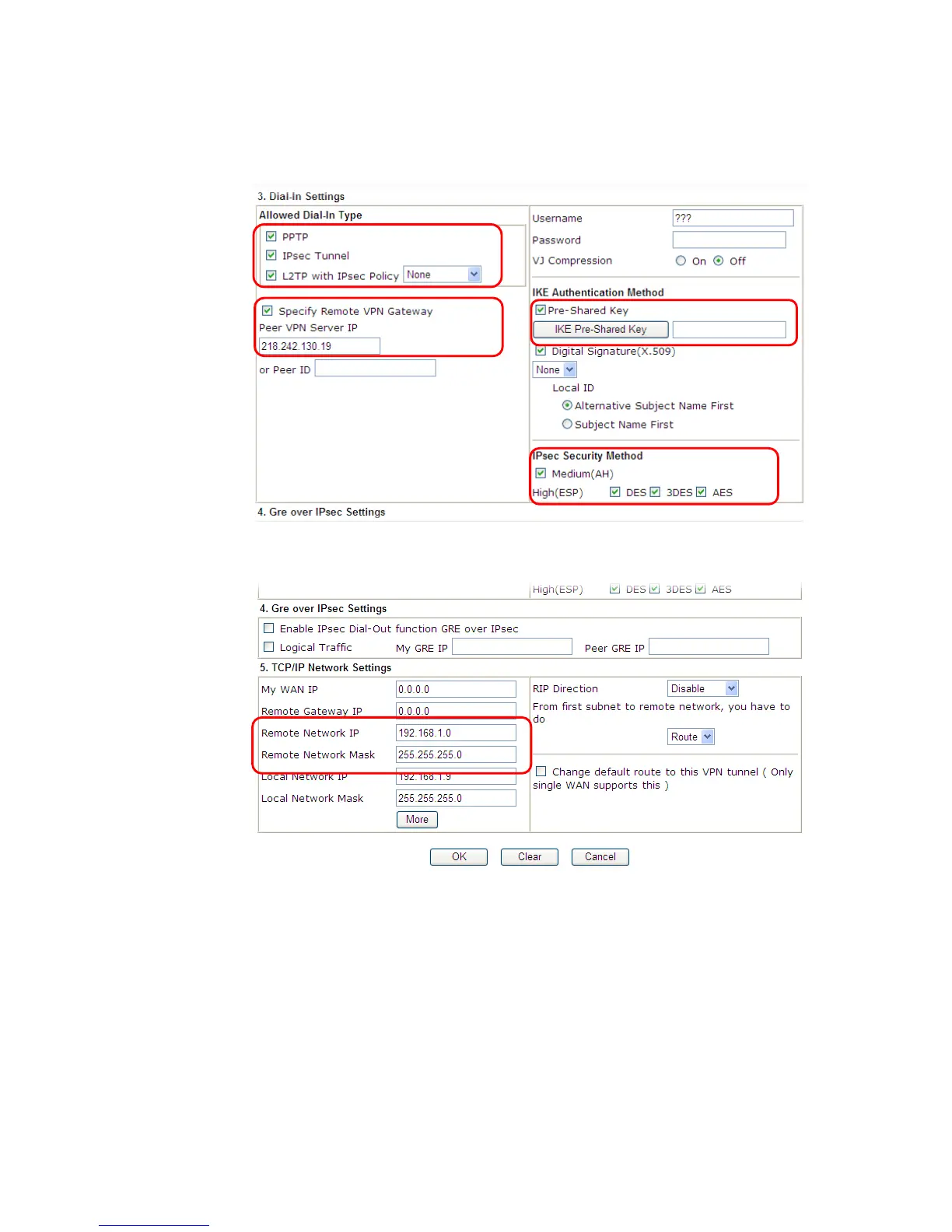
4. Now navigate to the next section, Dial-In Settings to check PPTP, IPsec Tunnel and L2TP
boxes. Check the box of Specify Remote… and type the Peer VPN Server IP (e.g.,
218.242.130.19 in this case). Press the IKE Pre-Shared Key button to set the PSK; and
select Medium (AH) or High (ESP) as the security method.
5. Continue to navigate to the TCP/IP Network Settings for setting the LAN IP for remote
side.
6. Click OK to save the settings.
7. Open VPN and Remote Access>>Connection Management to check the dial-in
connection status (from branch office).














 To Next Page