C
C
o
o
n
n
f
f
i
i
g
g
u
u
r
r
a
a
t
t
i
i
o
o
n
n
o
o
n
n
V
V
i
i
g
g
o
o
r
r
R
R
o
o
u
u
t
t
e
e
r
r
f
f
o
o
r
r
B
B
r
r
a
a
n
n
c
c
h
h
O
O
f
f
f
f
i
i
c
c
e
e
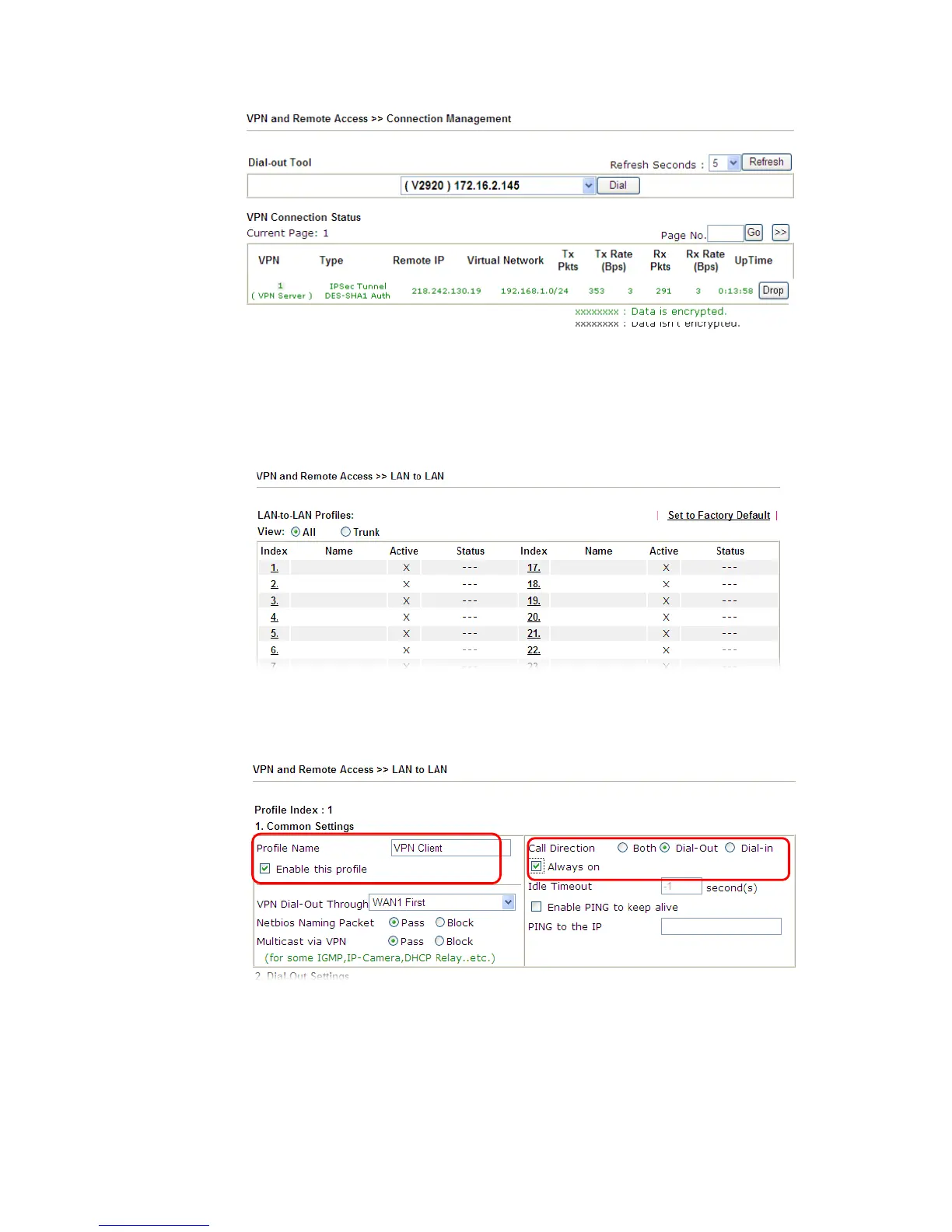
1. Log into the web user interface of Vigor router.
2. Open VPN and Remote Access>>LAN to LAN to create a LAN-to-LAN profile. The
following settings are for a permanent VPN connection.
3. Click any index number to open the configuration page. Type a name which is easy for
identification for such profile (in this case, type VPN Client), and check the box of
Enable This Profile. For such Vigor router will be set as a client, the call direction shall
be set as Dial-out. Check the box of Always on for a permanent VPN connection.














 To Next Page