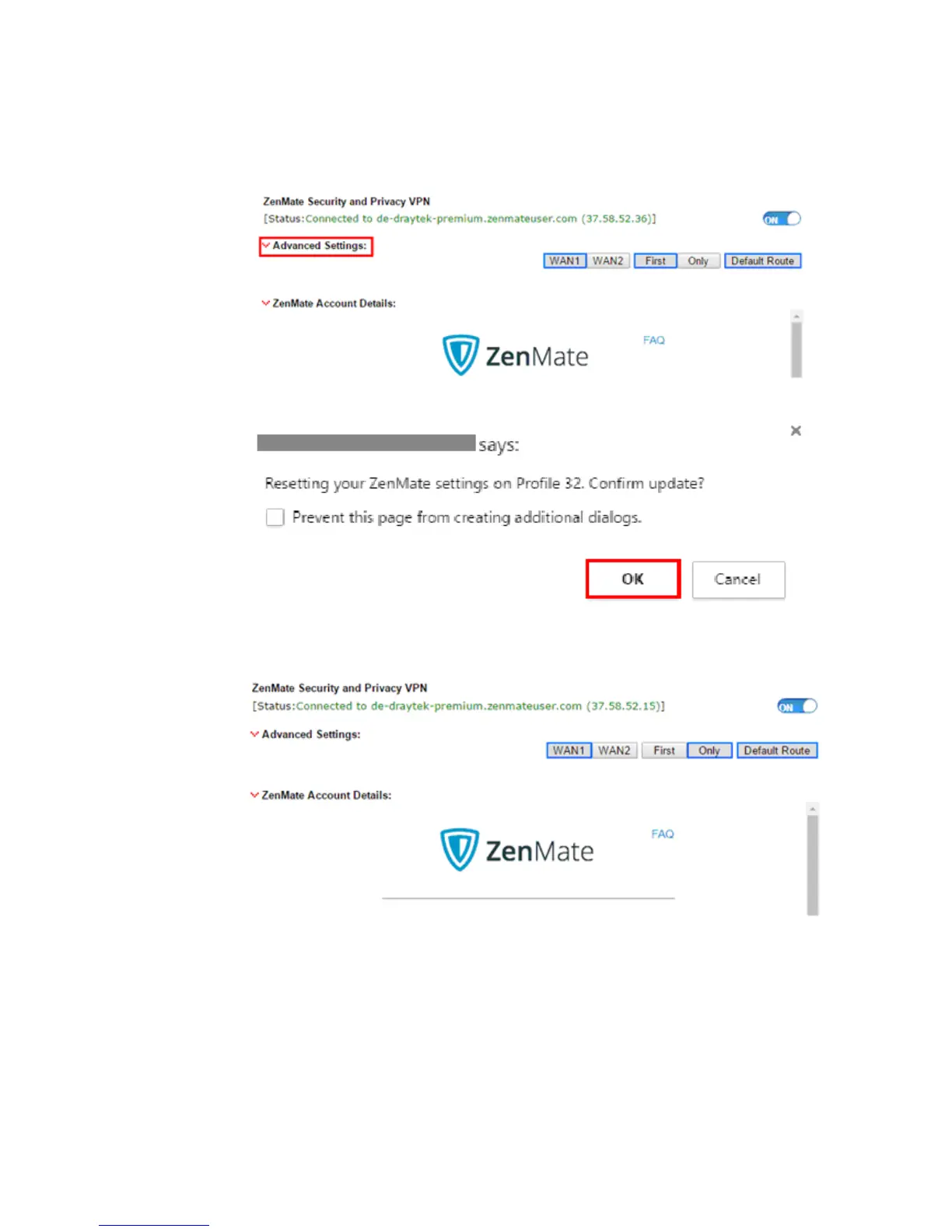
7. Click ^ to view Advanced Settings. The default ZenMate VPN profile is configured to use
WAN1 First and enabled as the Default Route. For example, If Vigor Router only has
WAN2, we can change the configuration to WAN2 Only just by clicking “WAN2” and
“Only” buttons, and click Save Config to apply the new settings.
8. A window will pop-up for confirming the ZenMate settings change, click OK to continue.
9. ZenMate VPN is connected again!
10. You may also see the status of ZenMate VPN tunnel via VPN and Remote Access >>
Connection Management page.














 To Next Page