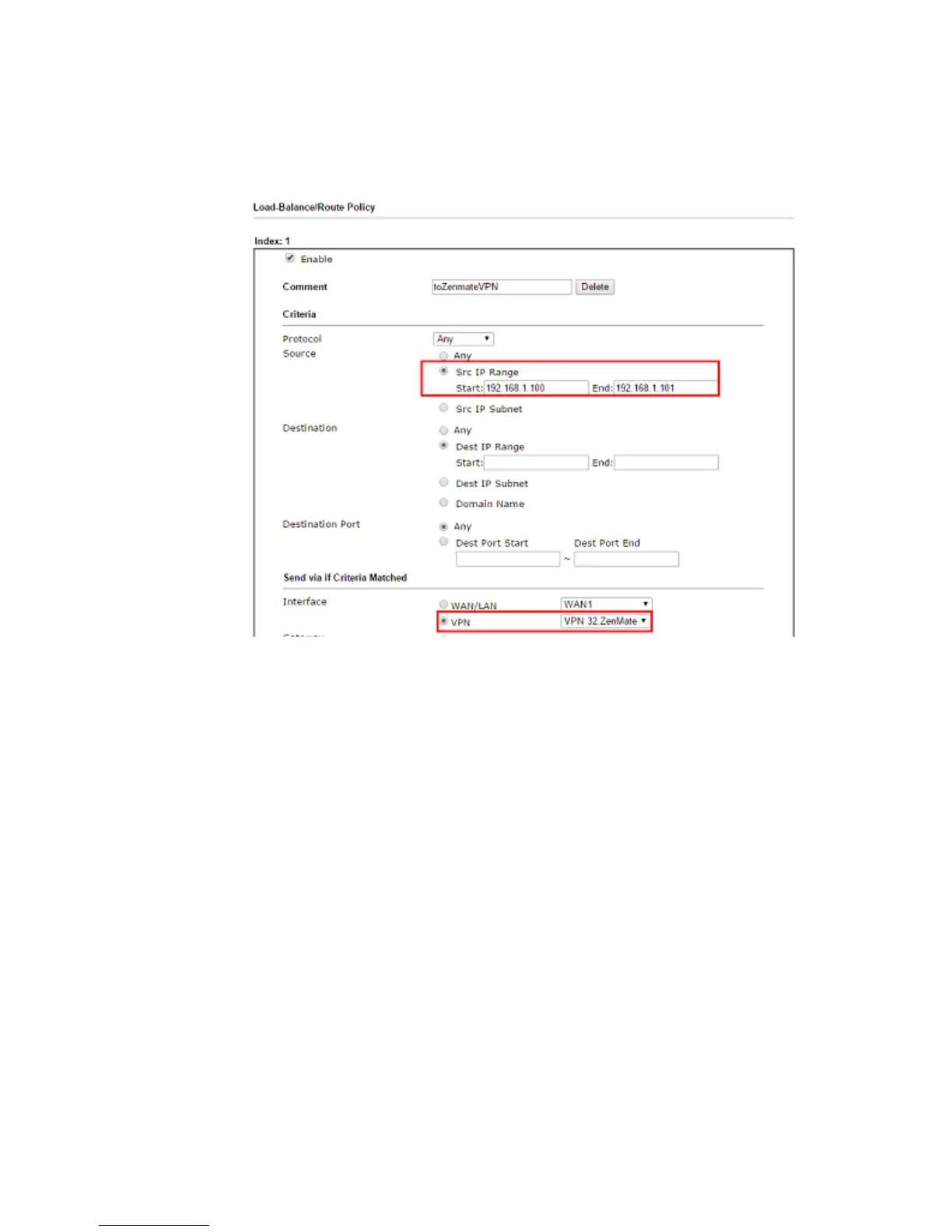
13. To specify the traffic that should go over ZenMate VPN tunnel, go to Load-Balance/
Route Policy >> General Setup, click an index to edit a policy rule. In the example
below, only packet source from IP 192.168.1.100 and 192.168.1.101 will be routed to
ZenMate VPN; while packets from other IPs will be routed to Vigor Router's WAN
directly.














 To Next Page