Vigor2860 Series User’s Guide
425
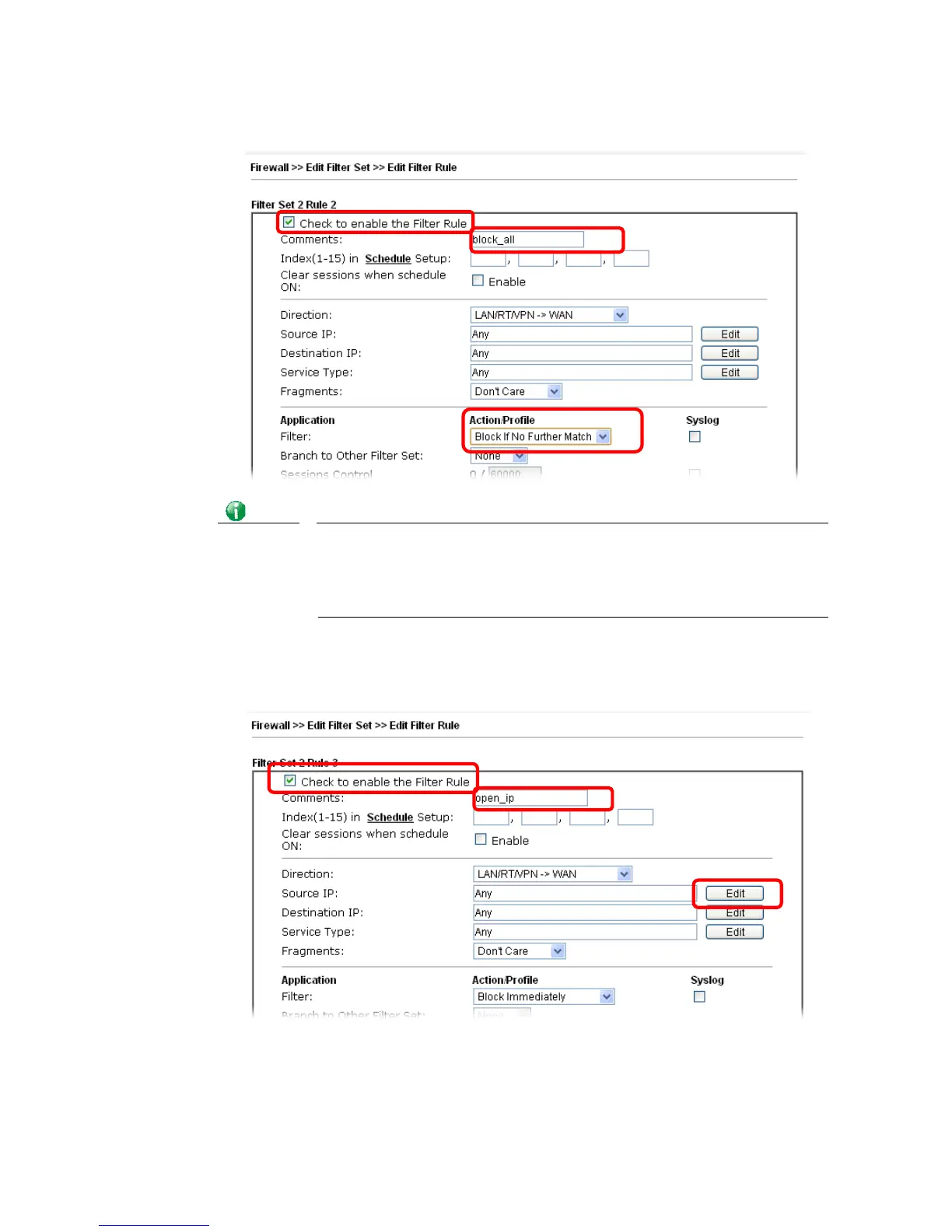
3. Check the box of Check to enable the Filter Rule. Type the comments (e.g., block_all).
Choose Block If No Further Match for the Filter setting. Then, click OK.
Info
In default, the router will check the packets starting with Set 2, Filter Rule
2 to Filter Rule 7. If Block If No Further Match for is selected for Filter, the
firewall of the router would check the packets with the rules starting from
Rule 3 to Rule 7. The packets not matching with the rules will be processed
according to Rule 2.
4. Next, set another rule. Just open Firewall>>Filter Setup. Click the Set 2 link and
choose the Filter Rule 3 button.
5. Check the box of Check to enable the Filter Rule. Type the comments (e.g., open_ip).
Click the Edit button for Source IP.














 To Next Page