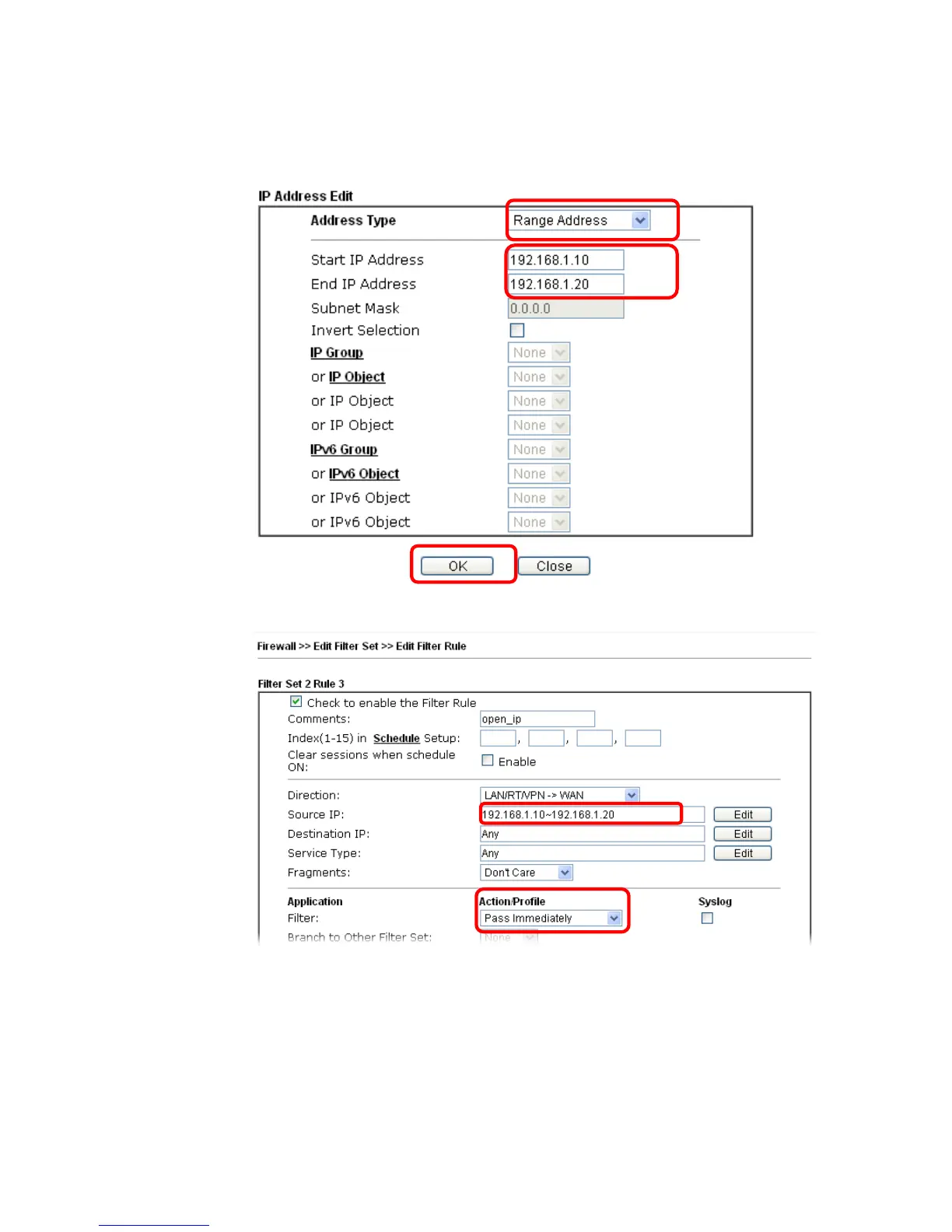
6. A dialog box will be popped up. Choose Range Address as Address Type by using the
drop down list. Type 192.168.1.10 in the field of Start IP, and type 192.168.1.20 in the
field of End IP. Then, click OK to save the settings. The computers within the range can
access into the Internet.
7. Now, check the content of Source IP is correct or not. The action for Filter shall be set
with Pass Immediately. Then, click OK to save the settings.














 To Next Page