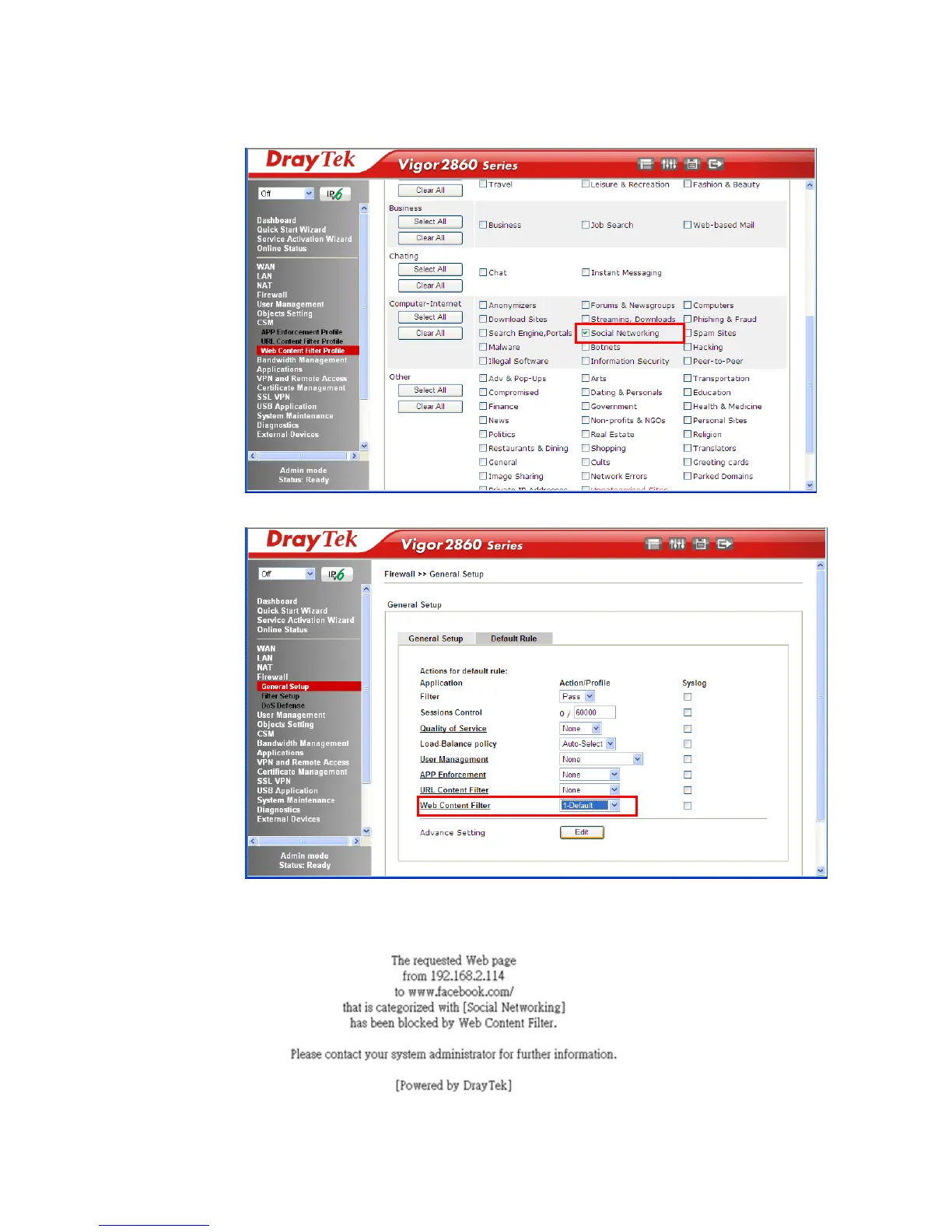
2. Open CSM >> Web Content Filter Profile to create a WCF profile. Check Social
Networking with Action, Block.
3. Enable this profile in Firewall>>General Setup>>Default Rule.
4. Next time when someone accesses facebook via this router, the web page would be
blocked and the following message would be displayed instead.














 To Next Page