Vigor2860 Series User’s Guide
455
II. Via URL Content Filter
A. Block the web page containing the word of “Facebook”
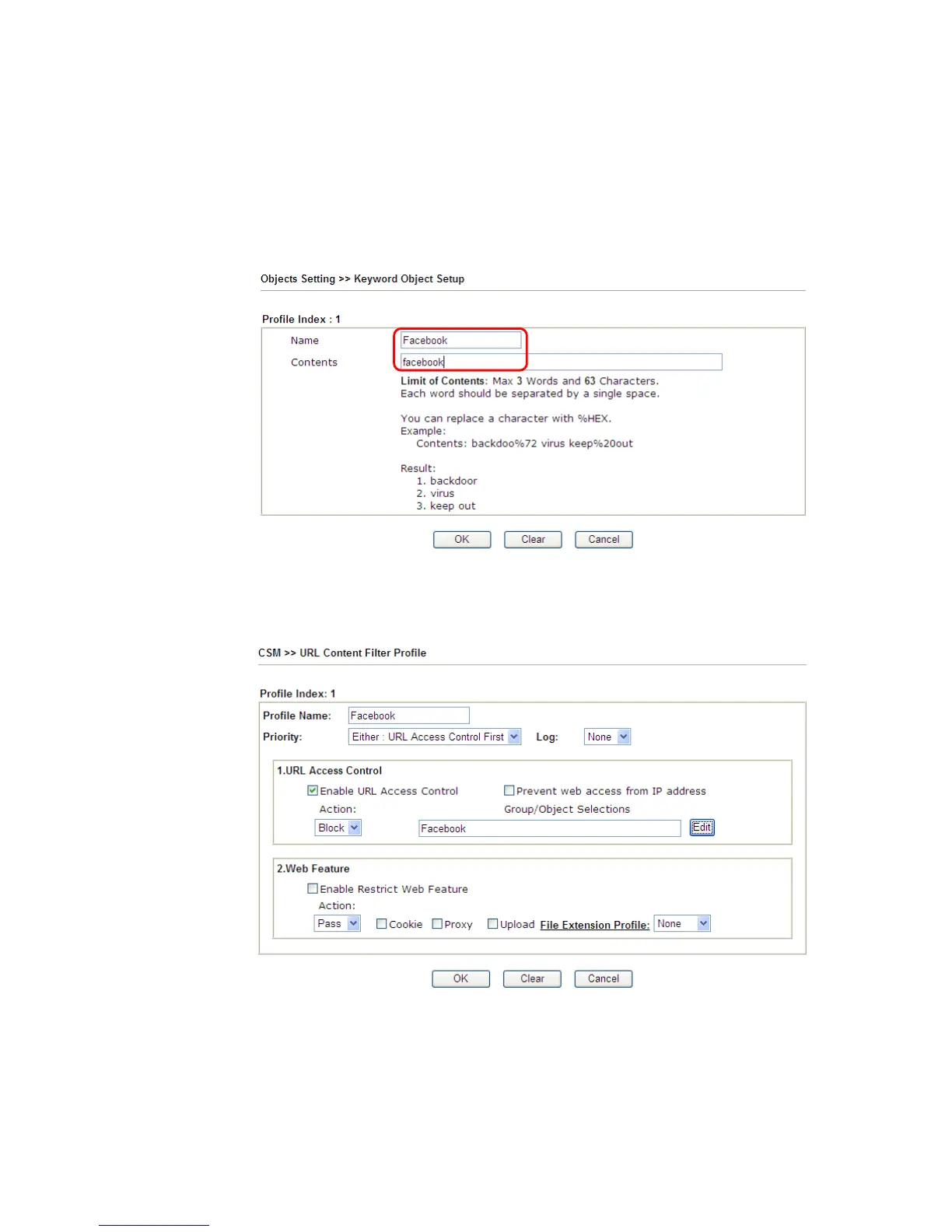
1. Open Object Settings>>Keyword Object. Click an index number to open the setting
page.
2. In the field of Contents, please type facebook. Configure the settings as the following
figure.
3. Open CSM>>URL Content Filter Profile. Click an index number to open the setting
page.
4. Configure the settings as the following figure.
5. When you finished the above steps, click OK. Then, open Firewall>>General Setup.














 To Next Page