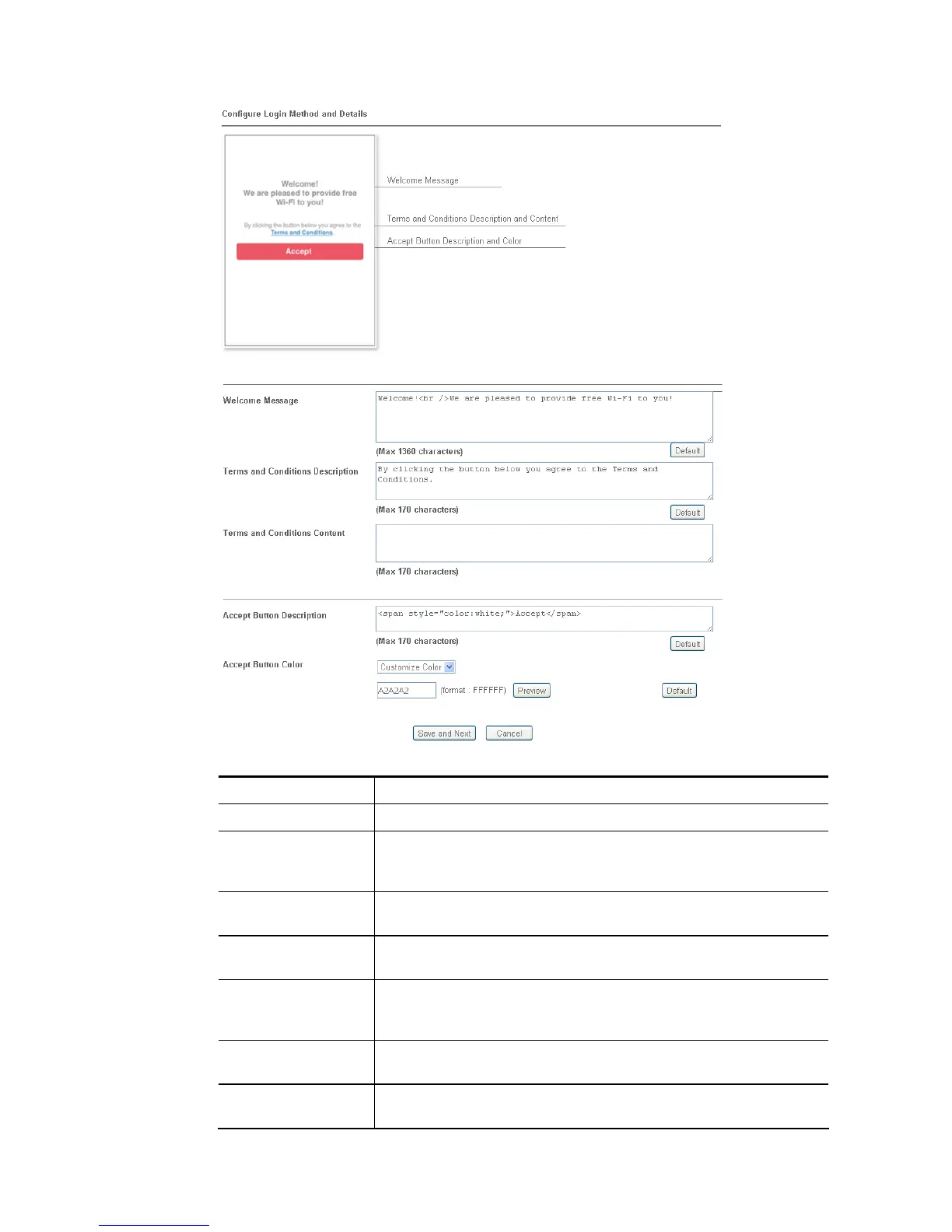
Available settings are explained as follows:
Item Description
Welcome Message Enter the text to be displayed as the welcome message.
Terms and
Conditions
Description
Enter the text to be displayed as the Terms and Conditions
hyperlink text.
Terms and
Conditions Content
Enter the text to be displayed in the Terms and Conditions pop-up
window.
Accept Button
Description
Enter the text to be displayed on the accept button
Accept Button Color Select the color of the accept button from the predefined color
list, or select Customize Color and enter the RGB value. Click
Preview to preview the selected color.
Save and Next Click to save the configuration on this page and proceed to the
next page.
Cancel Click to abort the configuration process and return to the profile
summary page.














 To Next Page