C
C
r
r
e
e
a
a
t
t
i
i
n
n
g
g
/
/
E
E
d
d
i
i
t
t
i
i
n
n
g
g
t
t
h
h
e
e
A
A
P
P
M
M
a
a
p
p
P
P
r
r
o
o
f
f
i
i
l
l
e
e
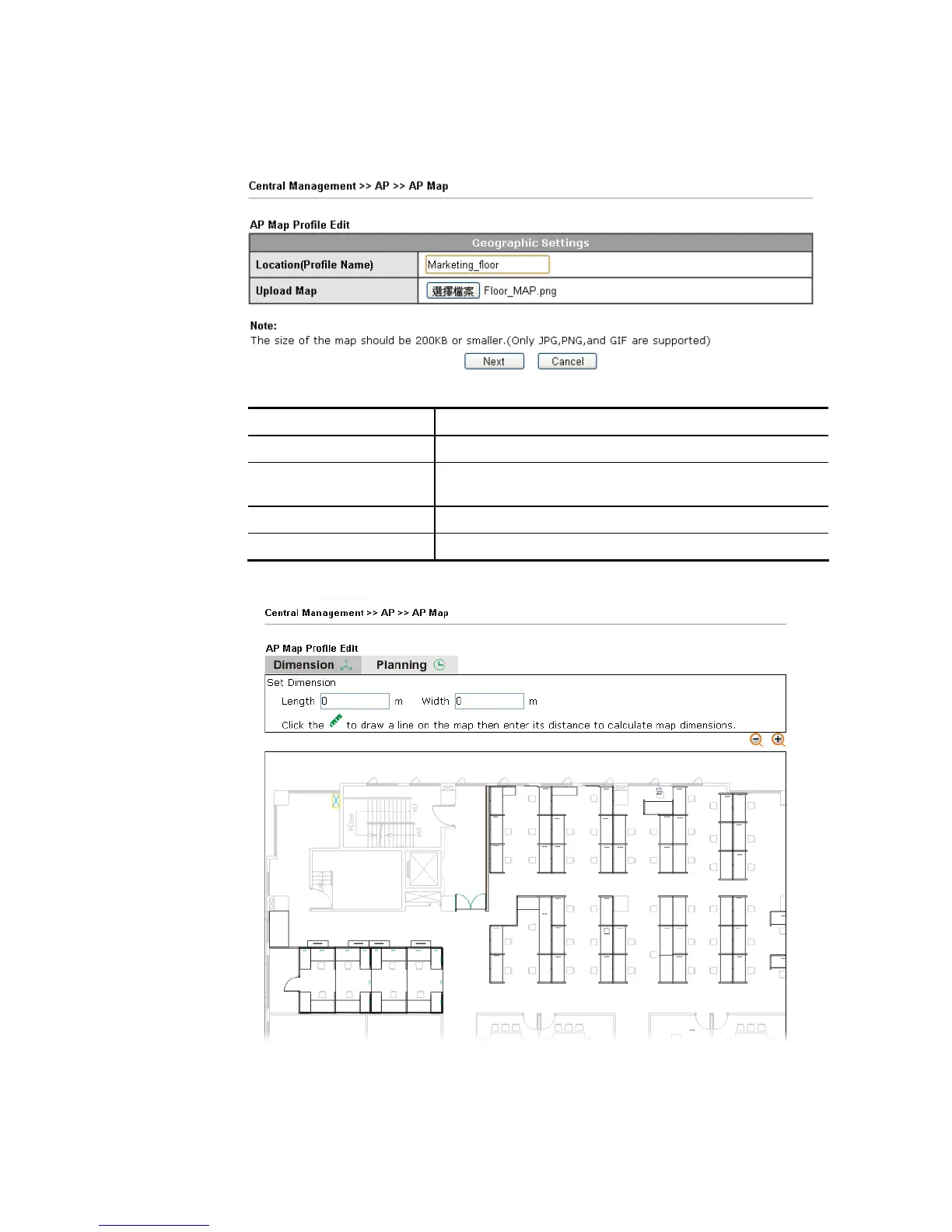
1. Select a number index and click Edit to open the following web page.
Available settings are explained as follows:
Item Description
Location (Profile Name) Type a name (e.g., groudfloor) for the AP map profile.
Upload Map Click the Select button to choose an image file (only JPG,
GIF and PNG are supported) for floor plan.
Cancel Click it to cancel the configuration.
Next Click it to go to the next configuration page.
2. Click Next. In the web page of Dimension, set dimension for the map.














 To Next Page