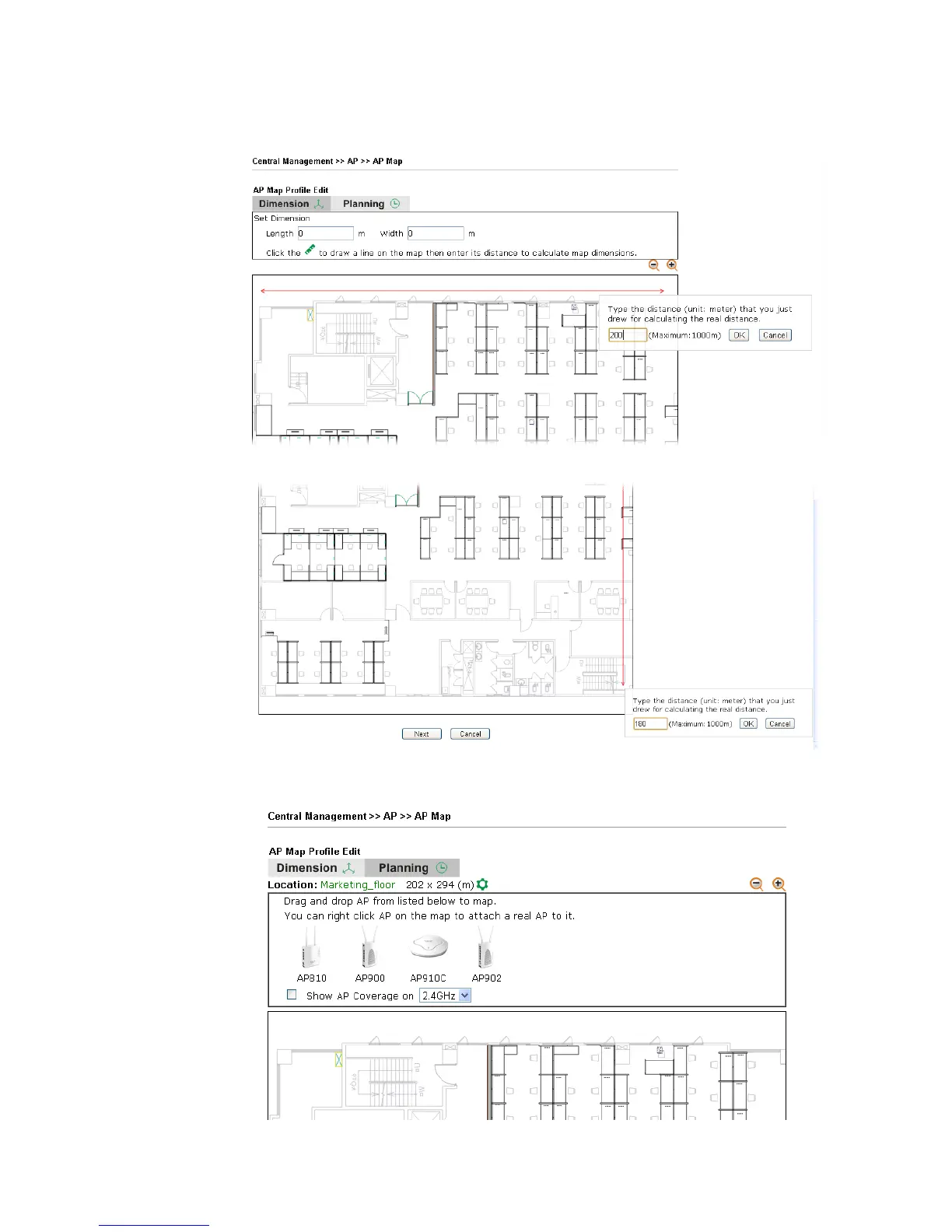
3. Follow the instruction listed on the web page to draw a red line for length / width. Then,
type the value on the pop up dialog to determine the real distance.
The values for length and width will be displayed on the web page.
4. Click Next to open the web page of Planning. Available APs detected by Vigor router will
be displayed on the upper end.














 To Next Page