W
W
i
i
r
r
e
e
l
l
e
e
s
s
s
s
(
(
2
2
.
.
4
4
G
G
)
)
W
W
A
A
N
N
2
2
-
-
D
D
H
H
C
C
P
P
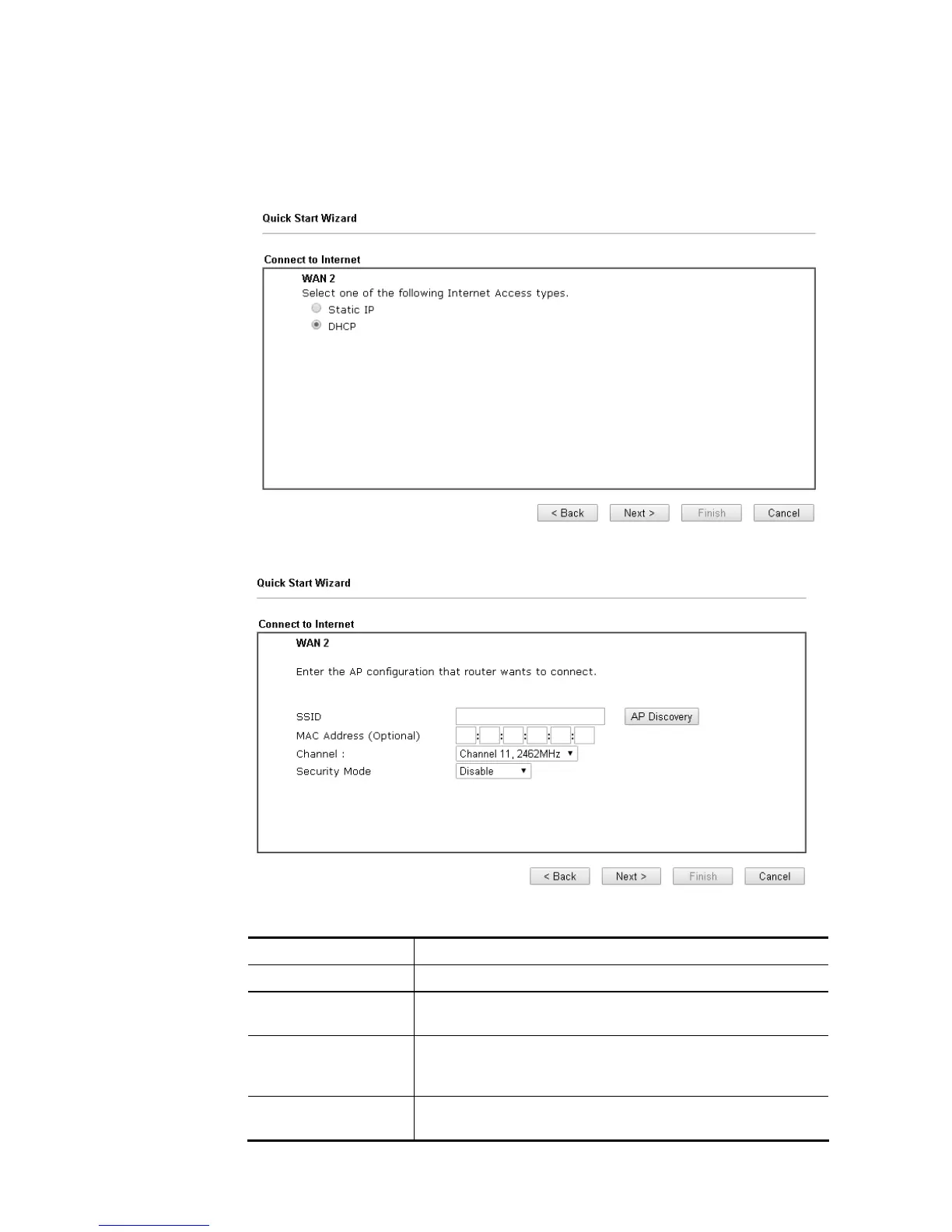
1. Choose WAN2 as the WAN Interface and choose Wireless (2.4G) as the Physical Mode.
Click the Next button. The following page will be open for you to specify Internet Access
Type.
2. Click DHCP as the Internet Access type. Simply click Next to continue.
Available settings are explained as follows:
Item Description
SSID The identification of the Wireless AP.
MAC Address
(Optional)
The MAC Address of the Wireless AP.
Channel The channel of frequency of the Wireless AP. Please notice
that, if this setting is modified, the channel of Wireless LAN
(2.4GHz) would be also modified.
Security Mode The mode to connect to the Wireless AP.
Disable – The Router connects to the wireless AP














 To Next Page