without any encryption mechanism.
WEP – The Router connects to the wireless AP as a WEP
client and the encryption key should be entered in WEP
Key.
WPA/PSK – The Router connects to the wireless AP as a
WPA client and the encryption key should be entered in
PSK.
WPA2/PSK – The Router connects to the wireless AP as a
WPA2 client and the encryption key should be entered
in PSK.
Back Click it to return to previous setting page.
Next Click it to get into the next setting page.
Cancel Click it to give up the quick start wizard.
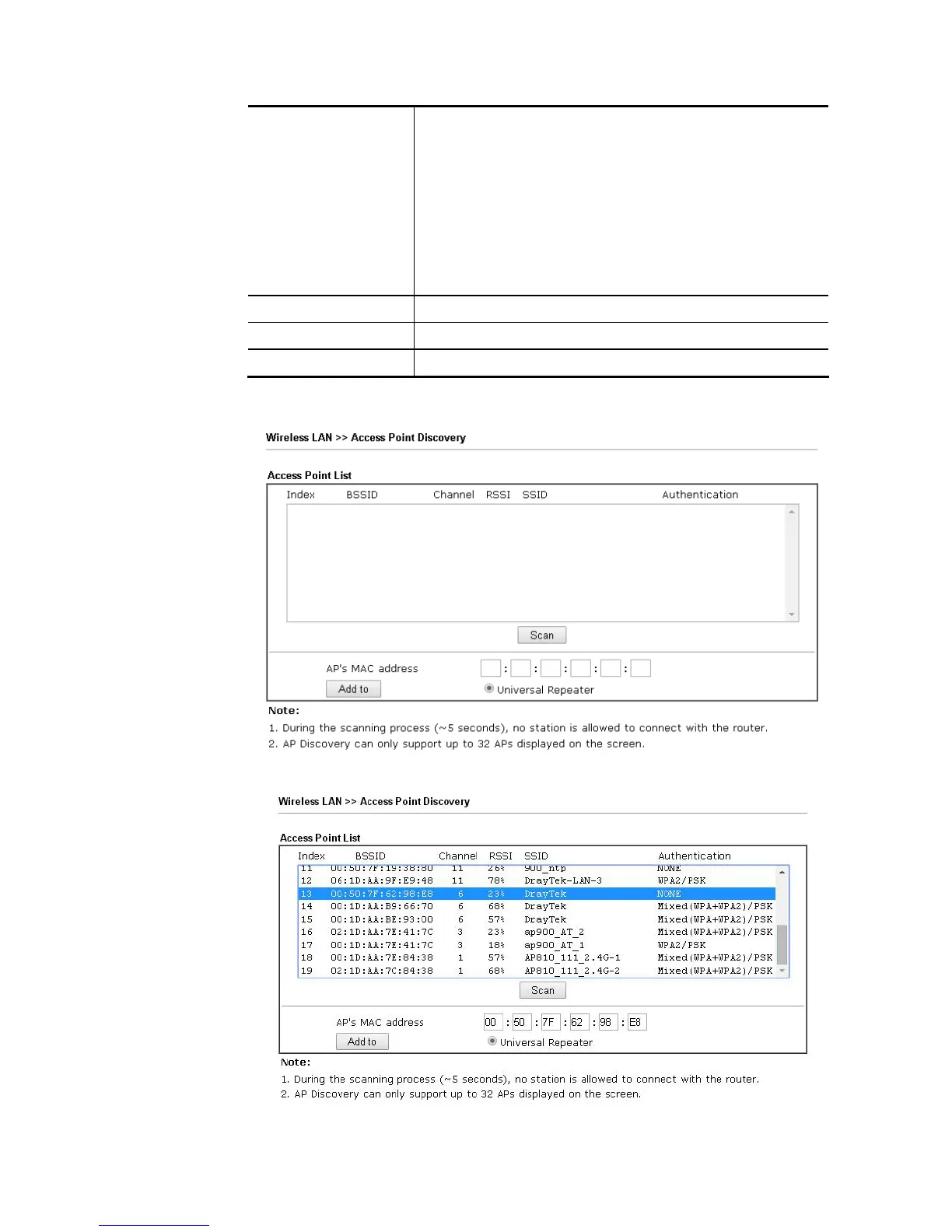
3. Click the AP Discovery button to choose your Wireless AP. You can also set the Wireless
AP information directly and skip the next 2 steps.
4. Click the Scan button of the popup window and wait for a few seconds.














 To Next Page