Vigor> voip dsp cidtype 2 6
channel=2, current cidType: 6
That means the caller ID type for FXS2 (Channel2) is DTMF (SE, NL,
FIN).
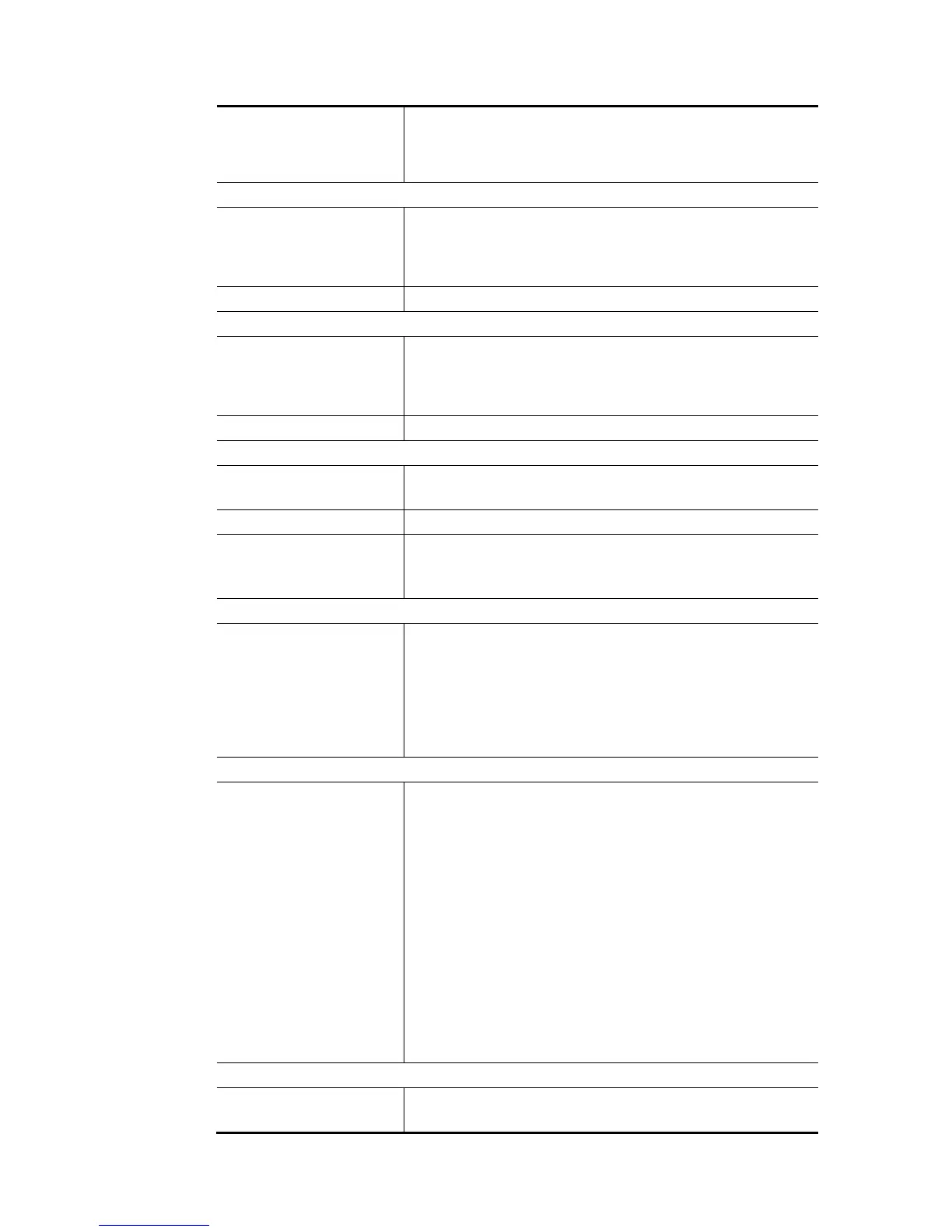
voip dsp micgain
channel Adjust the volume of microphone by entering number from 1- 10 for
FXS 1 or FXS 2.
1 – FXS 1
2 – FXS 2
value/(1~10) The larger the number is, the louder the volume will be.
voip dsp spkgain
channel Adjust the volume of speaker by entering number from 1- 10 for FXS
1 or FXS 2.
1 – FXS 1
2 – FXS 2
value/(1~10) The larger the number is, the louder the volume will be.
voip dsp jb
port Set the size of jitter buffer.
Available settings are 0 (FXS1) and 1 (FXS2).
mode Available settings are Fixed and Adaptive (default setting).
value Available settings are 1 ~ 180 (unit: msec).
e.g.,
Vigor> voip dsp jb 1 FIXED 100
voip dsp timer
[Timer] Set the waiting time for dialing out.
It means to set the timer settings. The unit is mini-second. The
range is from 1 to 255. Value “1” is corresponding to 500ms. That is
to say, Value “6” is corresponding 3000ms (i.e., 3 seconds)
Timer: 1 ~ 20.
Vigor> voip dsp timer 20
Set the timer:20
Voip dsp debugMsg
? Avaible settings include:
clrev - clear phone hook status.
getev - get phone hook status.
clrfskcid - clear fsk data for caller-ID from PSTN line.
getfskcid - get fsk data for caller-ID from PSTN line.
clrdtmfcid - clear dtmf data for caller-ID from PSTN line.
getdtmfcid - get dtmf data for caller-ID from PSTN line.
voicebuf - get message for available voice buffer pool.
clrint - clear status for interrupt.
getint - get status for interrupt.
Vigor> voip dsp debugMsg getint
the interrupt status for ad0 = 21
the interrupt status for ad1 = 0
the interrupt status for vc = 0
voip dsp dtmfDetset
nLevel Set minimal signal level in dB, for DTMF detection.
Range – (-96 ~ -1)














 To Next Page