141
4
4
Other Functions
Automatic Power OFF
This function automatically turns off the machine when it is not operated for a specifi ed period of
time. The specifi ed time period can be set from 1 to 99 minutes.
Default setting is "OFF".
How to Set Automatic Power OFF
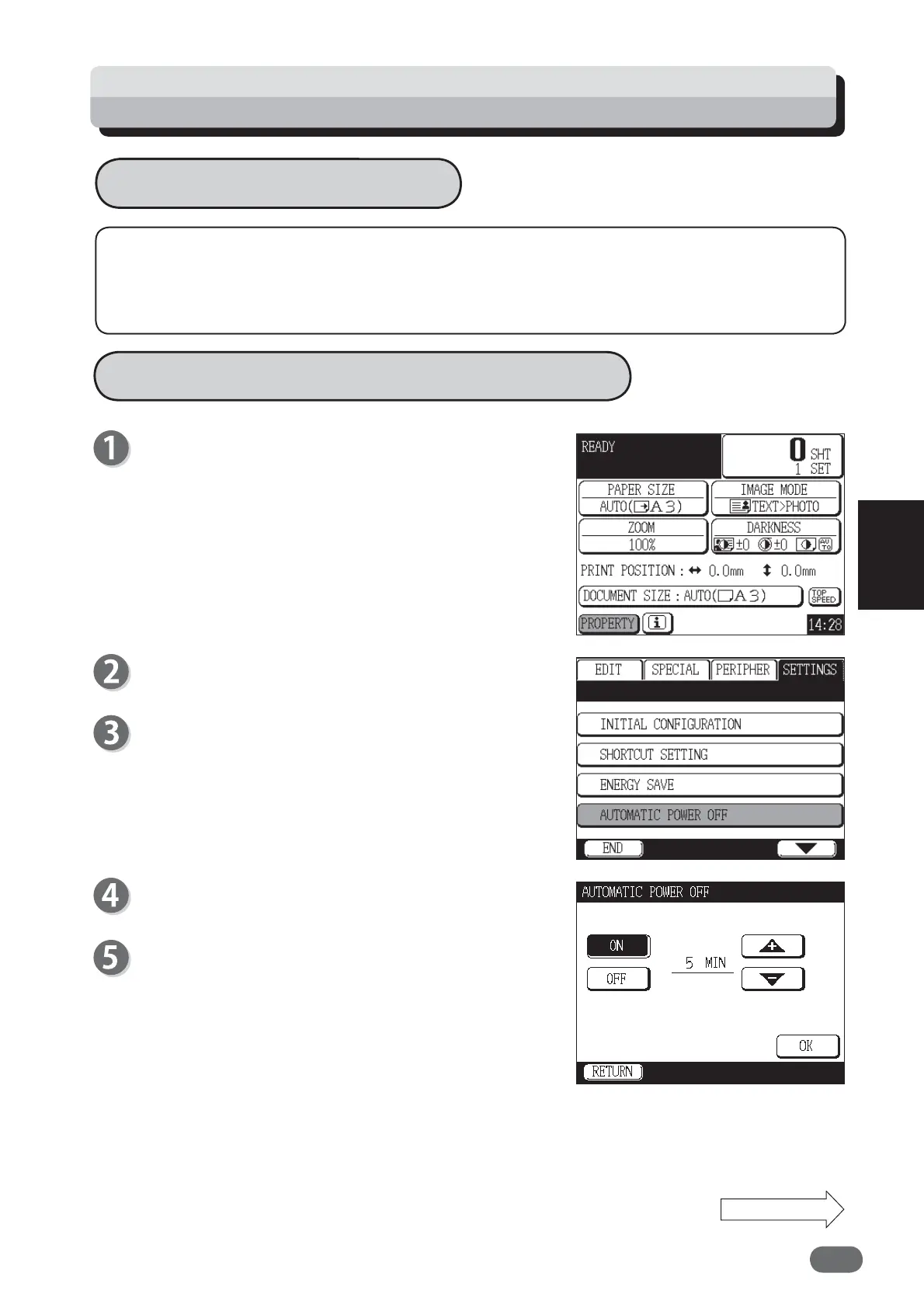
Touch “PROPERTY”.
Touch “SETTINGS”.
Touch “AUTOMATIC POWER OFF”.
Touch “ON”.
Set the time.
Touching “+” increments the value.
Touching “-” decrements the value.
You can set time from 1 to 99 minutes.
The value can be also entered using the NUMERIC
keys.
Setting Function: Automatic Power OFF
Continue Page....










 To Next Page