41
3
Printing with Useful Functions
Load paper.
“Preparing for Printing” → see p.20
● To reset to 100%:
* Touch “ZOOM” and then touch “100%”.
* Press the
RESET key.
In this case, all settings are reset to Standard Mode.
Start master making and printing.
* Auto Zoom function is not available on the DP-U550/U520/U510.
・原稿を目盛板の中央に合わせて置く。
・原稿を目盛板から離して置く。
・原稿を目盛板の中央に合わせていない。
● If you are using the DP-U550/U520/U510:
* Always set the sizes of printing paper and
document to be used.
You cannot obtain the correct zoom ratio
if you set wrong size.
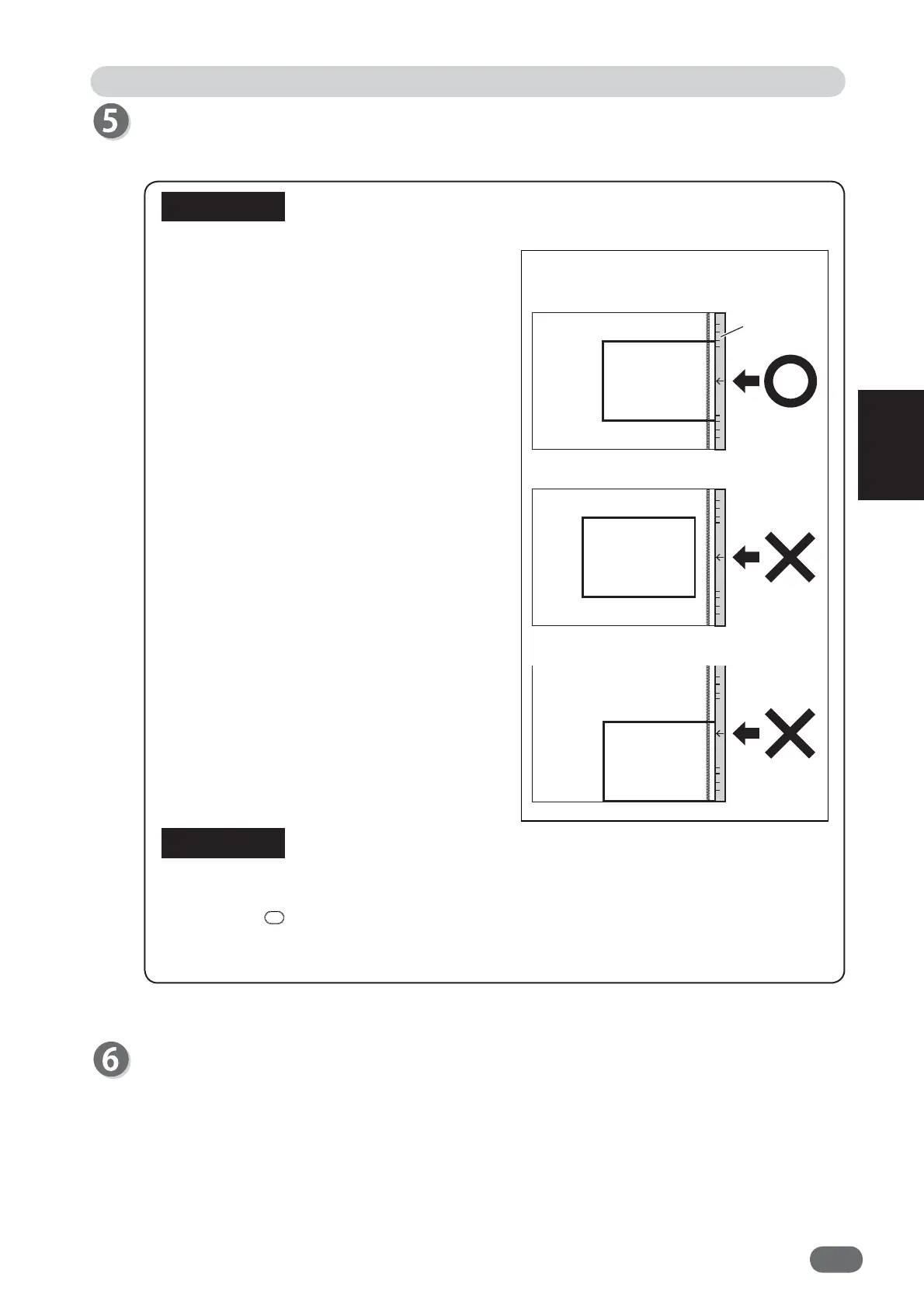
* The machine cannot detect the size
correctly if the document is positioned as
shown on the right.
Enlargement / Reduction
Scale
* Edge of paper not touching scale
* Document not positioned centrally
against the scale.
Document
Document
Document
IMPORTANT
REFERENCE
* Place document centrally positioned
against the scale.
V3M0306










 To Next Page