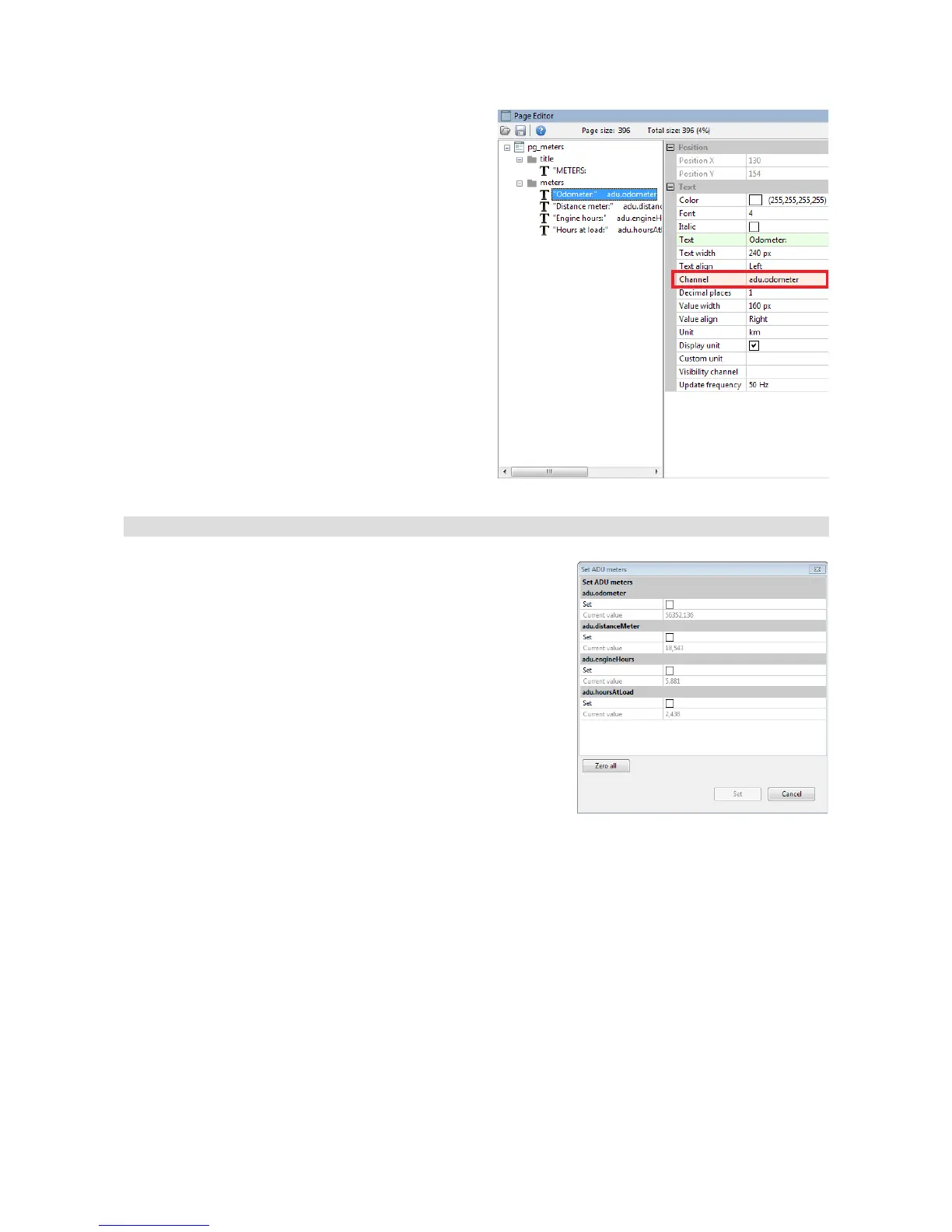
To place a meter on the page, insert the Text
object and select a channel from the above table.
Resetting/changing meter status
Meters may be changed using the ADU Client program. It
may be helpful to set the actual vehicle mileage as the initial
odometer mileage.
This is done by means of a command from the Tools / Set
meters menu
To set a given meter, check the Set selection field for the
meter and enter the new value.
To set all values to zero, you can use the Zero all button.
After entering the desired values, accept them by means of the Set button at the bottom of the
dialog box.
Page 120/137


 To Next Page