Shift light colour #n The colour assigned to individual LEDs
Flash when all leds on Selecting this option makes LEDs blink following all of them lighting up
Flash colour Selecting the LED colour when blinking If you choose Use default
colours, the colour of the blinking LEDs will correspond to the colours
assigned in the Shift light colour fields. Otherwise, the LEDs will
change colour to the one selected in this field.
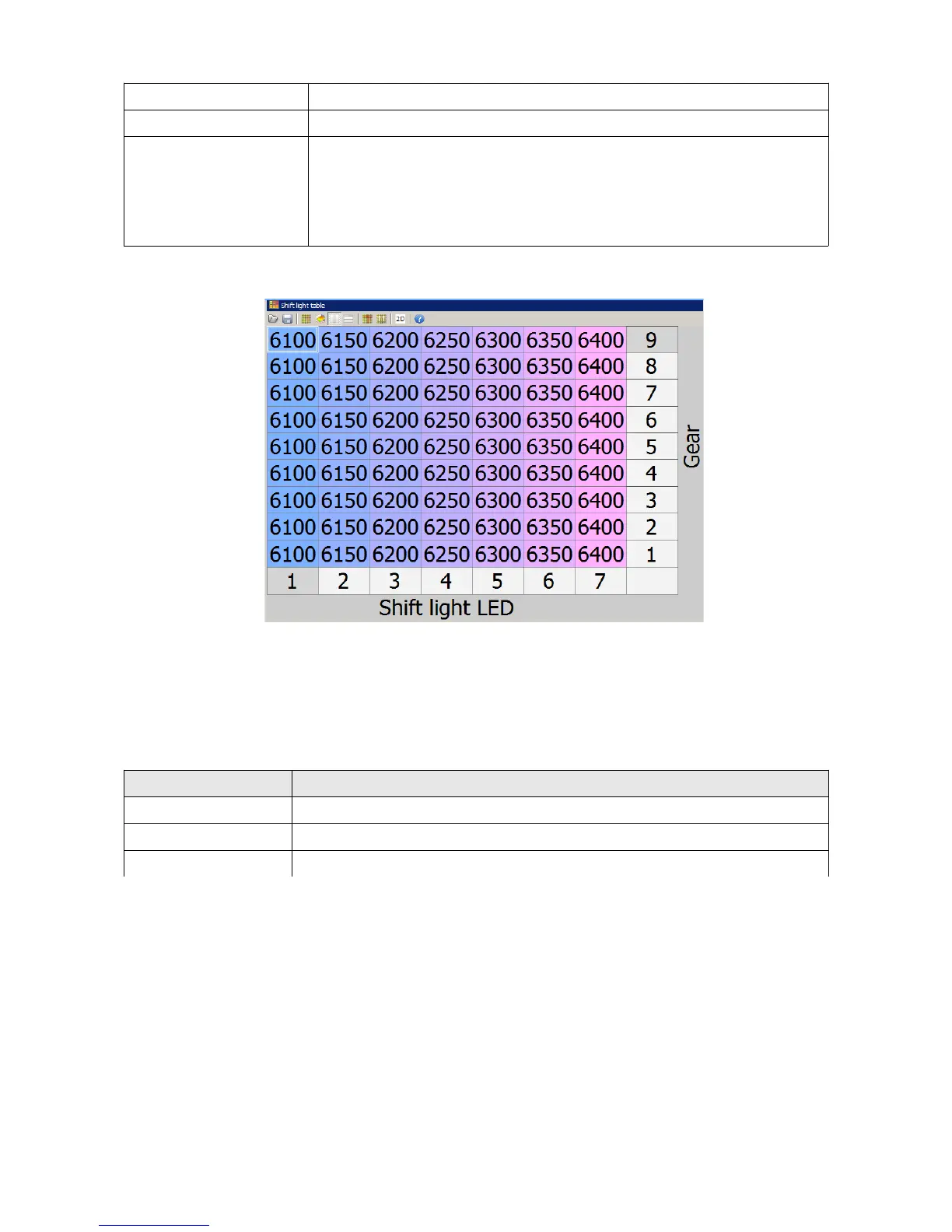
The following map lights up individual LEDs between 6000 and 6400 RPM with a 50 RPM step.
When using the reverse and neutral gears the values for first gear are used.
Control by means of an external channel (CAN-Bus)
To activate control by means of a channel/variable, select CAN BUS from the Control type field.
Parameter Description
Brightness LED brightness
Num states The number of the shift light (4-6) states
Shift light channel A channel containing information about the number of currently lit LEDs
This control lights up respective LEDs depending on the value of the variable assigned to the Shift
light channel field.
Page 124/137


 To Next Page