Analyzer User Guide
Internet
Protocol
None Wireshark Exports filtered IP carrier protocols like
DUN, BNEP from active Overview
Spectrum None CSV Exports spectrum RSSI samples fopr each
channel.
Logic
Signals
None CSV Exports logic signal transitions.
To use the export feature:
1. Open the desired capture file.
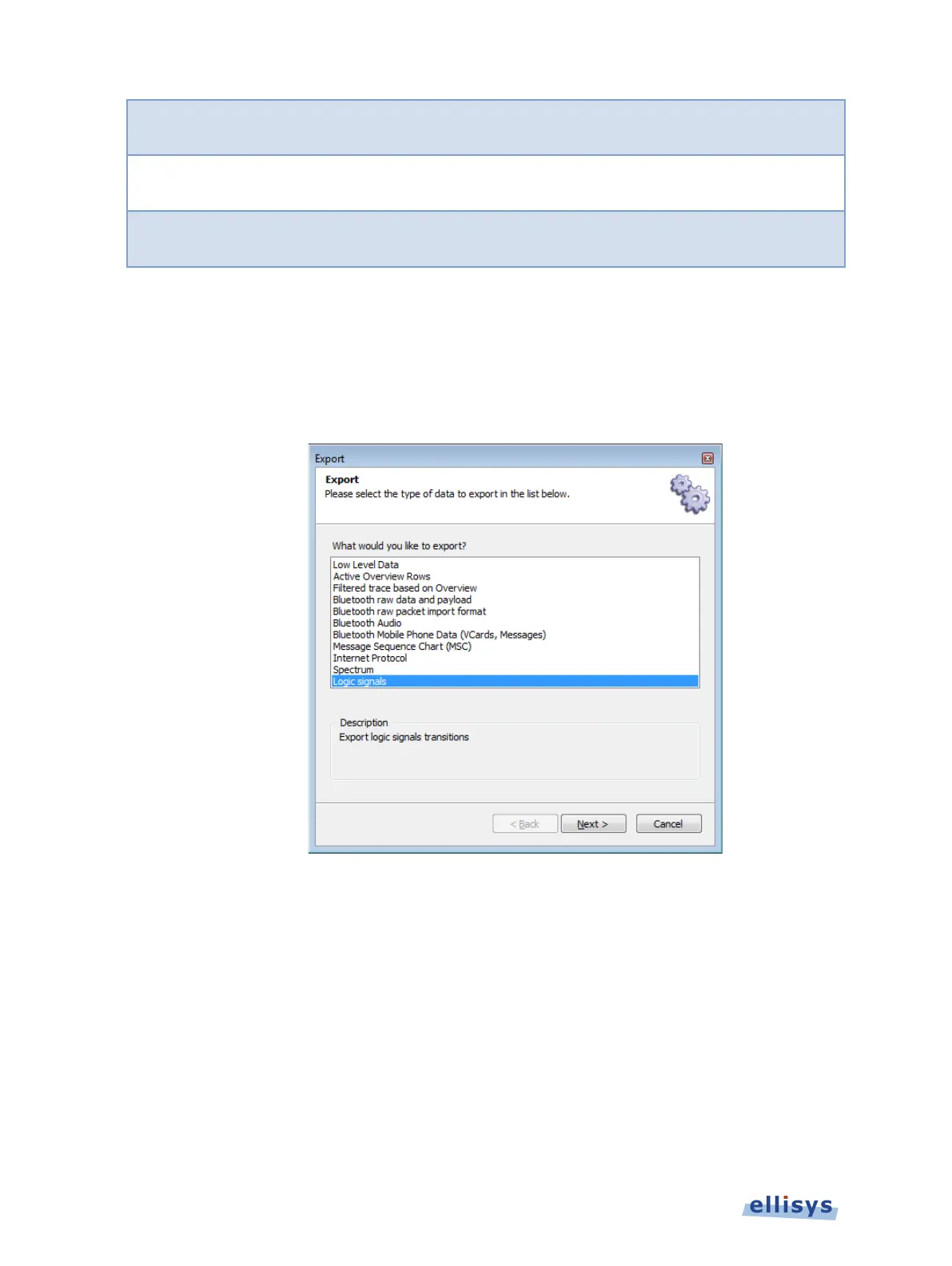
2. Select File | Export from the menu.
The Export menu appears:
3. Select the desired export method.
4. Click on Next.
5. Select any export options as applicable and click on Next.
42 of 201 | Managing Capture Files



 To Next Page