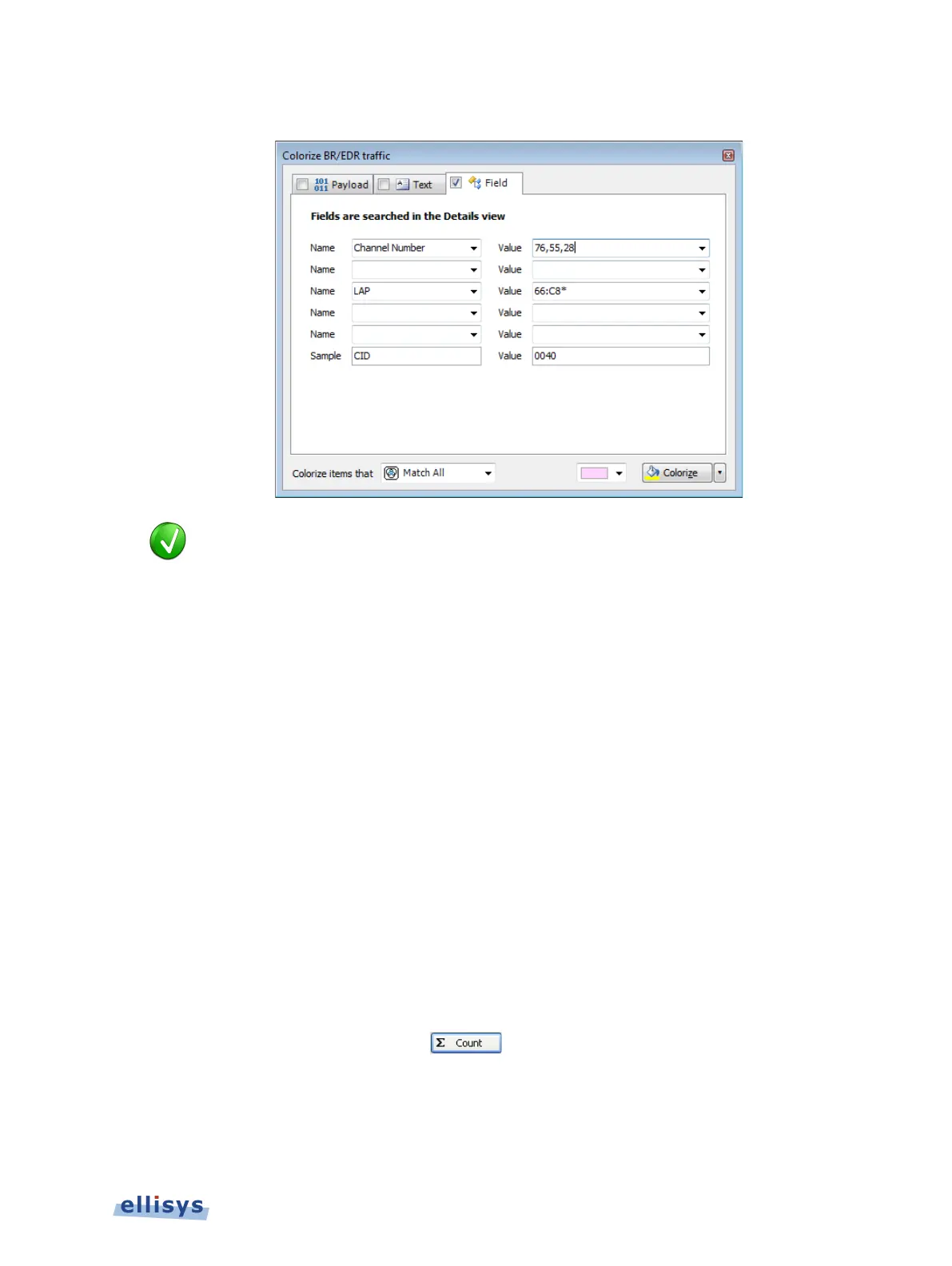
The Field tab appears:
Name boxes are synchronized to the selected event in the
, which is synchronized to the Details view. The Value boxes reflect
data elements displayed in the
Details View. Users may type strings (values,
wildcards, or ranges) directly into the Value boxes.
2. Select one or more items from the Name boxes.
3. Select corresponding items from the Value boxes.
4. Select the desired match type in the Colorize items that drop-down menu.
5. Select the desired color and click on Colorize.
Events matching are colorized in the Overview.
To display a count of matching criteria:
1. Define the search/colorize criteria from the Payload, Text, and/or Field tabs.
2. Select the drop-down arrow at the bottom-right of the Colorize dialog.
3. Select Count.
The Colorize button changes to a Count button:
4. Click on Count.
Overview Windows | 83 of 201



 To Next Page