EnGenius EOC1650 Wireless Access Point / Client Bridge Version 2.0
11
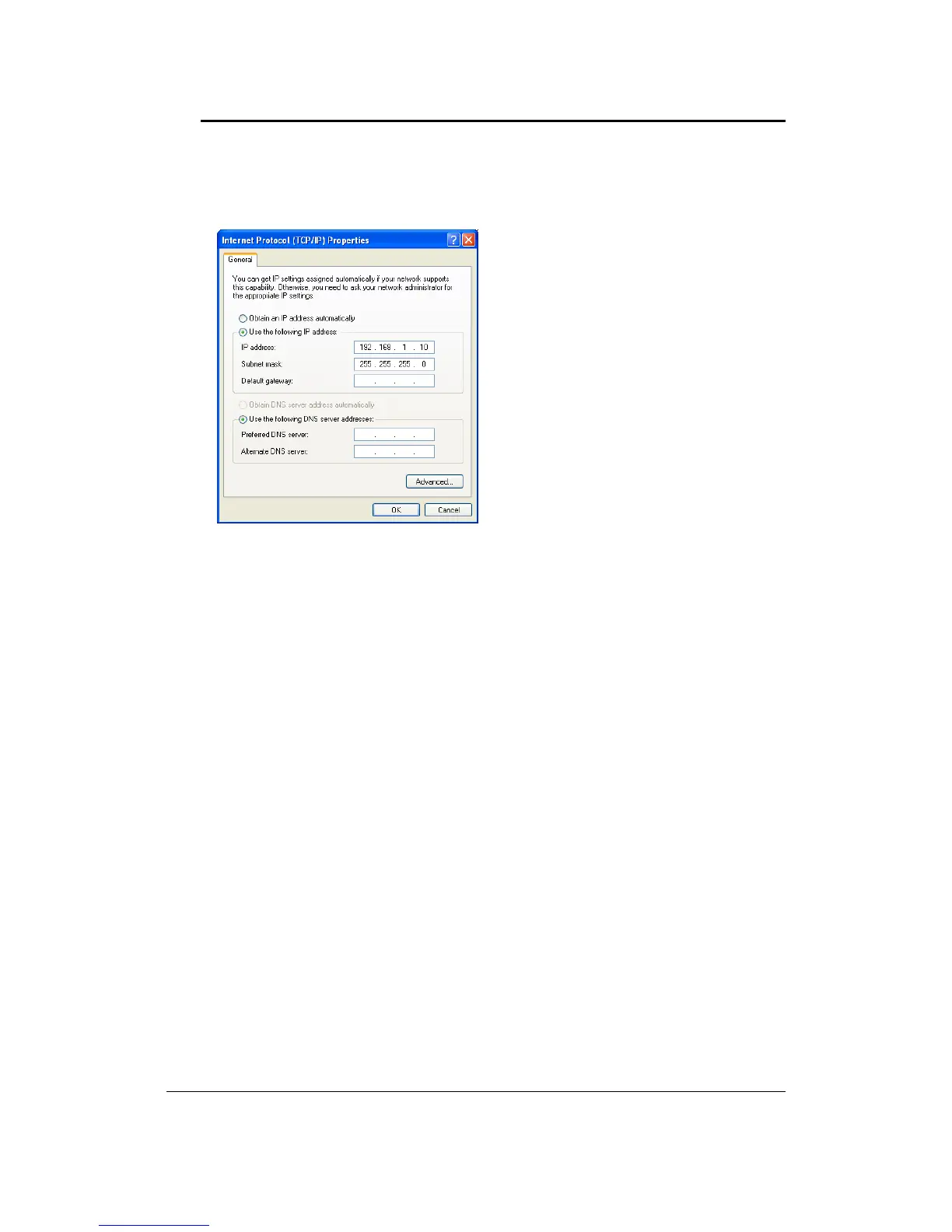
2. SelectInternetProtocol (TCP/IP)andthenclickonthePropertiesbutton.Thiswillallowyou to
configuretheTCP/IPsettingsofyourPC/Notebook.
3. SelectUsethefollowingIPAddressradiobuttonandthenentertheIPaddressandsubnetmask.
EnsurethattheIPaddressandsubnetmaskareonthesamesubnetasthedevice.
ForExample:
PCIPaddress:192.168.1.10
PCsubnetmask:255.255.255.0
4. ClickontheOKbuttontoclosethiswindow,andonceagaintocloseLANpropertieswindow.



 To Next Page