EnGenius EOC1650 Wireless Access Point / Client Bridge Version 2.0
24
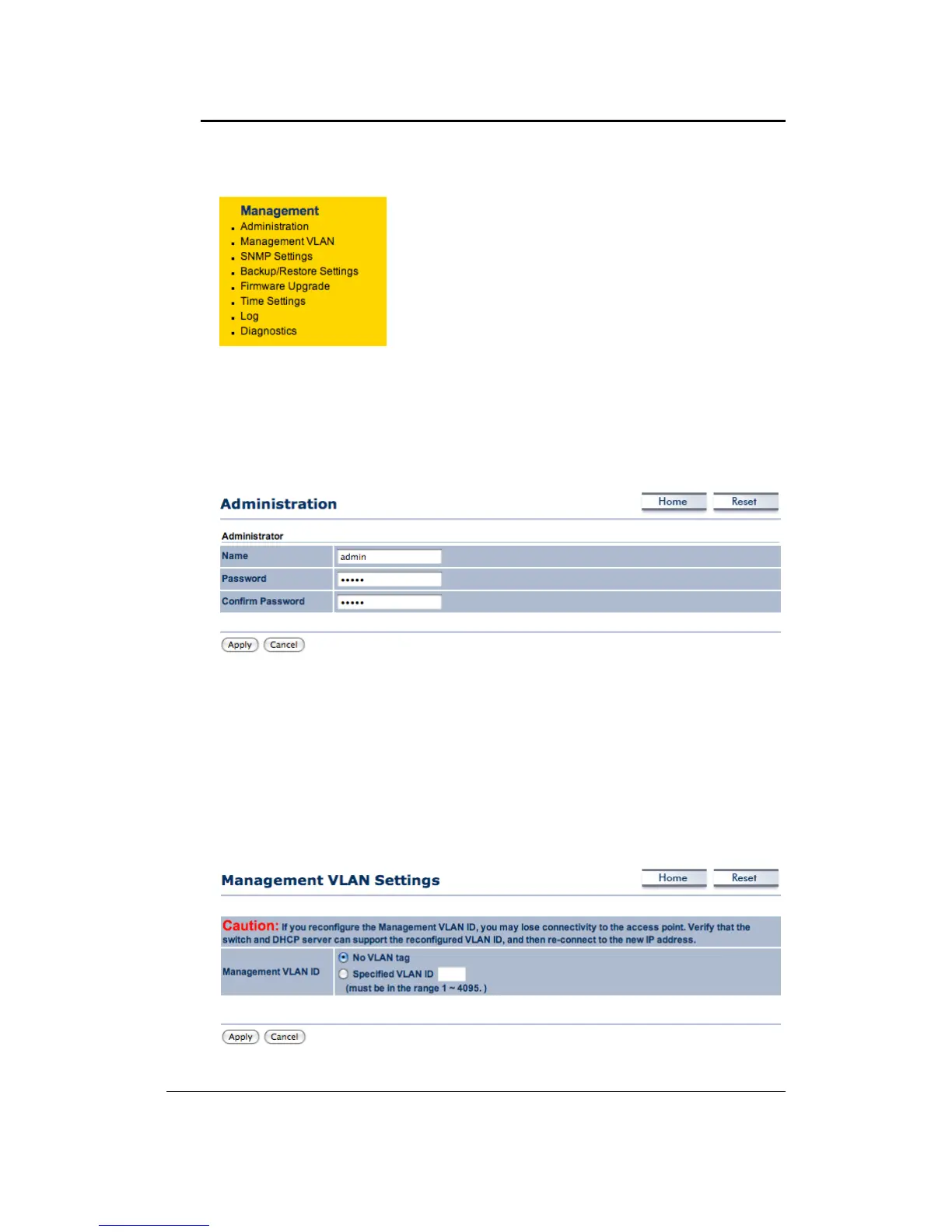
4.5 Management
Click on the Management link on the navigation drop‐
down menu. You will then see seven options:
administration, SNMP settings, backup/restore settings,
firmware upgrade, time settings, and log. Each option is
describedbelow.
4.5.1 Administration
ClickontheAdministrationlinkundertheManagementmenu.Thisoptionallowsyoutocreate
a user name and password for the device. By default, this device is configured without a user
nameandpasswordadmin.Forsecurityreasonsitishighlyrecommendedthatyoucreateanew
user
nameandpassword.
Name:Specifyausernameintothefirstfield.
Password: Specify a password into this field and then re‐type the password into the Confirm
Passwordfield.
ClickontheApplybuttontosavethechanges.
4.5.2 ManagementVLAN
Click on the Management VLAN link under the Management menu. This option allows you to
specify VLAN ID(From 1 to4095).( Caution : If you reconfigure theManagement VLAN ID, you
may lose connectivity to the access point. Verify the switch and DHCP server can support the
reconfiguredVLAN
ID,andthenreconnecttonewIPaddress)



 To Next Page