EnGenius EOC1650 Wireless Access Point / Client Bridge Version 2.0
55
Click on the Status link on the navigation drop‐down
menu. You will then see four options: Main, DHCP
Client Table,Connection Status and SystemLog. Each
optionisdescribedindetailbelow.
7.2.1 Main
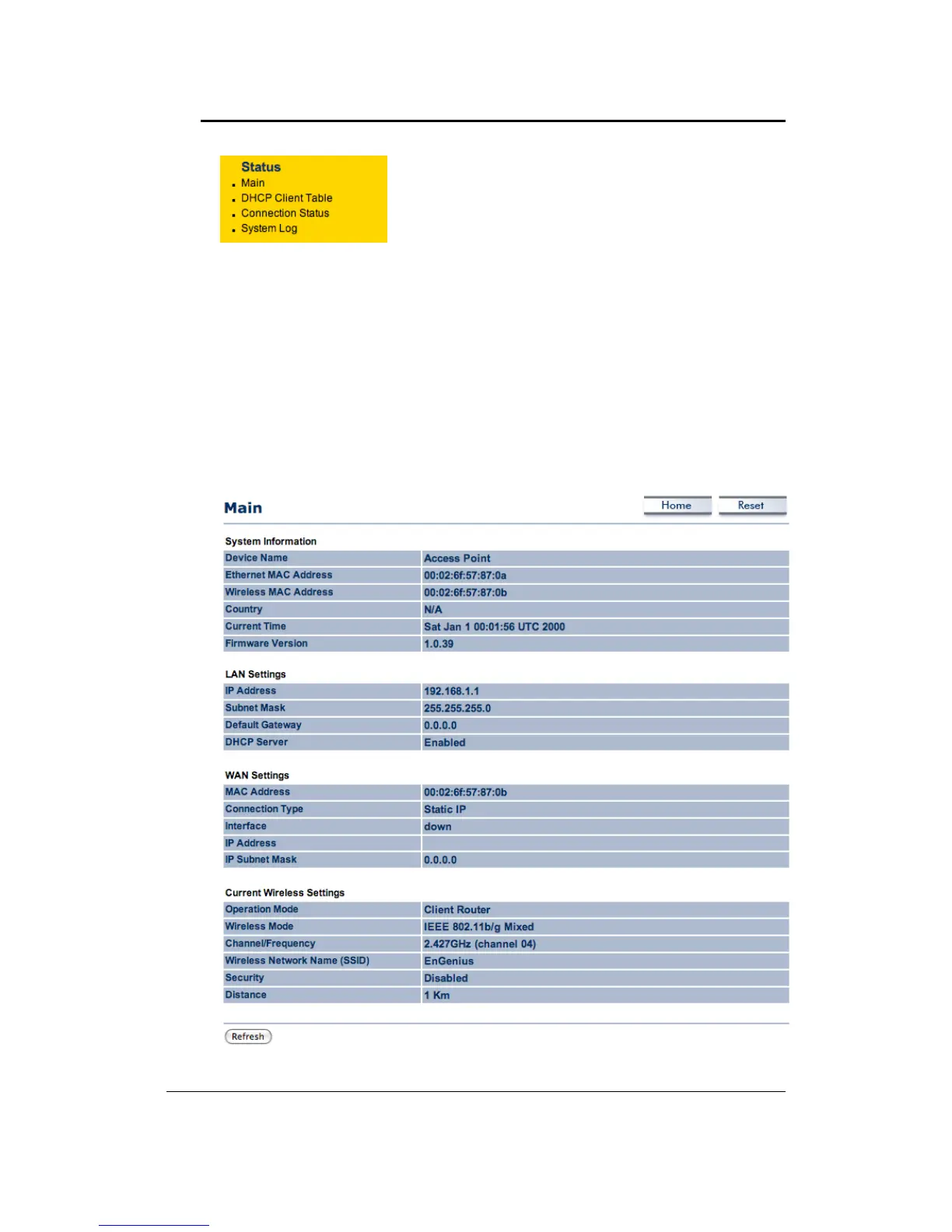
Click on the Main link under the Status drop‐down menu. The status that is displayed
corresponds with the operating mode that is selected. Information such as Device Name,
MAC Address, Country, Current and Firmware Version are displayed in the ‘System
Information’section.IPAddress,SubnetMask,DefaultGatewayand
DHCPServercondition
aredisplayedinthe‘LANSettings’section.Inthe‘WANSettings’,MACAddress,Connection
Type, Interface and IP Address/SubnetMask are displayed. The ‘Current Wireless Settings’
section displays Operation Mode, Wireless Mode, Channel/Frequency, SSID, Security and
Distancecontrol.



 To Next Page