EnGenius EOC1650 Wireless Access Point / Client Bridge Version 2.0
52
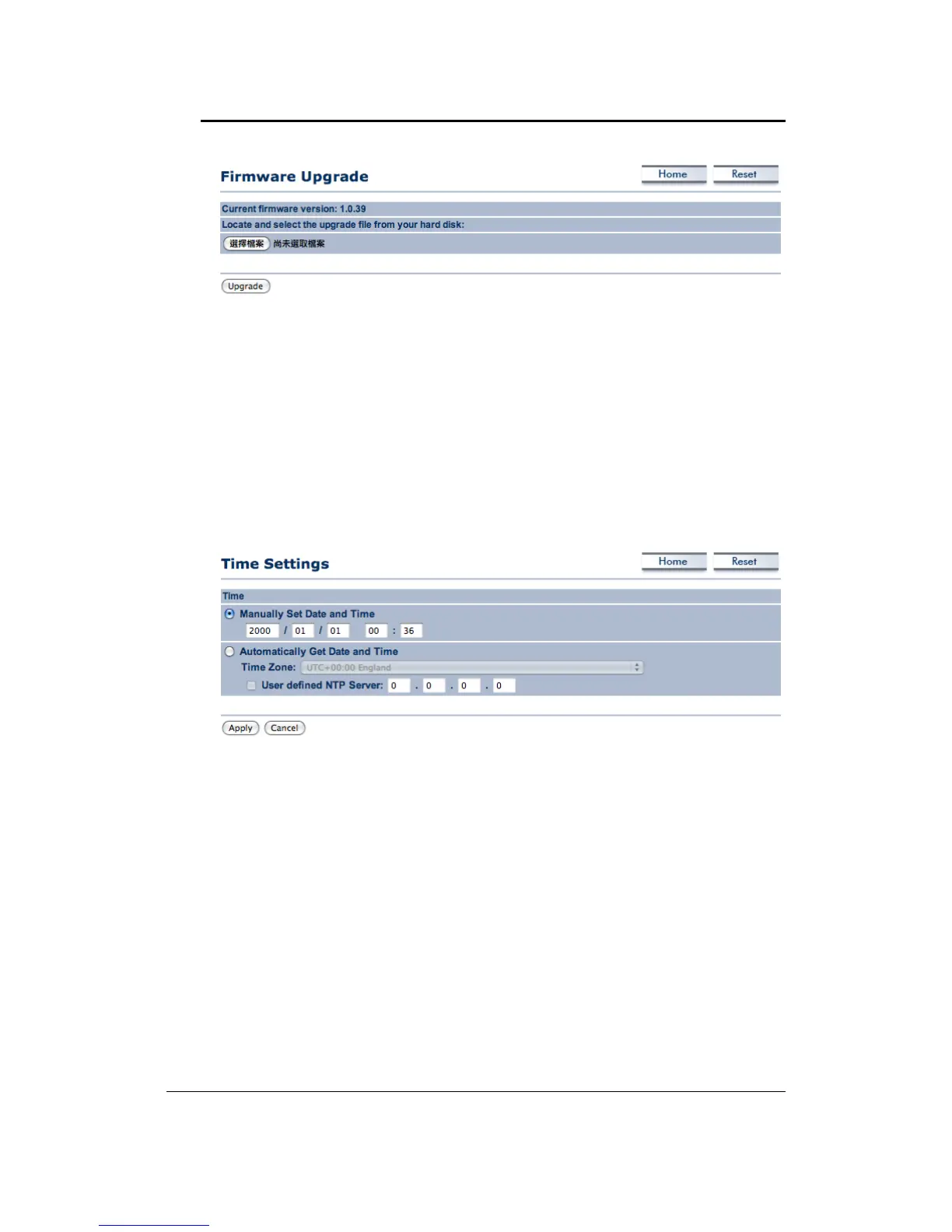
ClickontheBrowsebuttonandthenselecttheappropriatefirmw areandthenclickonthe
Upgradebutton.
Note: The upgrade process may take about 1 minute to complete. Do not power off the
deviceduringthisprocess as itmaycrashthe deviceandmakeit unusable.
Thedevicewill
restartautomaticallyoncetheupgradeiscomplete.
6.5.5 TimeSettings
Click on the Time Settings link under the Management menu. This page allows you to
configurethetimeonthedevice.YoumaydothismanuallyorbyconnectingtoaNTPserver.
ManuallySetDateandTime:Specifythedateandtime
Automatically Get Date and Time:Select thetime zone from the dropdown list and then
specifytheIPaddressoftheNTPserver.
ClickontheApplybuttontosavethechanges.
6.5.6 Log
Click on the Loglink under the Management menu. The Log page displays a list of events
thataretriggeredontheEthernetandWirelessinterface.Thislogcanbereferredwhenan
unknown error occurs on the system or when a report needs to be sent to the technical
supportdepartmentfordebuggingpurposes.



 To Next Page