EnGenius EOC1650 Wireless Access Point / Client Bridge Version 2.0
36
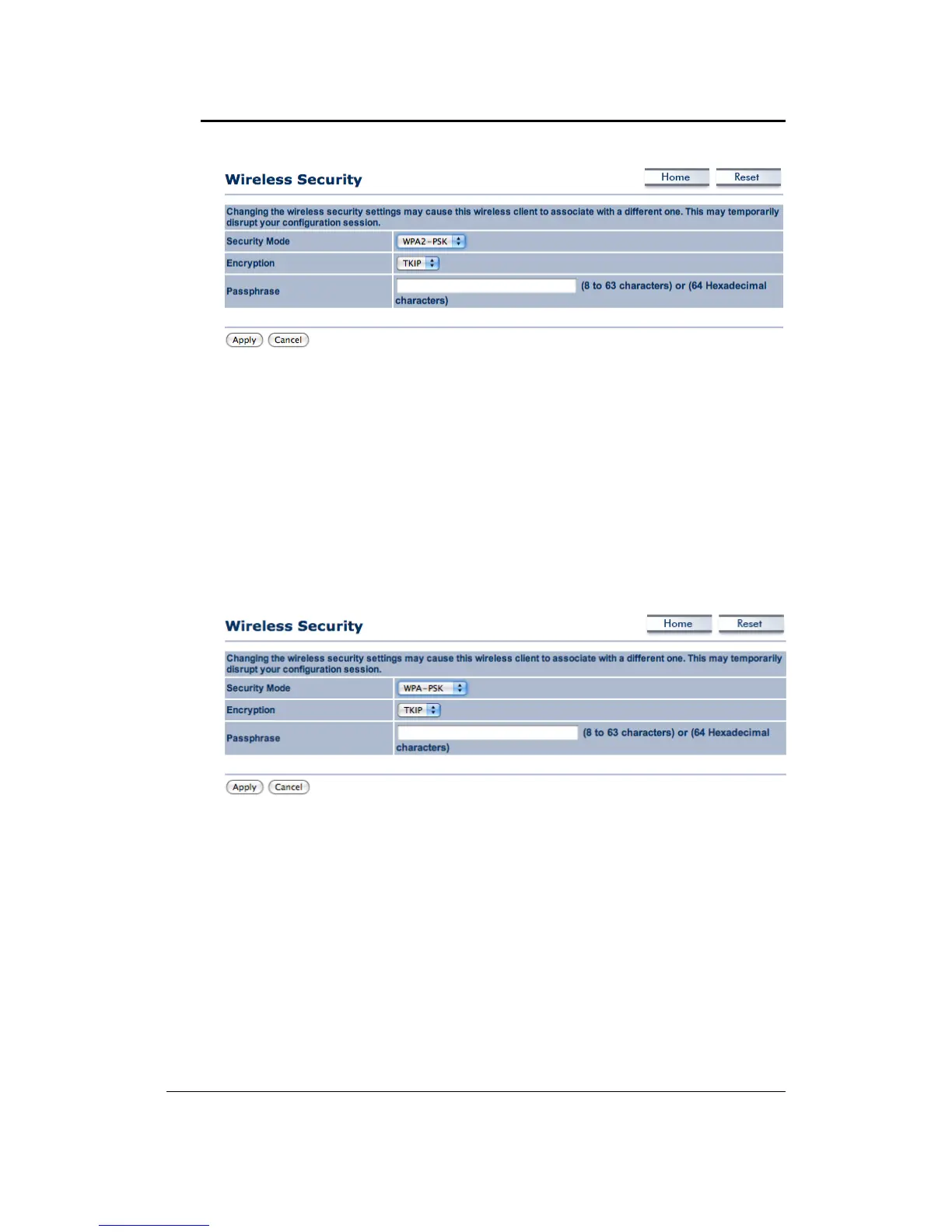
Encryption: Select TKIP or AES from the drop‐down list if your wireless network uses this
encryption.WPA(Wi‐FiProtectedAccess)wasdesignedtoimproveuponthesecurityfeaturesof
WEP(WiredEquivalentPrivacy).ThetechnologyisdesignedtoworkwithexistingWi‐Fiproducts
that have been
enabled with WEP. WPA provides improved data encryption through the
Temporal Integrity Protocol (TKIP), which scrambles the keys using a hashing algorithm and by
addinganintegritycheckingfeaturewhichmakessurethatkeyshaven’tbeentamperedwith.
Passphrase:SpecifyapassphrasethatissharedamongsttheAccessPoints
andclients.
ClickontheApplybuttontosavethechanges.
WirelessSecurity:WPA‐PSK
SecurityMode:SelectWPA‐PSKfromthedrop‐downlistifyourwirelessnetworkusesWPApre‐
sharedkey.
Encryption: Select TKIP or AES from the drop‐down list if your wireless network uses this
encryption.WPA(Wi‐FiProtectedAccess)wasdesignedtoimproveuponthesecurityfeaturesof
WEP(WiredEquivalentPrivacy).ThetechnologyisdesignedtoworkwithexistingWi‐Fiproducts
that have been
enabled with WEP. WPA provides improved data encryption through the
Temporal Integrity Protocol (TKIP), which scrambles the keys using a hashing algorithm and by
addinganintegritycheckingfeaturewhichmakessurethatkeyshaven’tbeentamperedwith.
Passphrase:SpecifyapassphrasethatissharedamongsttheAccessPoints
andclients.
ClickontheApplybuttontosavethechanges.
5.4.3 WirelessAdvancedSettings
Click on the Wireless Advanced Settings link. On this page you can configure the advanced
settings to tweak the performance of your wireless network. Options available are: data rate,
transmitpower,fragmentationthreshold,RTSthreshold,protectionmodeanddistance.



 To Next Page