EnGenius EOC1650 Wireless Access Point / Client Bridge Version 2.0
71
ManuallySetDateandTime:Specifythedateandtime
Automatically Get Date and Time:Select thetime zone from the dropdown list and then
specifytheIPaddressoftheNTPserver.
ClickontheApplybuttontosavethechanges.
7.6.6 Log
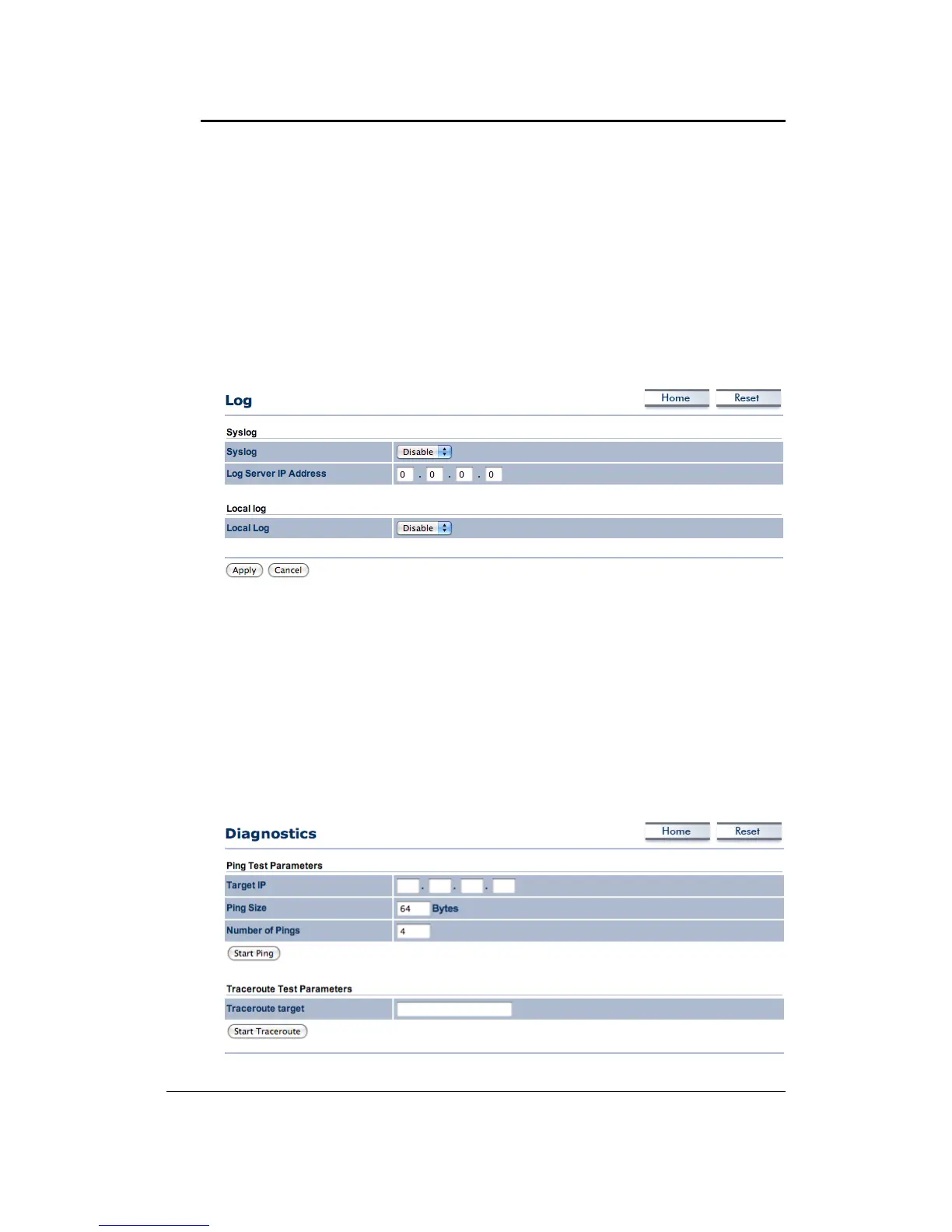
Click on the Loglink under the Management menu. The Log page displays a list of events
thataretriggeredontheEthernetandWirelessinterface.Thislogcanbereferredwhenan
unknown error occurs on the system or when a report needs to be sent to the technical
supportdepartmentfordebuggingpurposes.
Syslog:Choosetoenableordisablethesystemlog.
LogServerIPAddress:SpecifytheIPaddressoftheserverthatwillreceivethesystemlog.
LocalLog:Choosetoenableordisablethelocallog.
ClickontheApplybuttontosavethechanges.
7.6.7 Diagnostics
ClickontheDiagnosticslinkundertheManagementmenu.Inthispage,usercanletunitto
pingothernetworkequipment.Anduseralsocanmonitoraroutefromunittoyourtarget.



 To Next Page