EnGenius EOC1650 Wireless Access Point / Client Bridge Version 2.0
70
Restore saved settings from a file: Once a file has been backedup, you may restoreit by
clickingontheBrowsebuttontoselectthefile,andthentheRestorebutton.
Revertto factorydefaultsettings:ClickontheFactoryDefaultSettingsbuttontoresetthe
device
to the default settings. Please wait while the device restart and then access the
deviceusingthedefaultIPaddress:192.168.1.1
7.6.4 FirmwareUpgrade
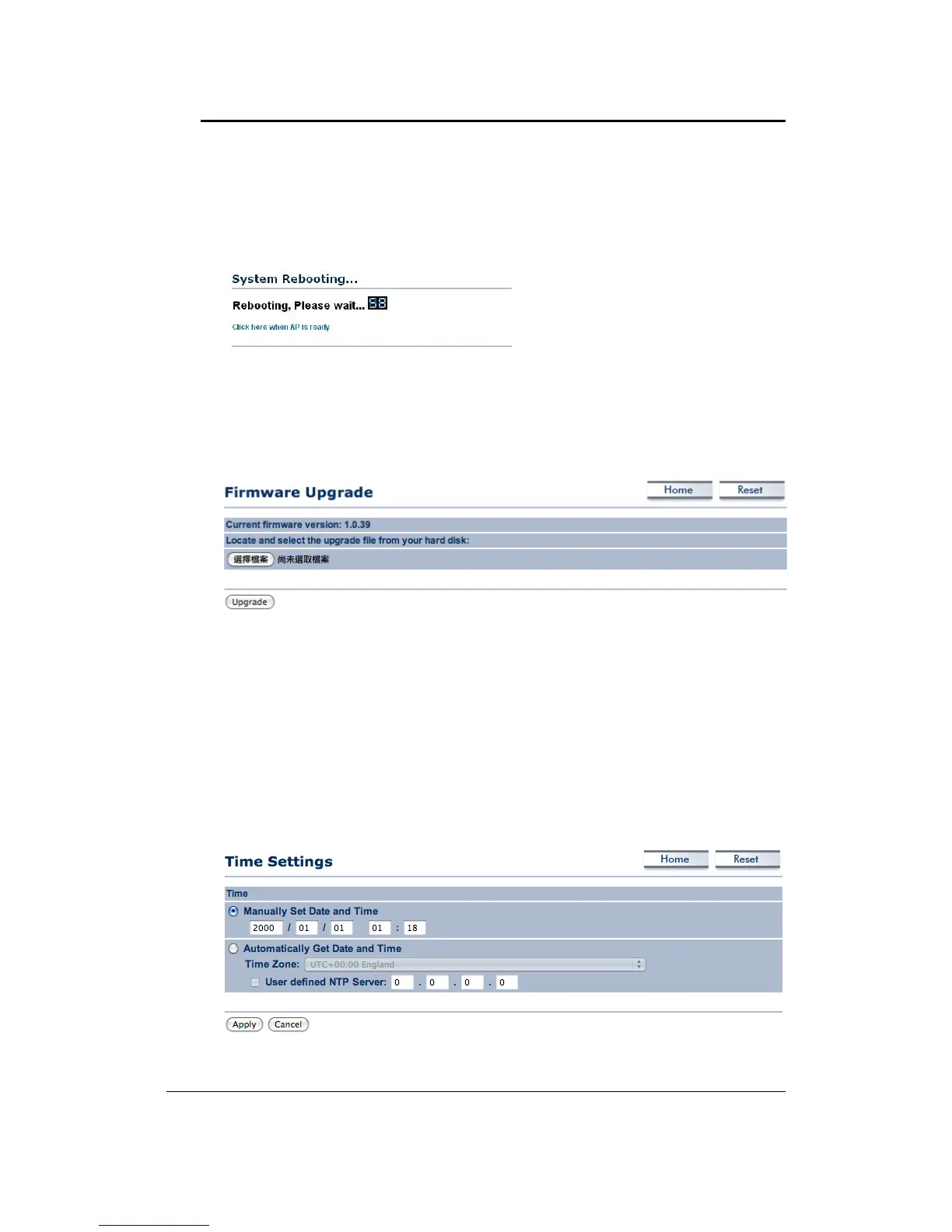
Click on the Upgrade Firmware link under the Management menu. This page is used to
upgradethefirmwareonthedevice.Makesurethatdownloadedtheappropriatefirmware
fromyourvendor.
ClickontheBrowsebuttonandthenselecttheappropriatefirmw areandthenclickonthe
Upgradebutton.
Note: The upgrade process may take about 1 minute to complete. Do not power off the
deviceduringthisprocess as itmaycrashthe deviceandmakeit unusable.
Thedevicewill
restartautomaticallyoncetheupgradeiscomplete.
7.6.5 TimeSettings
Click on the Time Settings link under the Management menu. This page allows you to
configurethetimeonthedevice.YoumaydothismanuallyorbyconnectingtoaNTPserver.



 To Next Page