EnGenius EOC1650 Wireless Access Point / Client Bridge Version 2.0
14
4.2 Status
Click on the Status link on the navigation drop‐down menu.
You will then see three options: Main, Wireless Client List,
andSystemLog.Eachoptionisdescribedindetailbelow.
4.2.1 Main
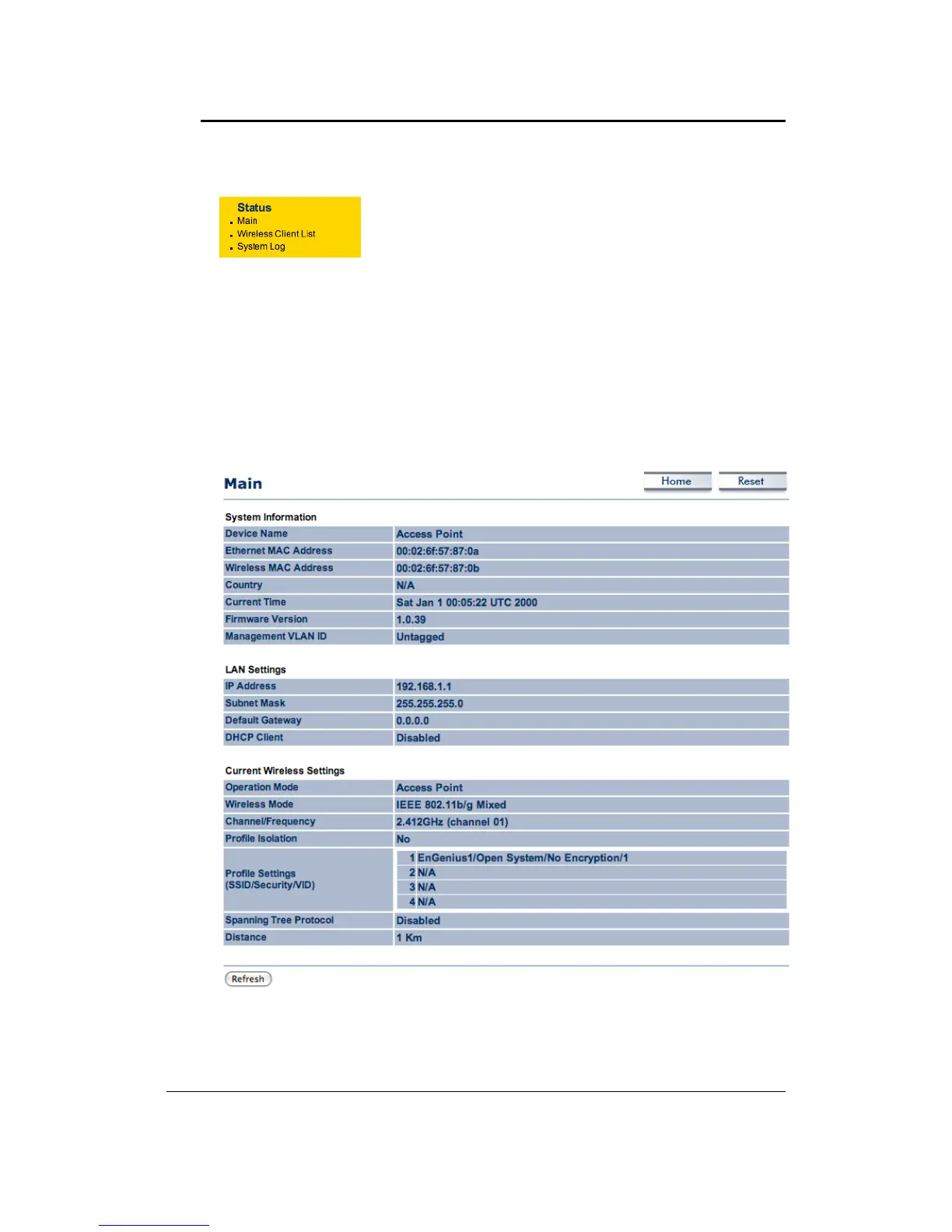
Click on the Main link under the Status drop‐down menu. The status that is displayed
corresponds with the operating mode that is selected. Information such as Device Name,MAC
Address,Country,CurrentTimeandFirmwareVersionaredisplayedinthe‘SystemInformation’
section.IPaddress,SubnetMask,andDefault
Gatewayaredisplayedinthe‘LANSetting’section.
In the ‘Wireless Settings’ section, Operation Mode, Wireless Mode, Channel/Frequency, MSSID
withsecurity,SpanningTreeandDistancesettingaredisplayed.



 To Next Page