EnGenius EOC1650 Wireless Access Point / Client Bridge Version 2.0
21
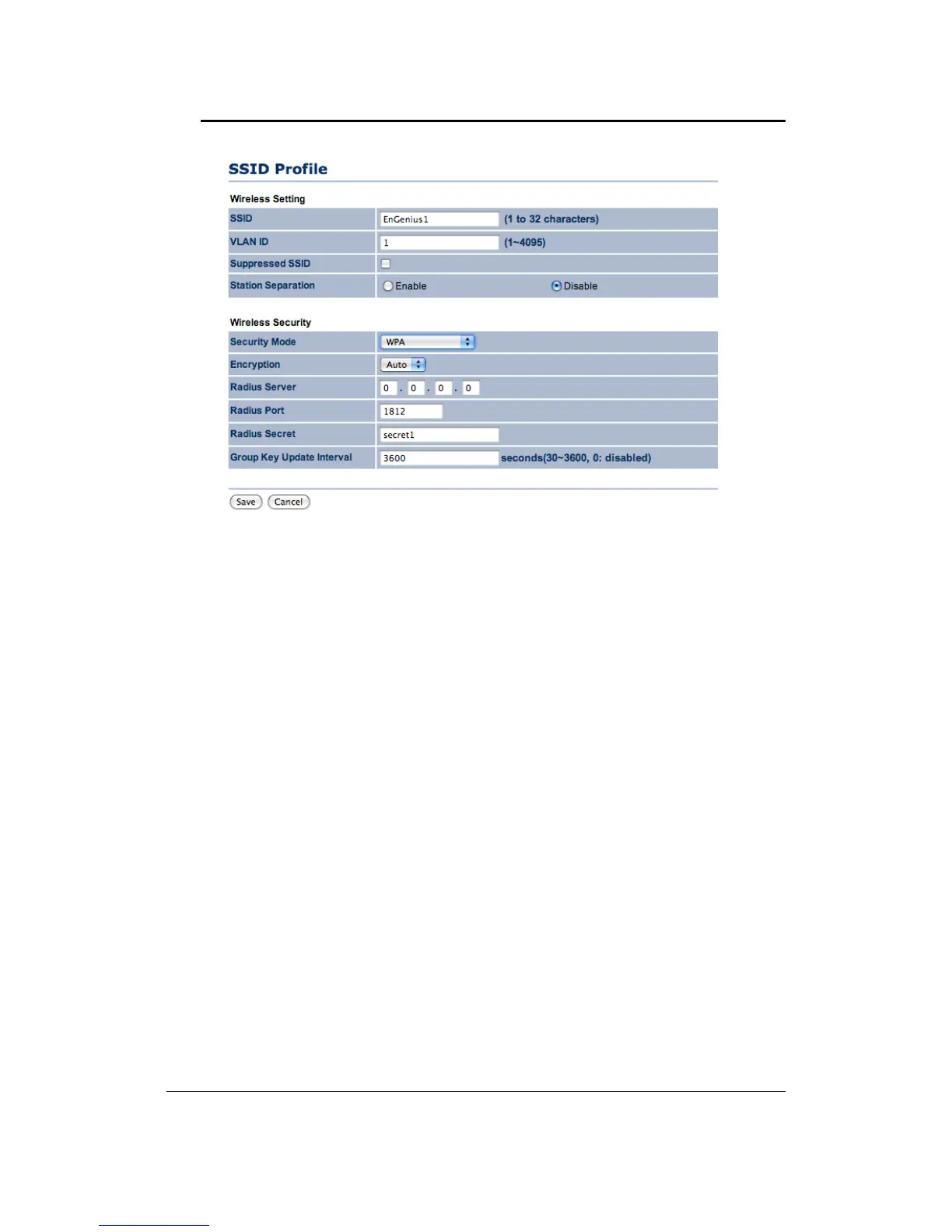
``SecurityMode:SelectWPA,WPA2orWPAMixedfromthedrop‐downlistifyourwireless
networkusesWPA.WPA(Wi‐FiProtectedAccess)wasdesignedtoimproveuponthesecurity
featuresofWEP(WiredEquivalentPrivacy).Thetechnologyisdesignedtoworkwithexisting
Wi‐Fiproductsthat
havebeenenabledwithWEP.WPAprovidesimproveddataencryption
throughtheTemporalIntegrityProtocol(TKIP),whichscramblesthekeysusingahashing
algorithmandbyaddinganintegritycheckingfeaturewhichmakessurethatkeyshaven’tbeen
tamperedwith.
`` Encryption: Select TKIP or AES from the drop‐down
list if your wireless network uses this
encryption.
``RADIUSServer:EntertheIPaddressoftheRADIUSserver.
``RADIUSPort:EntertheportnumberoftheRADIUSserver.Thedefaultisusually1812.
``RADIUSSecret:EnterthesharedpasswordoftheRADIUSserver.
``GroupKeyUpdate
Interval:SpecifythenumberofsecondsafterwhichtheAccessPointwill
probetheclientforthesecret.
``ClickontheSavebuttontosavethechanges.
Profile(SSID)Isolation:Whenyouselectthisfunctiontoenable,unitcanisolateallprofiles(SSIDs)
fromeachotherusingVLANstandard.
4.4.2 WirelessMACFilter
Click on theWireless MAC Filter link under the Wireless menu.On this page youcan filter the
MACaddressbyallowingorblockingaccessthenetwork.



 To Next Page