EnGenius EOC1650 Wireless Access Point / Client Bridge Version 2.0
20
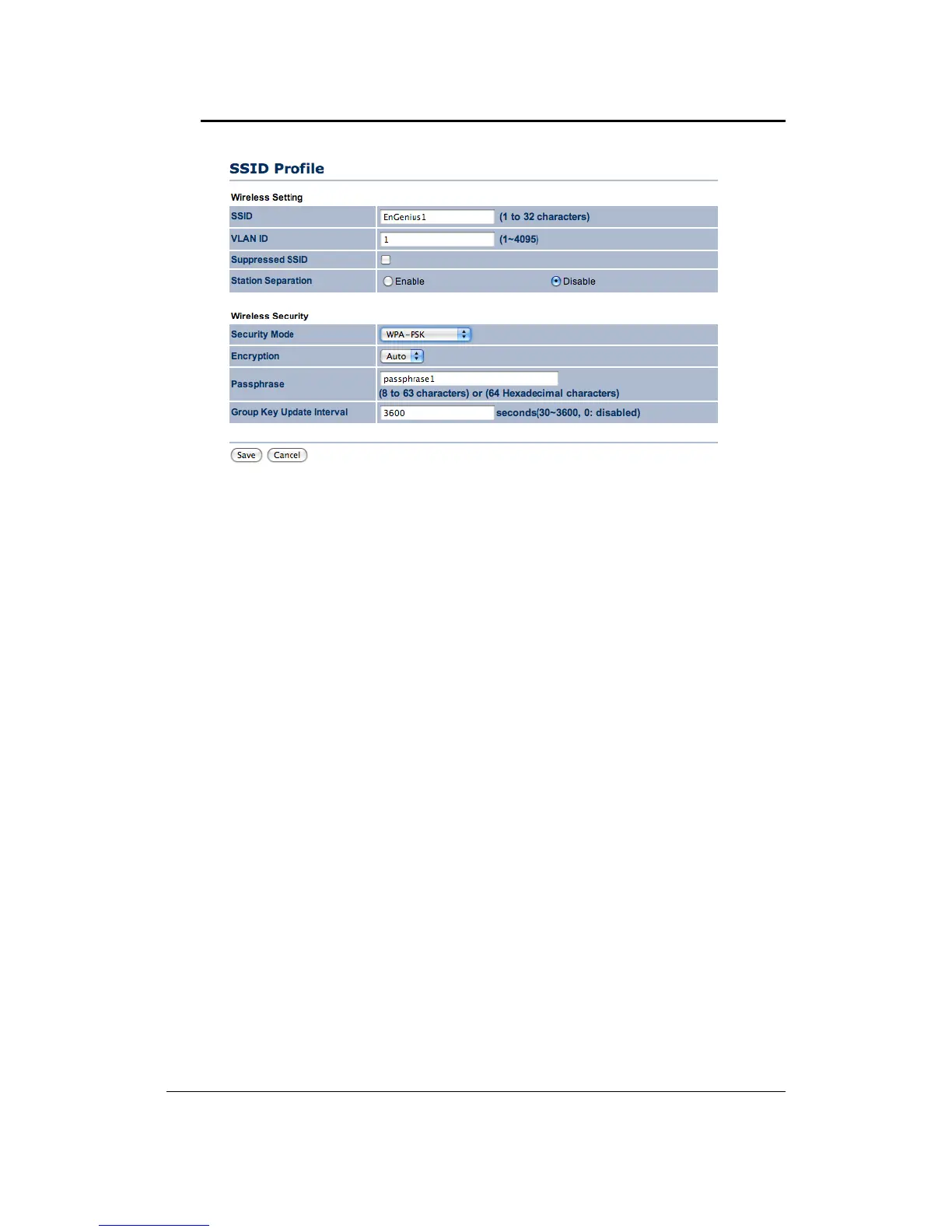
``SecurityMode:SelectWPA‐PSK,WPA2‐PSK,orWPA‐PSKMixedfromthedrop‐downlistif
yourwirelessnetworkusesWPApre‐sharedkey.
`` Encryption: Select TKIP or AES from the drop‐down list if your wireless network uses this
encryption.WPA(Wi‐FiProtectedAccess)was
designedtoimprove uponthesecurityfeatures
of WEP (Wired Equivalent Privacy). The technology is designed to work with existing Wi‐Fi
products that have been enabledwithWEP. WPAprovidesimproveddata encryptionthrough
theTemporalIntegrityProtocol(TKIP),whichscramblesthekeysusingahashingalgorithmand
by
adding an integrity checking feature which makes sure that keys haven’t been tampered
with.
``Passphrase:SpecifyapassphrasethatissharedamongsttheAccessPointsandclients.
``GroupKeyUpdateInterval:SpecifythenumberofsecondsafterwhichtheAccessPointwill
probetheclientforthepassphrase.
``ClickontheSavebuttontosavethechanges
.
`WirelessSecurity–SecurityMode:WPA,WPA2,WPAMixed



 To Next Page