EnGenius EOC1650 Wireless Access Point / Client Bridge Version 2.0
64
L2TP Pass Through:Placeacheck inthisbox ifyou would liketo enablethispass through.
Layer 2 Tunneling Protocol is a transport protocol that enables tunneling through the
Internetfortheestablishmentofvirtualprivatenetworks.
IPSecPassThrough: Placeacheckin thisbox
ifyouwouldliketoenablethispassthrough.
IPSecisaVPNprotocolusedtoimplementsecureexchangeofpacketsattheIPlayer.
ClickontheApplybuttontosavethechanges.
7.5 Wireless
ClickontheWirelesslinkonthenavigationdrop‐down
menu. You will then see three options: wireless
network, wireless security, and wireless advanced
settings.Eachoptionisdescribedbelow.
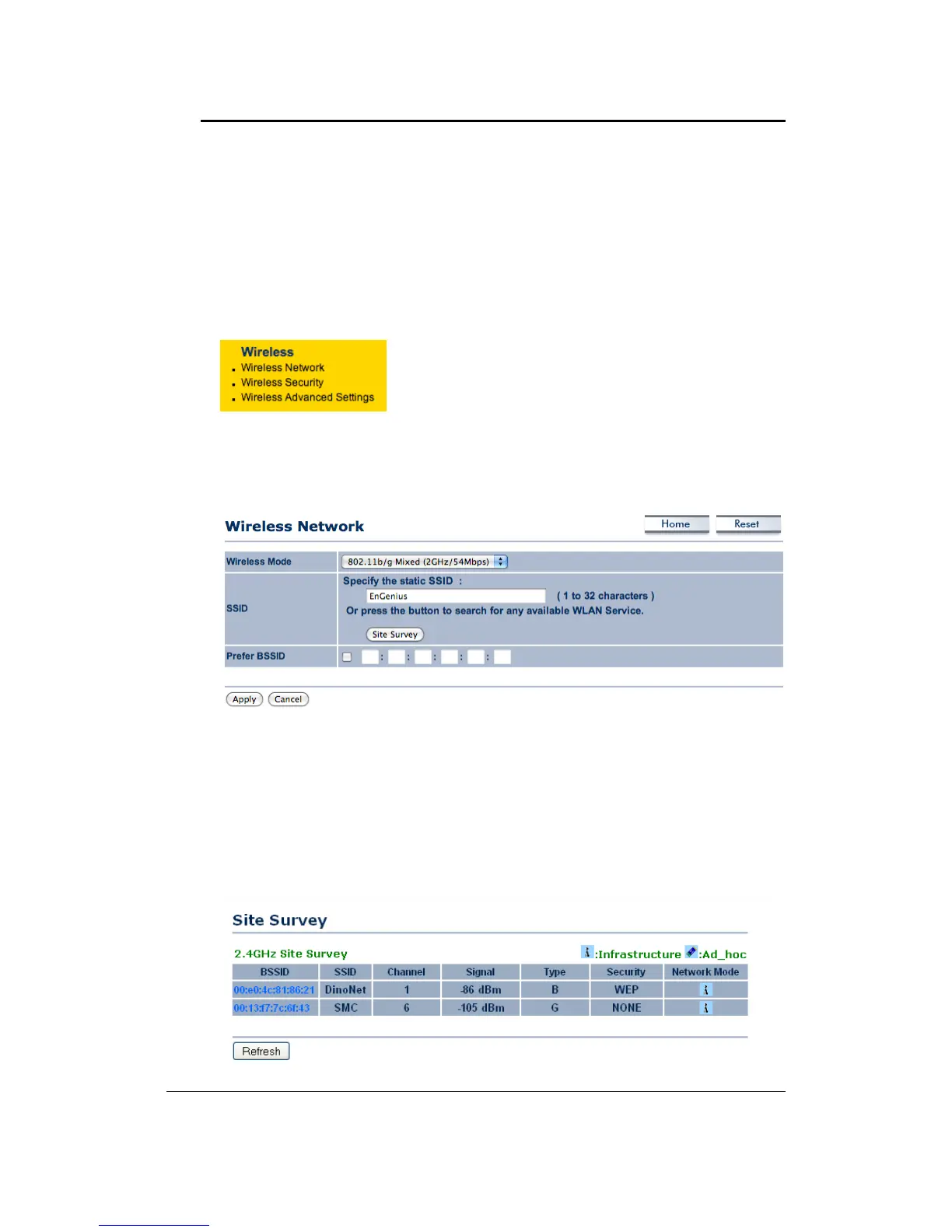
7.5.1 WirelessNetwork
TheWireless Network pageallows youto configurethe wirelessmode,channel, SSID,and
securitysettings.
Wireless Mode: Depending on the type of wireless clients that are connected to the
network,youmayselectB,G,orB/G‐mixed.Ifyouarenotsureaboutwhichclientswillbe
accessingthewirelessnetworks,itisrecommendedthatyouselectB/G‐mixedforthe
best
performance.
SSID:TheSSIDisauniquenamedsharedamongstallthepointsofthewirelessnetwork.The
SSIDmustbeidenticalonallpointsofthewirelessnetworkandcannotexceed32characters.
YoumayspecifyanSSIDorselectonefromtheSiteSurvey.
Site
Survey: Click on the Site Survey button in order to scan the 2.4GHz frequency for
devices that broadcast their SSID. Click on the BSSID link to connect to the Access Point.
ClickontheRefreshbuttontore‐scanthefrequency.



 To Next Page