EnGenius EOC1650 Wireless Access Point / Client Bridge Version 2.0
22
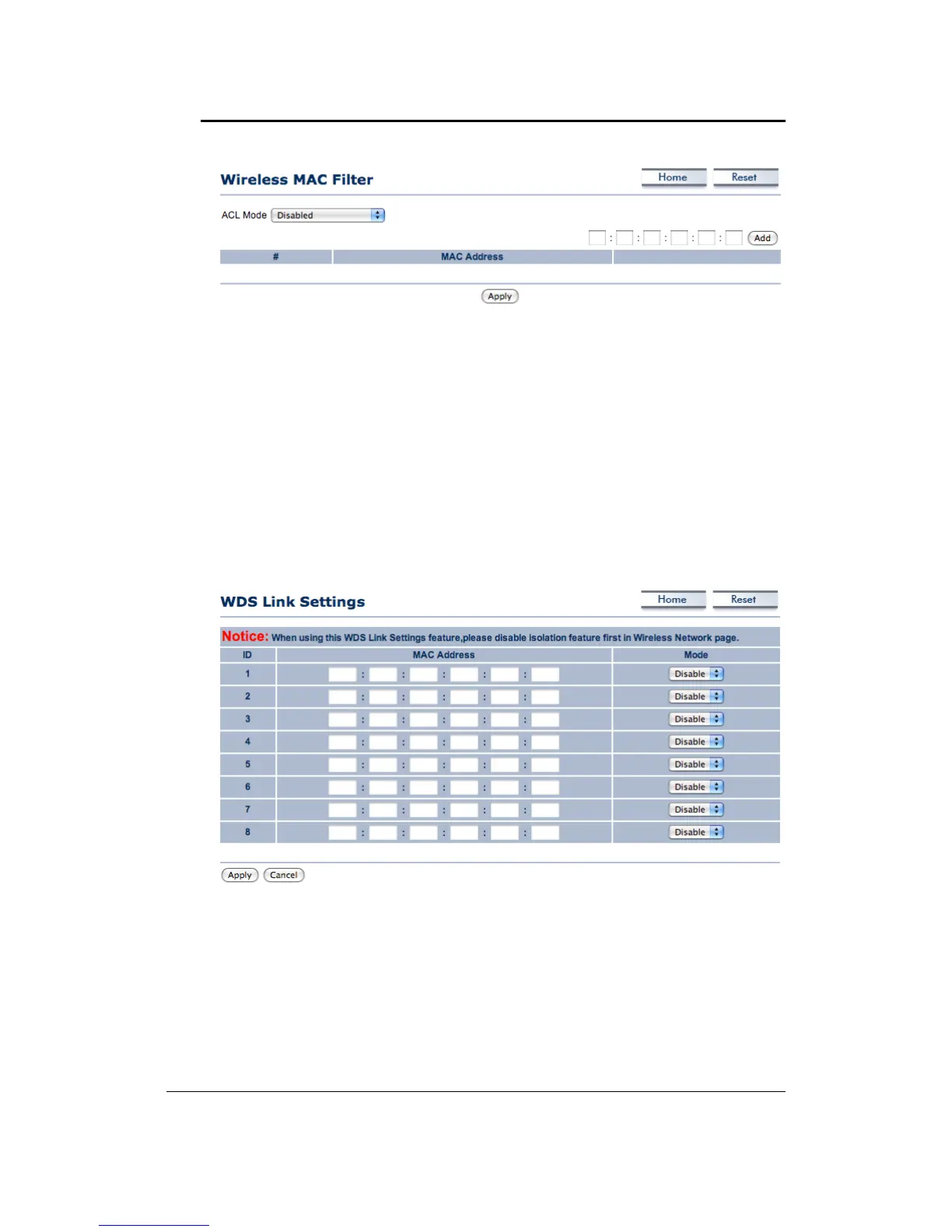
ACL (Access Control) Mode: You may choose to Disable, Allow Listed, or Deny Listed MAC
addresses from associating with the network. By selecting Allow MAC in the List, only the
addresslisted in thetable willhave accessto thenetwork; all other clientswill be blocked. On
the other hand, selected Deny MAC in the List, only the listed MAC addresses will be blocked
fromaccessingthenetwork;allotherclientswillhaveaccesstothenetwork.
MACAddress:EntertheMACaddress.
ThistableliststheblockedorallowedMACaddresses;youmaydelete
selectedMACaddressor
deletealltheaddressesfromthetablebyclickingontheDeletebutton.
ClickontheApplybuttontosavethechanges.
4.4.3 WDSLinkSettings
ClickontheWDSLinkSettingslinkundertheWirelessmenu.OnthispageyoucansettheWDS
linktoconnecttoanotherWDSAPorWDSBridge.TheMaximumconnectionisupto8units.
4.4.4 WirelessAdvancedSettings
Click on the Wireless Advanced Settings link. On this page you can configure the advanced
settings to tweak the performance of your wireless network. Options available are: data rate,
transmitpower,fragmentationthreshold,RTSthreshold,protectionmodeanddistance.



 To Next Page