7 ClientRouterOperatingMode
7.1 LoggingIn
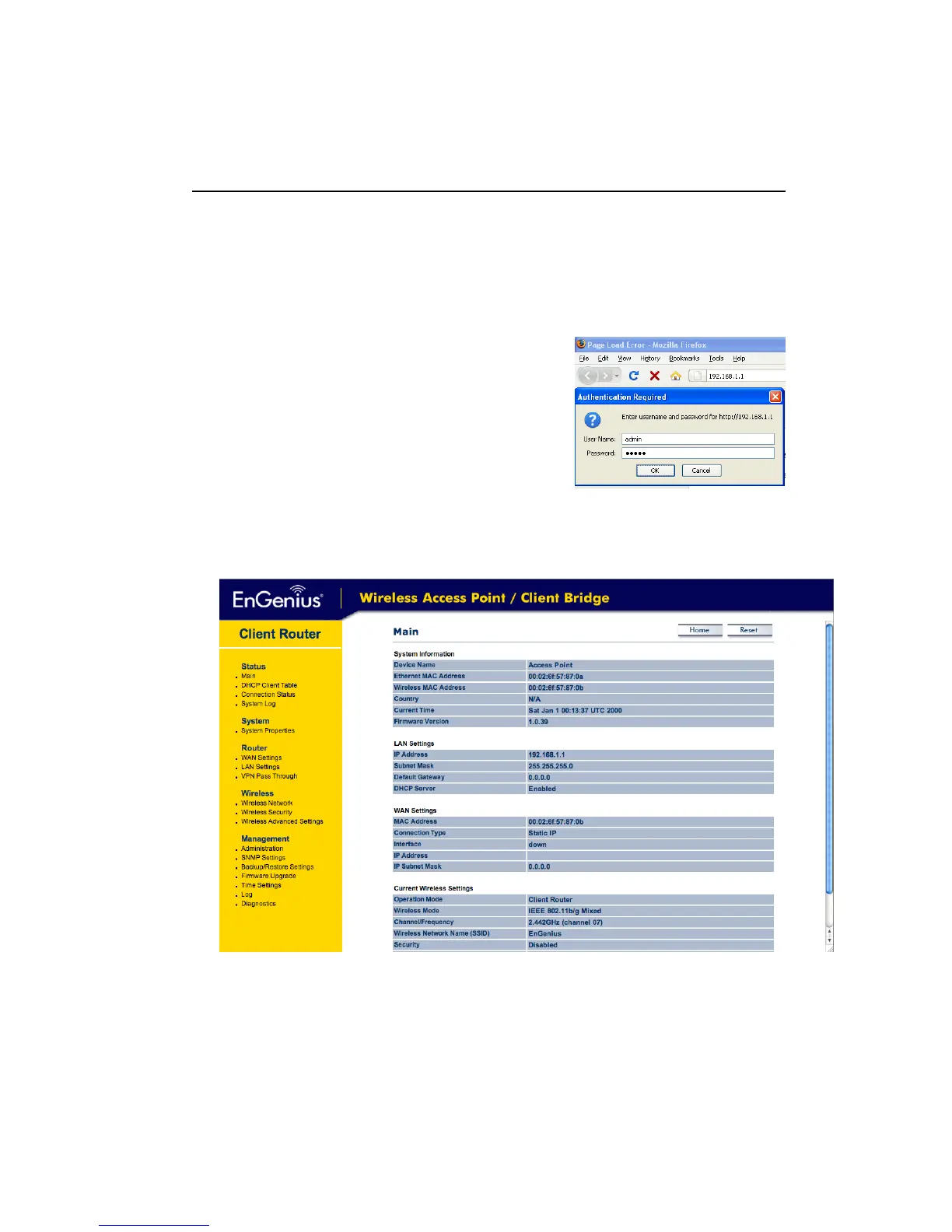
To configure the device through the web‐browser, enter the IP address of the device
(default:192.168.1.1)intotheaddressbaroftheweb‐browserandpressEnter.
Makesurethatthedeviceandyourcomputersareconfiguredonthesamesubnet.Referto
Chapter2inordertoconfiguretheIPaddressofyourcomputer.
After connecting to the IP address, the web‐browser
willdisplaytheloginpage.
Specifyadminforboththeusernameandpassword.
Afterlogginginyouwillgraphicaluserinterface(GUI)of
the device. The navigation drop‐down menu on left is
dividedintofoursections:
1. Status: Displays the overall status, DHCP client table,
connectionstatusandsystemlog.
2. System:Thismenuincludesthesystemproperties.
3. Router:
ThisincludesWAN,LAN,andVPNsettings.
4. Wireless:Thismenuincludeswirelessnetwork,securityandadvancedsettings.
5.
Management: This menu includes the admin setup, SNMP settings, firmware upgrade,
save/restorebackup,timesettinganddiagnostics.
7.2 Status



 To Next Page