EnGenius EOC1650 Wireless Access Point / Client Bridge Version 2.0
45
6.3 System
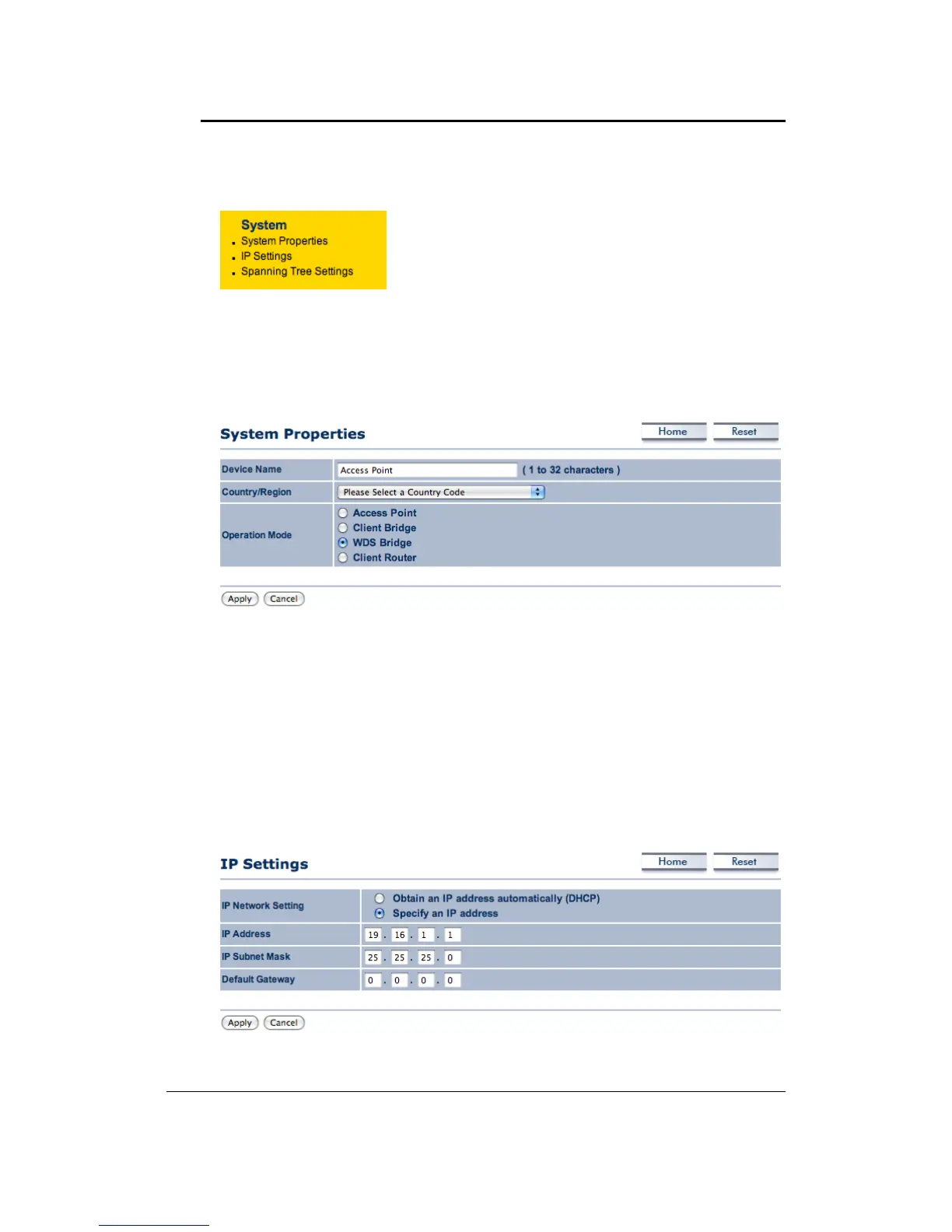
ClickontheSystemlink onthenavigationdrop‐down
menu.YouwillthenseeSystemProperties,IPSettings
andSpanningTreeSettings.
6.3.1 SystemProperties
Click on the System Properties link under the System drop‐down menu. This page allows
you to switch the operating mode of the device, as well as specify a name and select the
operatingregion.
DeviceName:Specifyanameforthedevice(thisisnottheSSID),
Country/Region:Selectacountryfromthedrop‐downlist.
Operating Mode: Select and operating mode. Configuration for each operating mode is
describedintheirrespectivechapters.
ClickontheApplybutton
tosavethechanges.
6.3.2 IPSettings
Click on the IP Settings link under the System drop‐down menu This page allows you to
configurethedevicewithastaticIPaddressoraDHCPclient.



 To Next Page