EnGenius EOC1650 Wireless Access Point / Client Bridge Version 2.0
46
IP Network Setting: Select Obtain an IP address automatically (DHCP) radio button if the
Access Point is connected to a DHCP server. This will allow the Access Point to pass IP
addresses to the clients associated with it. You may select Specify an IP Address radio
button if you
would like the device to use a static IP address. In this case, you would be
requiredtospecifyanIPaddress,subnetmask,anddefaultgatewayIPaddress.
IPAddress:SpecifyanIPaddress
IPSubnetMask:SpecifythesubnetmaskfortheIPaddress
Default
Gateway:SpecifytheIPaddressofthedefaultgateway.
ClickontheApplybuttontosavethechanges.
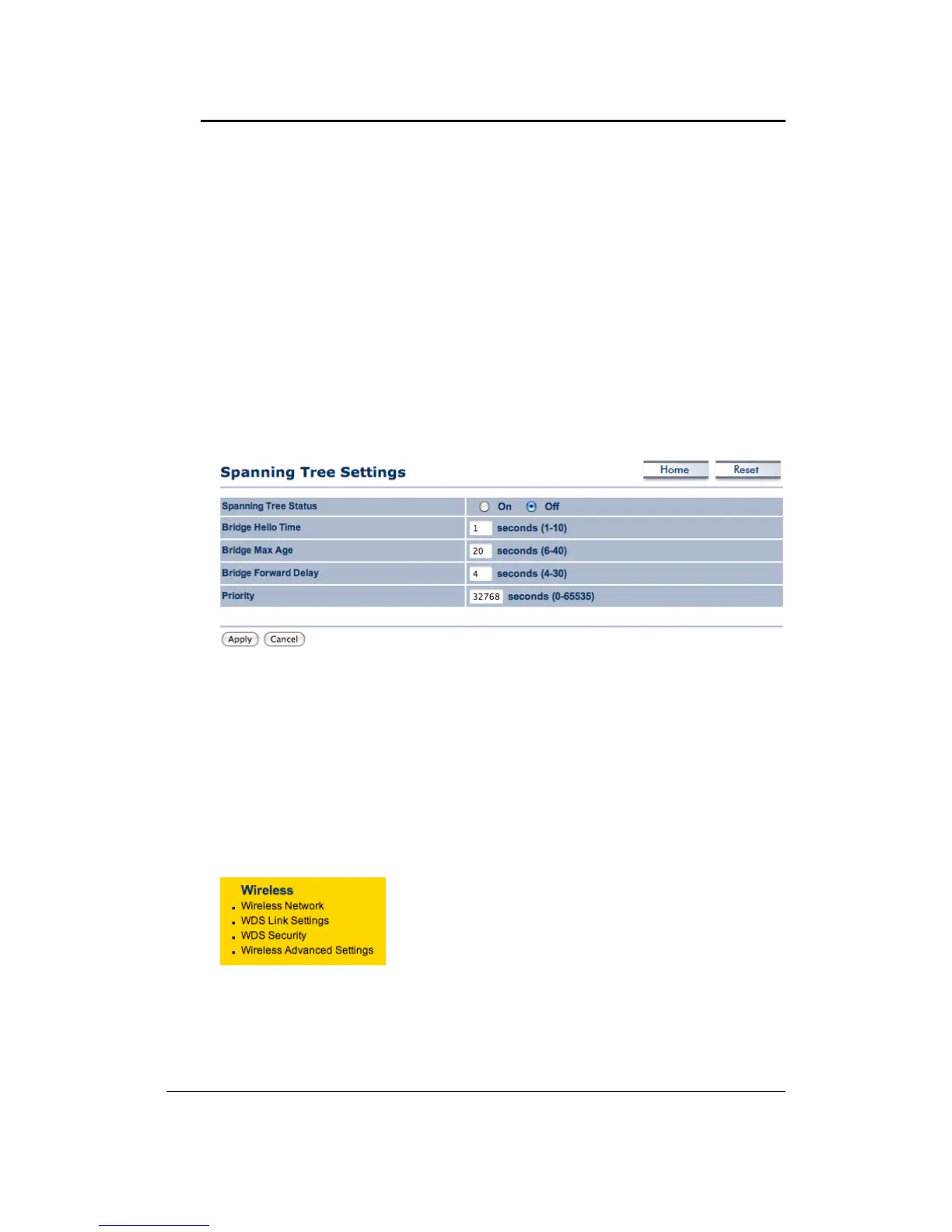
6.3.3 Spanning TreeSettings
ClickontheSpanningTreelinkundertheSystemdrop‐downmenuSpanning‐TreeProtocol
isalinkmanagementprotocolthatprovidespathredundancywhilepreventingundesirable
loopsinthenetwork.
SpanningTreeStatus:Choosetoenableordisablethespanningtreefeature.
BridgeHelloTime:Specifythenumberofsecondsforthehellotime.
BridgeMaxAge:Specifythenumberofsecondsforthemaxage.
BridgeForwardDelay:Specifythenumberofseconds
forthebridgeforwarddelay.
Priority:Specifythenumberofsecondsforthepriority.
ClickontheApplybuttontosavethechanges.
6.4 Wireless
ClickontheWirelesslinkonthenavigationdrop‐down
menu. You will then see four options: Wireless
Network, WDS Link Settings, WDS Security and
Wireless Advanced Settings. Each section is described
indetailbelow.



 To Next Page