EnGenius EOC1650 Wireless Access Point / Client Bridge Version 2.0
66
Default Key: You may use up to four different keys for four differentnetworks. Select the
currentkeythatwillbeused.
Key1‐4:YoumayenterfourdifferentWEPkeys.
ClickontheApplybuttontosavethechanges.
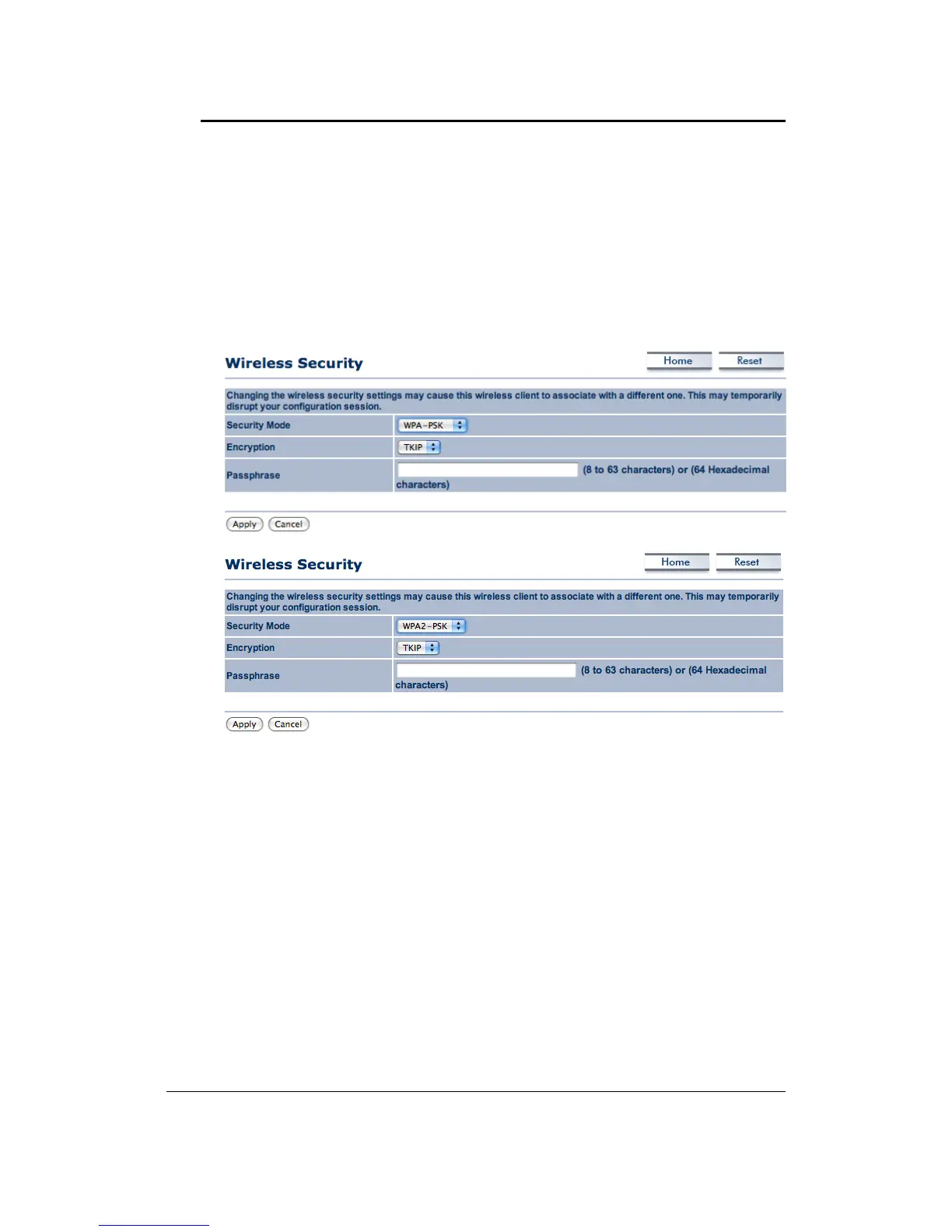
7.5.2.2 WirelessSecurity:WPA‐PSK,WPA2‐PSK,
Security Mode: Select WPA‐PSK or WPA2‐PSK from the drop‐down list if your wireless
networkusesWPApre‐sharedkey.
Encryption: Select TKIP or AES from the drop‐down list if your wireless network uses this
encryption. WPA (Wi‐Fi Protected Access) was designed to improve upon the security
featuresofWEP(WiredEquivalentPrivacy).Thetechnologyisdesignedtoworkwithexisting
Wi‐Fiproductsthathave
beenenabledwith WEP.WPAprovidesimproveddataencryption
through the Temporal Integrity Protocol (TKIP), which scrambles the keys using a hashing
algorithm and by adding an integrity checking feature which makes sure that keys haven’t
beentamperedwith.
Passphrase:SpecifyapassphrasethatissharedamongsttheAccess
Pointsandclients.
ClickontheApplybuttontosavethechanges.
7.5.3 WirelessAdvancedSettings
ClickontheWireless AdvancedSettingslink.Onthispageyou canconfiguretheadvanced
settingstotweaktheperformanceofyourwirelessnetwork.Optionsavailableare:datarate,
transmitpower,fragmentationthreshold,RTSthreshold,protectionmodeanddistance.



 To Next Page