EnGenius EOC1650 Wireless Access Point / Client Bridge Version 2.0
67
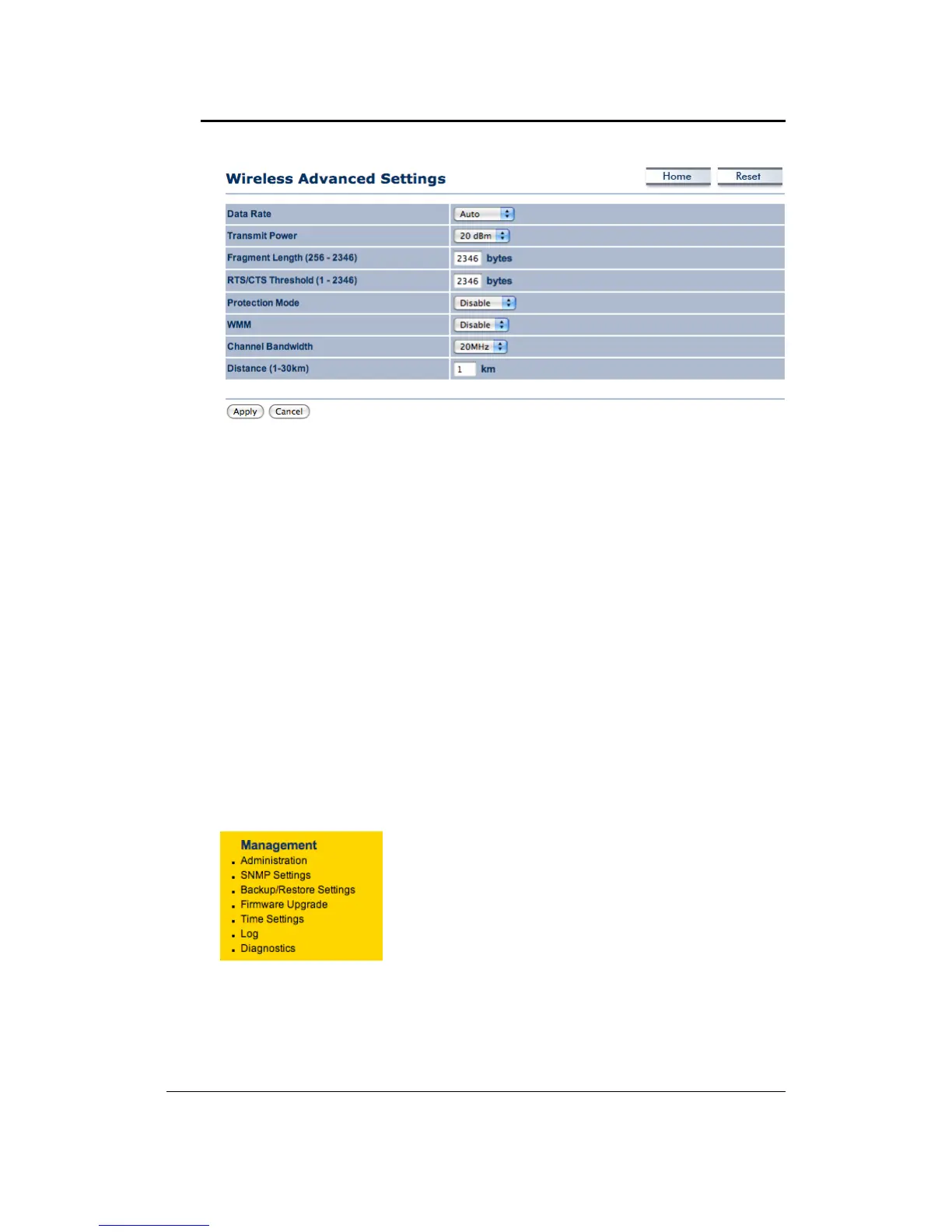
DataRate:Ifyouwouldliketoforceadatarate,youmayselectonefromthedrop‐downlist.
However,forbestperformanceitisrecommendedtousetheAutosetting.
TransmitPower:Youmayhavethedifferentapplicationdistanceofthedevicebyselecting
a
valuefromthedrop‐downlist.Thisfeaturecanbehelpfulinrestrictingthecoveragearea
ofthewirelessnetwork.
Fragment: Packets over the specified size will be fragmented in order to improve
performanceonnoisynetworks.
RTSThreshold:Packetsoverthespecifiedsizewill usethe
RTS/CTSmechanismtomaintain
performance in noisy networks and preventing hidden nodes from degrading the
performance.
ProtectionMode:Ifyourwirelessnetworkisusingboth802.11band802.gdevicesthenitis
recommended to enable this feature so that the 802.11b devices will not degrade the
performanceof802.11g
devices.
WMM:
EnablewirelessQualityofService
Distance(1‐30km):Specifyadistancebetween1and30Km.
ClickontheApplybuttontosavethechanges.
7.6 Management
ClickontheManagementlink on thenavigationdrop‐
down menu. You will then see six options:
administration,SNMPsettings,backup/restoresettings,
firmware upgrade, time settings, log and Diagnostics.
Eachoptionisdescribedbelow.



 To Next Page