EnGenius EOC1650 Wireless Access Point / Client Bridge Version 2.0
59
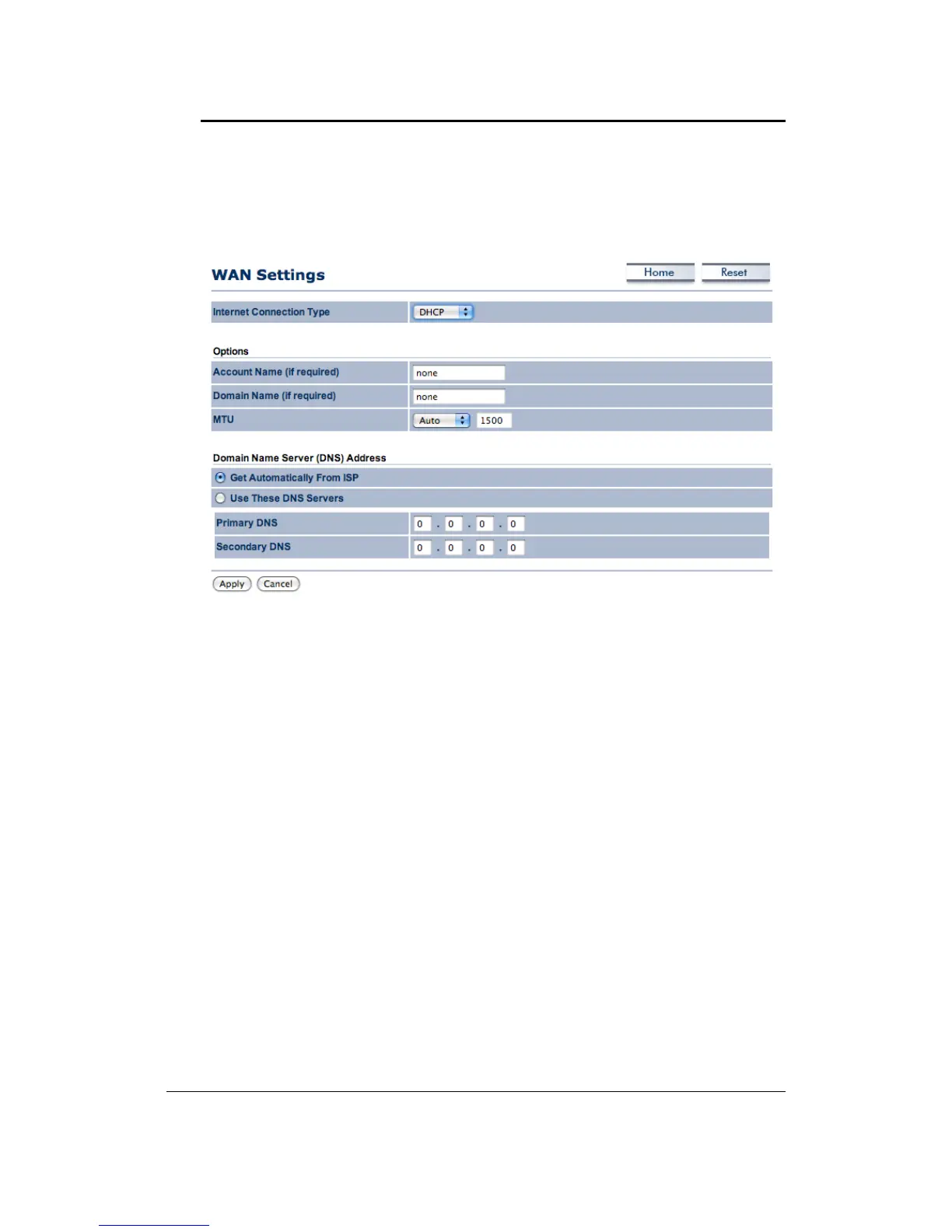
7.4.1.1 WAN‐DHCP
The WAN interface can be configured as a DHCP Client in which the ISP provides the IP
addresstothedevice.ThisisalsoknownasDynamicIP.
InternetConnectionType:SelecttheDHCPfromthedrop‐downlist.
AccountName:SpecifyanaccountnameifyourISPhasprovidedyouwithone.
DomainName:SpecifyadomainnameiftheISPhasprovidedyouwithone.
MTU: The Maximum Transmission Unit
(MTU) is a parameter that determines the largest
packet size (in bytes) that the router will send to the WAN. If LAN devices send larger
packets, the router will break them into smaller packets. Ideally, you should set this to
matchtheMTUoftheconnectionto yourISP.Typical
valuesare1500bytesforanEthernet
connection and 1492 bytes for a PPPoE connection. If the router's MTU is set too high,
packetswill befragmented downstream. Iftherouter's MTUis settoo low,therouter will
fragment packets unnecessarily and in extreme cases may be unable to establish
some
connections.Ineithercase,networkperformancecan suffer.
Domain Name Service: Select Get Automatically from ISP if the ISP will provide the DNS
address, if not, select Use these DNS servers and specify the primary and secondary DNS
serverIPaddress.
ClickontheApplybuttonto
savethechanges.
7.4.1.2 WAN–StaticIP
The WAN interface can be configuredasStatic IP address. In thistype ofco nnection, your
ISPprovidesyouwithadedicatedIPaddress(whichdoesnotchangeasDHCP).



 To Next Page