EnGenius EOC1650 Wireless Access Point / Client Bridge Version 2.0
35
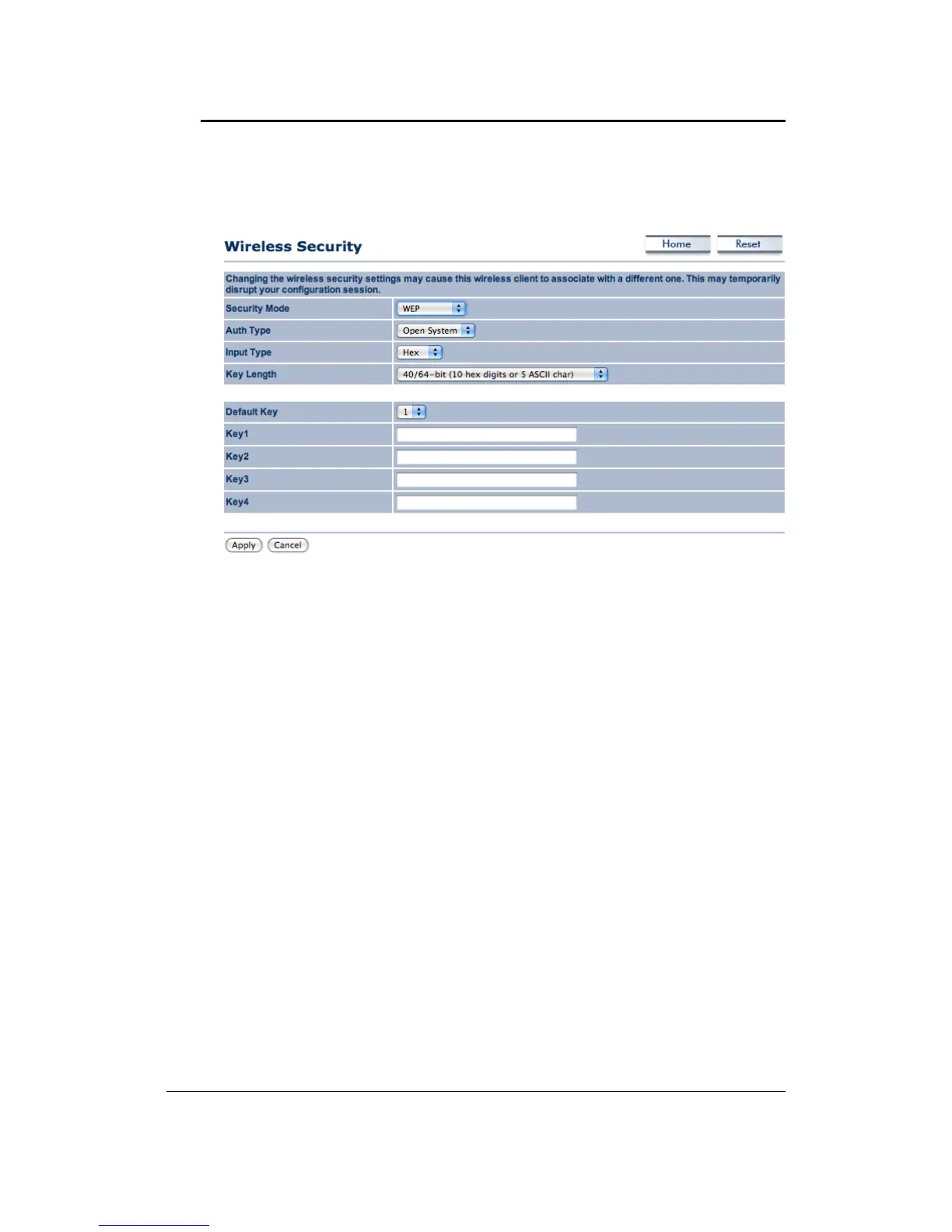
Security Mode: Select WEP from the drop‐down list if your wireless network uses WEP
encryption. WEP is an acronym for Wired Equivalent Privacy, and is a security protocol that
providesthesamelevelofsecurityforwirelessnetworksasforawirednetwork.
AuthenticationType:Selectanauthenticationmethod.OptionsavailableareOpenKey,Shared
Key.AnopensystemallowsanyclienttoauthenticateaslongasitconformstoanyMACaddress
filter policies that may have been set. All authentication packets are transmitted without
encryption.Shared Keysends anunencrypted
challenge textstringto anydevice attemptingto
communicatewiththeAccessPoint.Thedevicerequestingauthenticationencryptsthechallenge
textandsendsitbacktotheAccessPoint.Ifthechallengetextisencryptedcorrectly,theAccess
Pointallows the requestingdevice to authenticate.Itis recommendedto select
Auto ifyou are
notsurewhichauthenticationtypeisused.
InputType:SelectHexorASCIIfromthedrop‐downlist
KeyLength: Selecta keyformat from the drop‐downlist. 64bit‐hex keys require 10 characters,
whereas128‐bitkeysrequire26characters.A
hexkeyisdefinedasanumberbetween0through
9andletterbetweenAthroughFandathroughf.
DefaultKey:Youmayuseuptofourdifferentkeysforfourdifferentnetworks.Selectthecurrent
keythatwillbeused.
Key1‐4:You
mayenterfourdifferentWEPkeys.
ClickontheApplybuttontosavethechanges.
WirelessSecurity:WPA2‐PSK
Security Mode: Select WPA2‐PSK from the drop‐down list if your wireless network uses WPA
pre‐sharedkey.



 To Next Page