5-14 Disassembly, Assembly, and Adjustments Rev. A
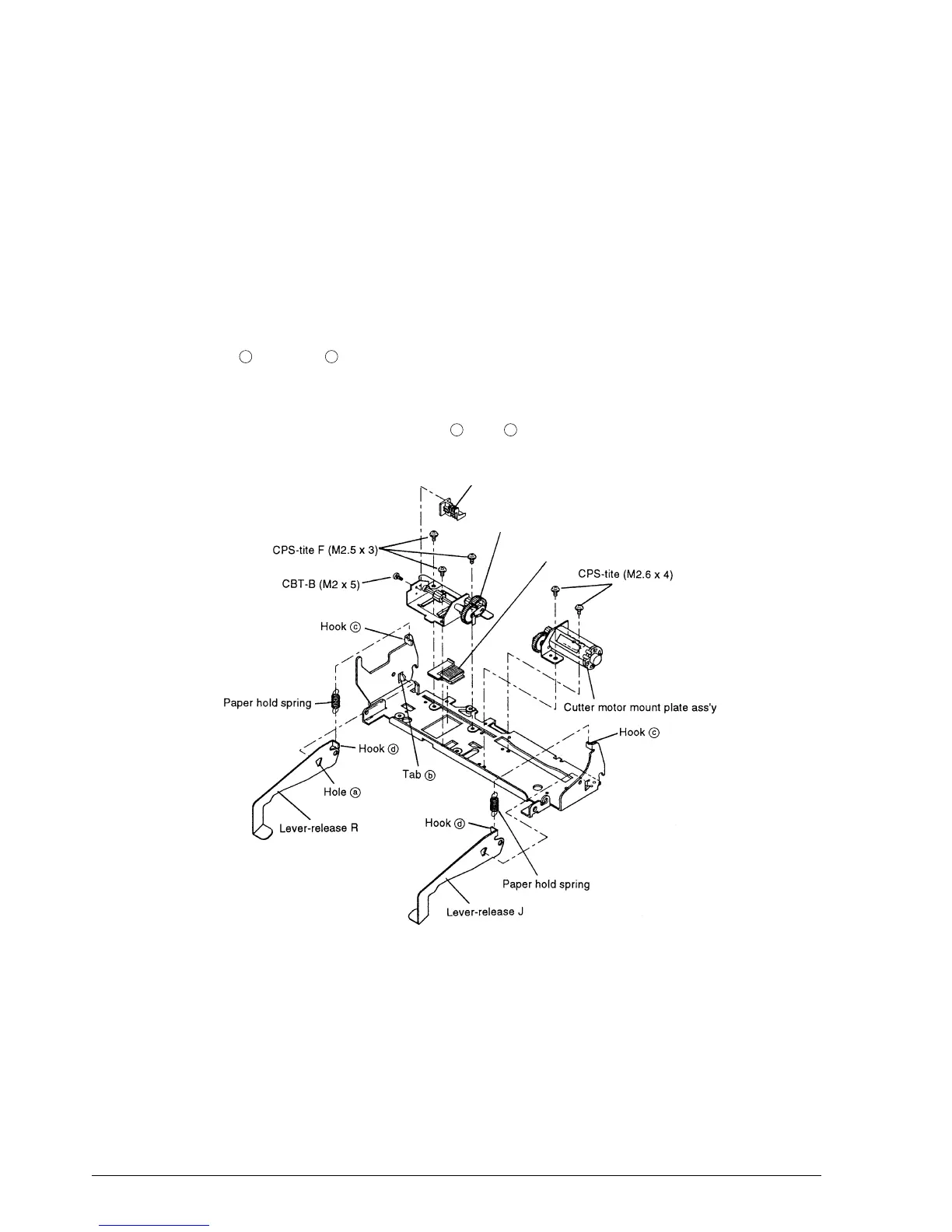
Sub-assembly H: Auto-cutter Unit Assembly
1.* Place the cutter slider assembly on the frame-cutter blade receiving assembly.
2.* Fasten the contact pin holder sub-assembly to the cutter frame assembly with the screw.
3. Align the dowel with the dowel hole and fasten the cutter motor mount plate assembly to
the frame-cutter blade receiving assembly with the screws.
4. Align the dowel with the dowel hole and fasten the cutter frame assembly to the frame-
cutter blade receiving assembly with the screws.
5. Align hole with tab and attach the lever-release R.
6. Attach the lever-release J in the same way.
7. Engage the paper hold springs in hooks and .
a
b
c
d
Contact pin holder sub-assembly
Cutter frame assembly
Cutter slider assembly
CONFIDENTIAL














 To Next Page