Operating of the Machine
Paraquda Startup & Safety © Essemtec AG
4-53
0000003/11 / November 4, 2014
Assign Dispense Set to mounted Dispense Module (Kitting)
-defined dispense set can be joined
together with the physically mounted dispense
module. There is no need to say that the
mounted
dispense module with its valve has to
correspond with dispense module and valve of
the dispense set.
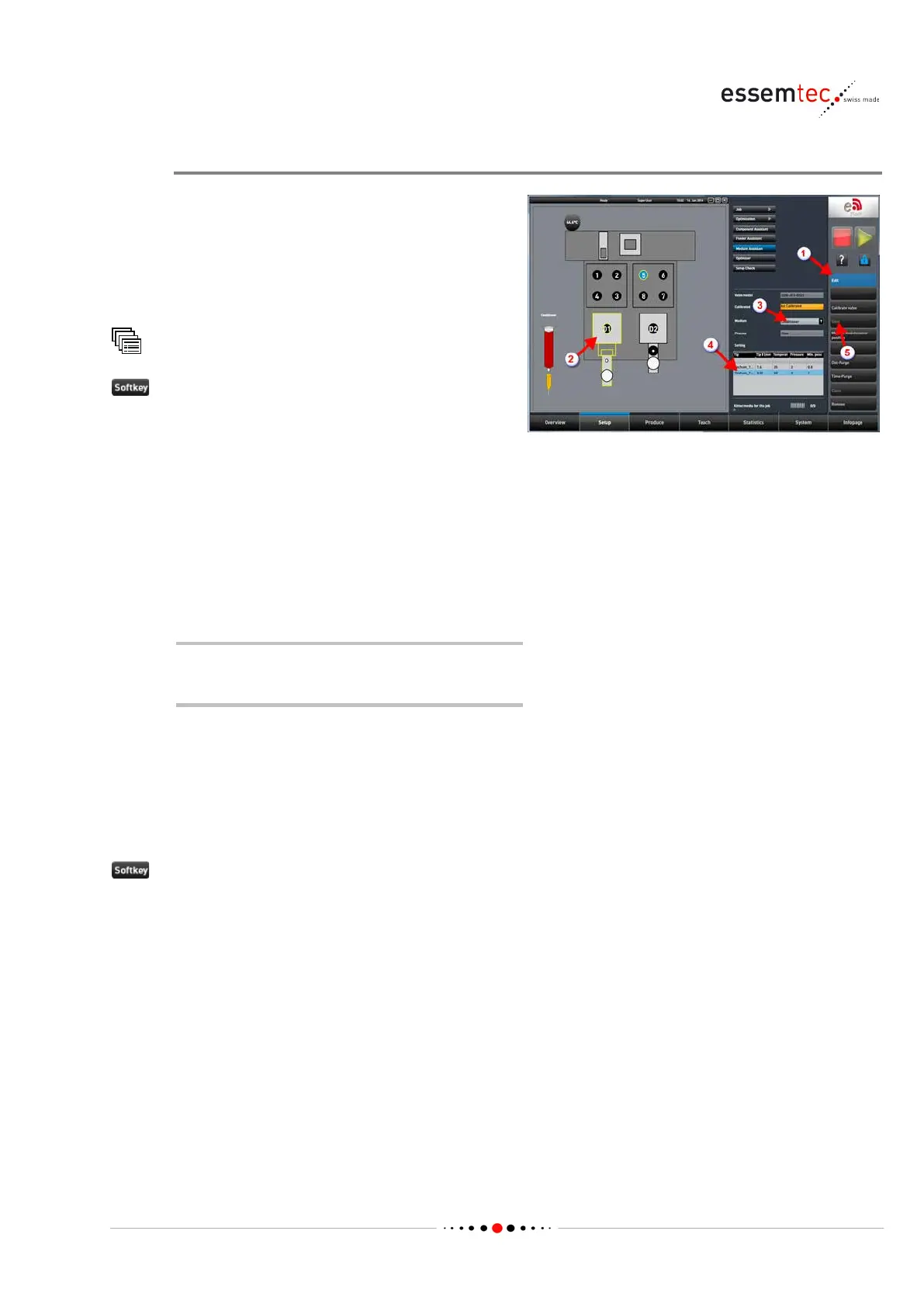
Medium Assistant
to enable the edit mode on the screen (1).
• Select the desired dispense module on
graphical section (2).
• Select the used medium (3).
• In the table 'Setting', all pre-defined
dispense sets are listed which are combined
with the selected medium and which are
compatible to the mounted and selected
dispense module. Select the desired
dispense set (4).
If no dispense set is available, create a
new dispense set (step 3 above).
• Click Move to maintenance position and
mount the cartridge on the valve.
• A purge cycle should be performed to get
the media through the valve. Probably the
cycle has to be repeated.
• Calibrate valve.
to save the configuration (5).



 To Next Page