126 Eos Operations Manual
Multiple Intensity Channels
When a multiple intensity channel is patched, Eos assigns it a master intensity. The master intensity
can be used to control the multiple intensities together. The master intensity is handled in the same
way as the intensity of a single intensity channel. Levels can be set via the level wheel, from the
keypad, and the encoders. The other intensities will default to 100%.
Control of the individual intensities of a multiple intensity channel is handled using the parameter
buttons in the CIA (see Manual Control of Non-intensity Parameters (NPs), page 112) or the
encoders (see Custom Control, page 122). Levels assigned to the individual intensities will act
independent of each other and the master intensity.
• [1][0][0] {Intens 3} [At] [5][0] - sets intensity 3 of channel 100 to 50% intensity.
• [1][0][0] [At] [7][5] - sets the master intensity of channel 100 to 75% intensity. All
intensities for channel 100 will be set to 75% unless they have a separate intensity set.
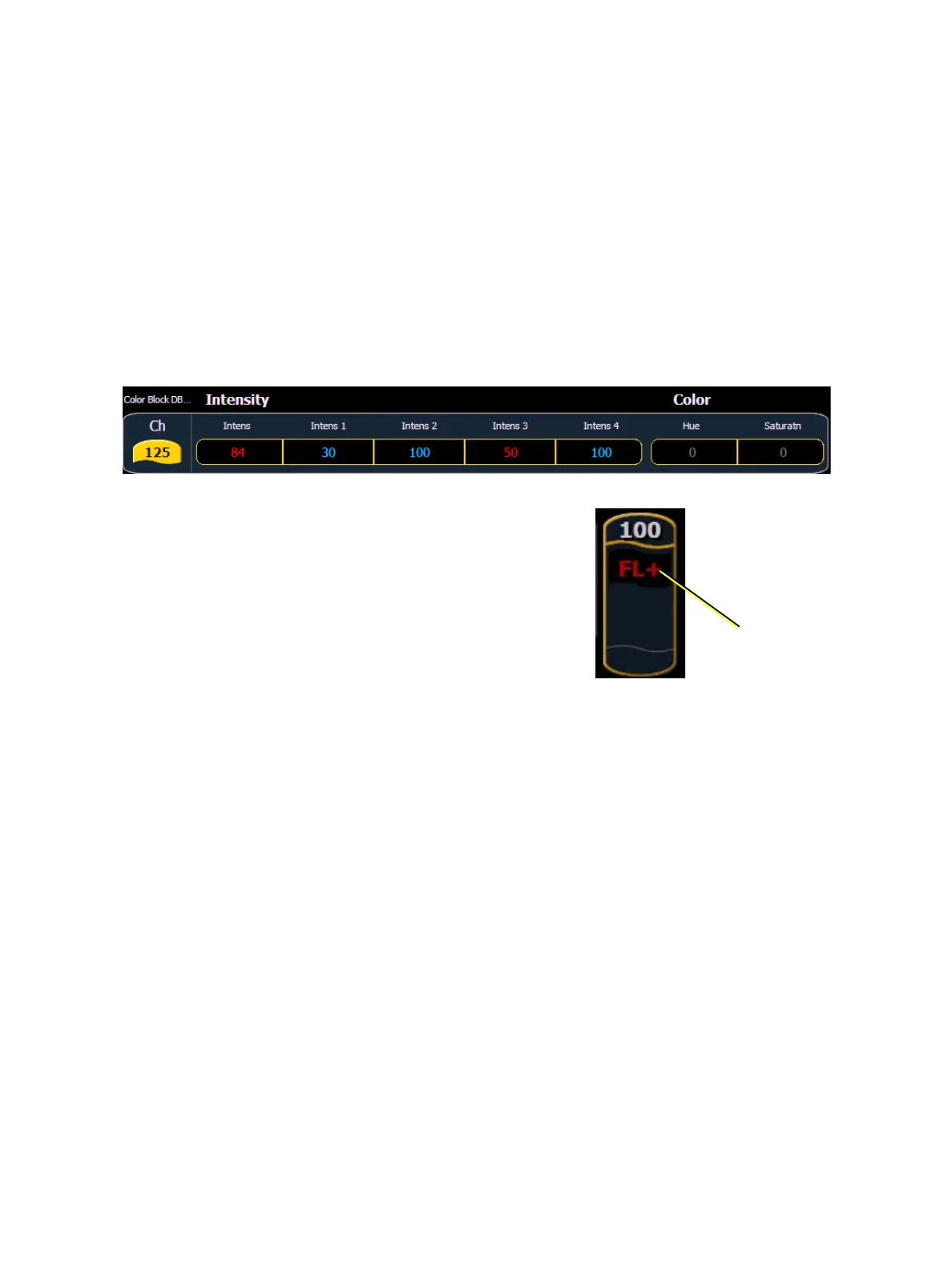
In Table view, Eos will default to showing all intensity parameters associated with the channels.
In summary view, the master intensity is shown. If one of the
multiple intensities has a value, an ‘+’ will display beside the
master intensity.
indicates that
there is a level
set from an
individual
intensity



 To Next Page